
Bulk Update
AlignBooks offers a convenient feature that allows you to update master records in bulk. This functionality is particularly useful when you need to make changes to the details of multiple master entries that were previously created in the software.
With the Bulk Update feature, you can easily modify these details all at once from a single, user-friendly screen. This saves time and ensures that updates are efficient and consistent.
Watch a Video
-
First click on 'Configuration' icon and select 'Bulk Update' option.
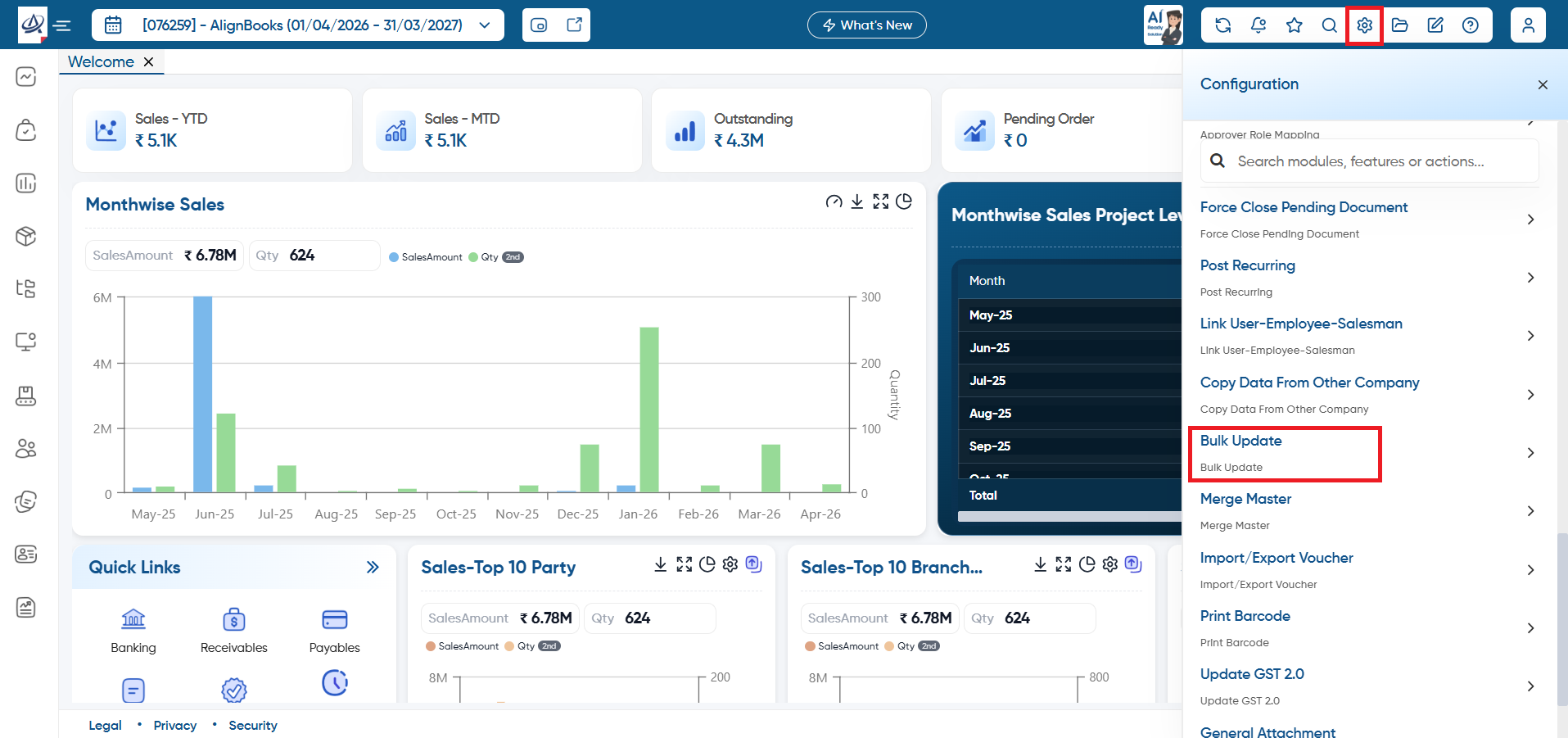
Case 1. Manually Update the Details on the screen.
-
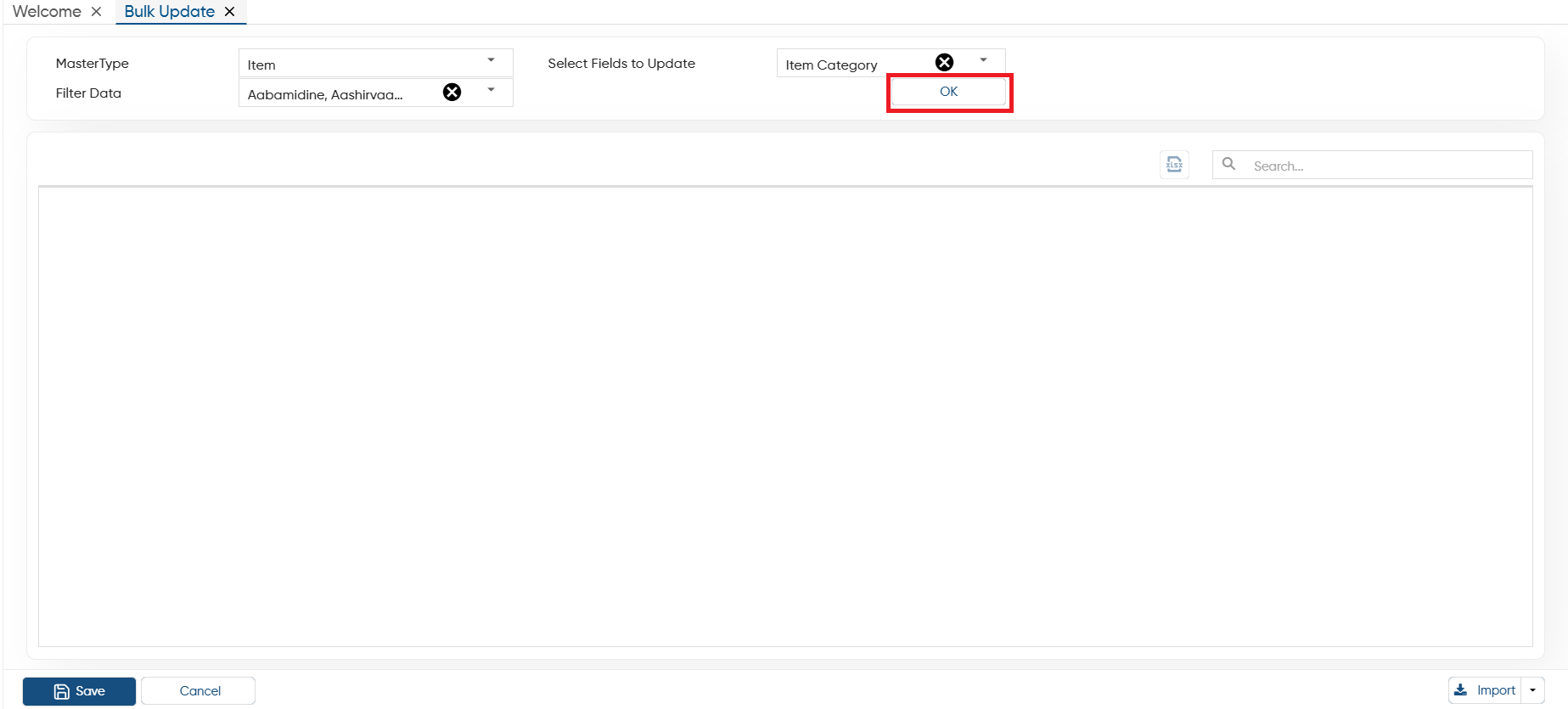
Master Type: Select the master type such as Customer, Vendor, Item, Employee, etc. in which you want to update the details in bulk.
-
Filter Data: Here, you have the option to select specific master records that you want to update. Alternatively, you can leave this field blank, and in that case, all the data associated with the chosen master will be displayed on the screen.
-
Select Fields to Update: After selecting the master, choose the specific field within that master that you want to modify or update.
Click on 'OK' button.
-
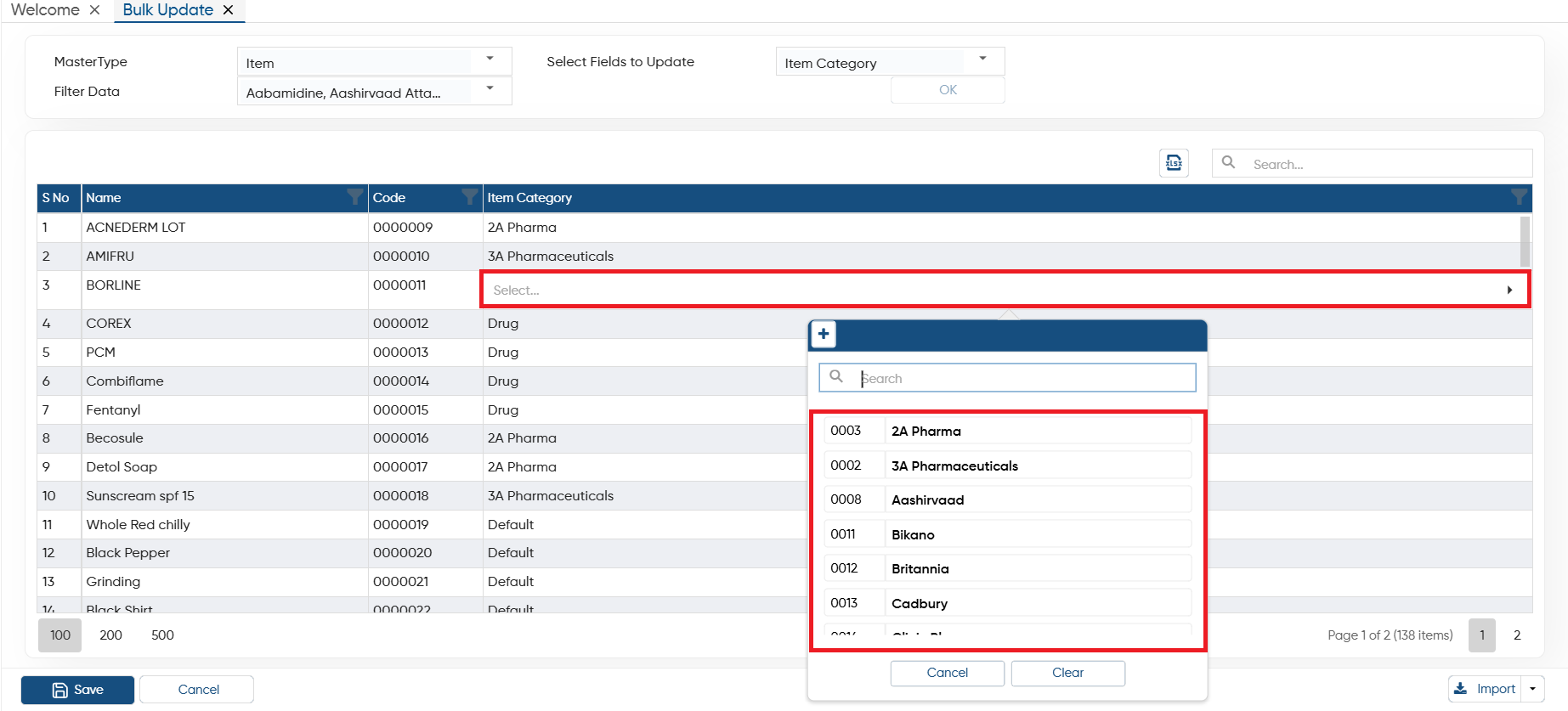
After selection of the master, click on the specific column and update the details manually.
-
After updating the details click on 'Save Bulk Update' to save the changes.
Case 2. Import Through Excel File.
-
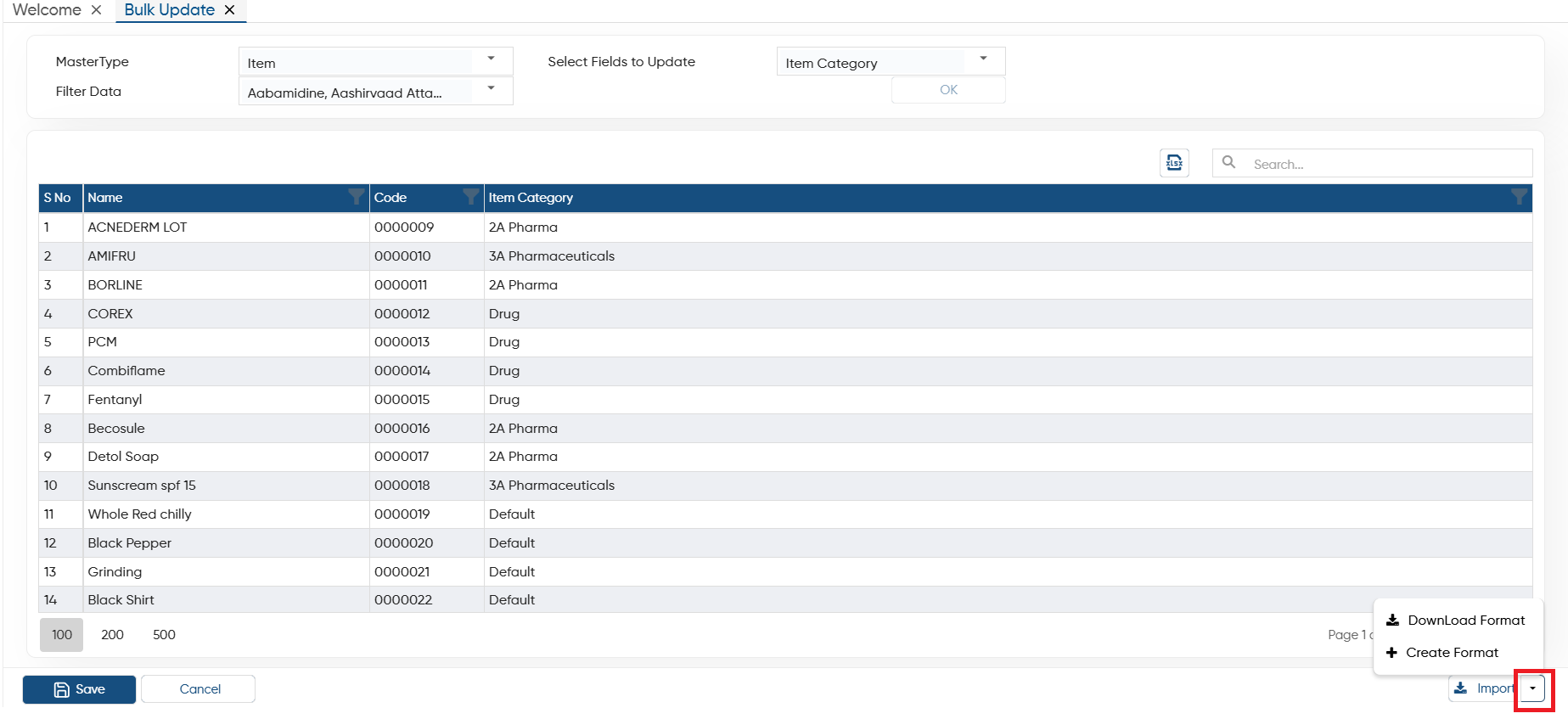
Download Format: If you want to import data from an Excel file, you can download the template through this option. After entering the data, you can directly import the file into AlignBooks.
-
Create Format: You can also create a custom format and map the columns with your Excel file. Make sure the field headings in the Excel file match those in the software when mapping the columns.
-
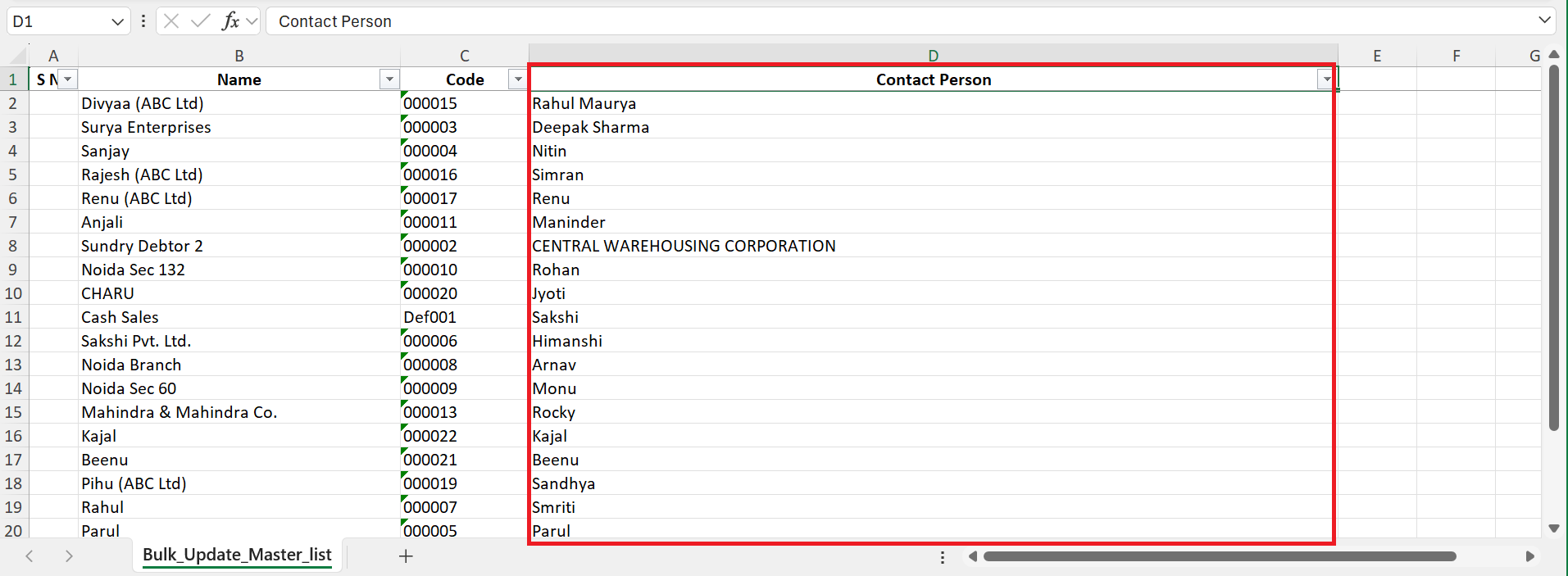
The data should be updated in the excel file which you want to import.
-
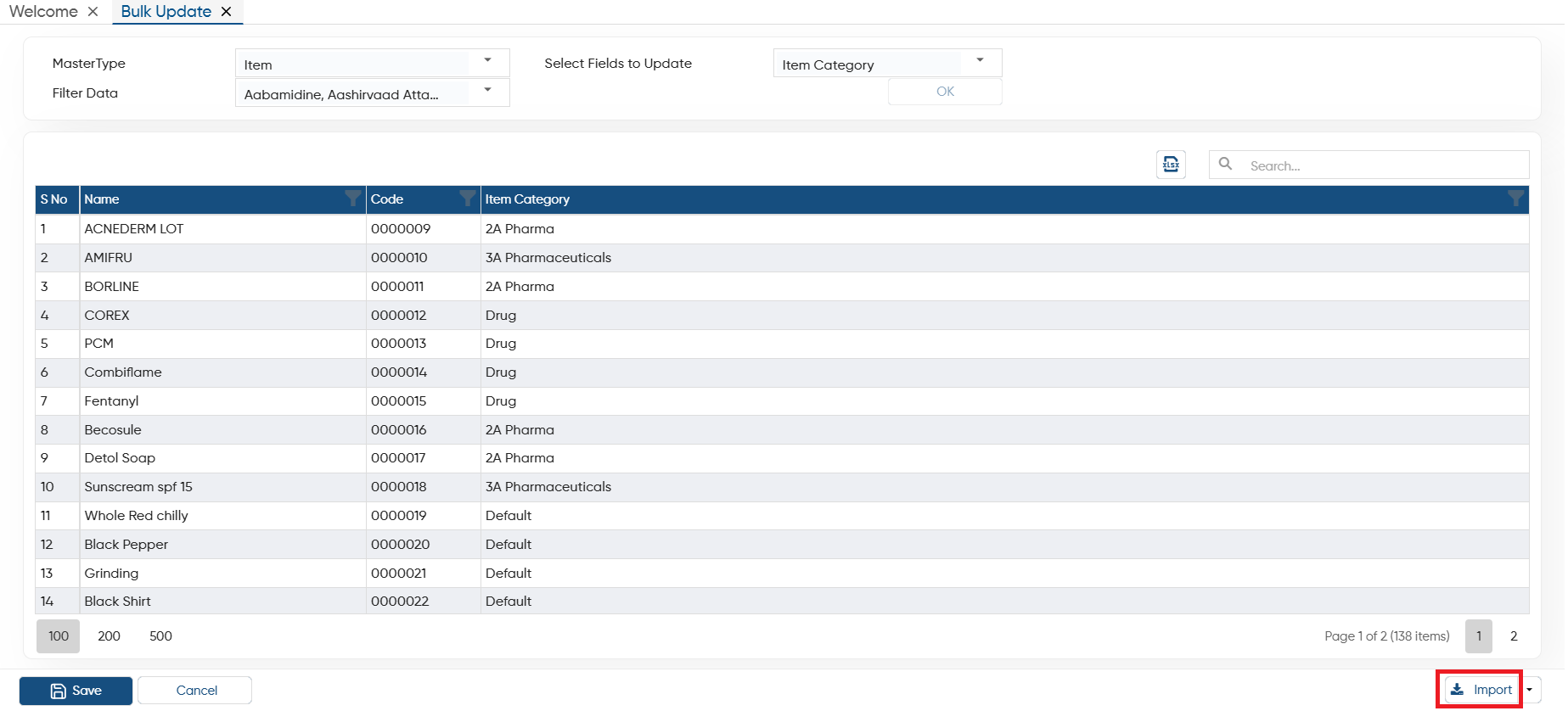
After updating the Excel file, click on 'Import' button.
-
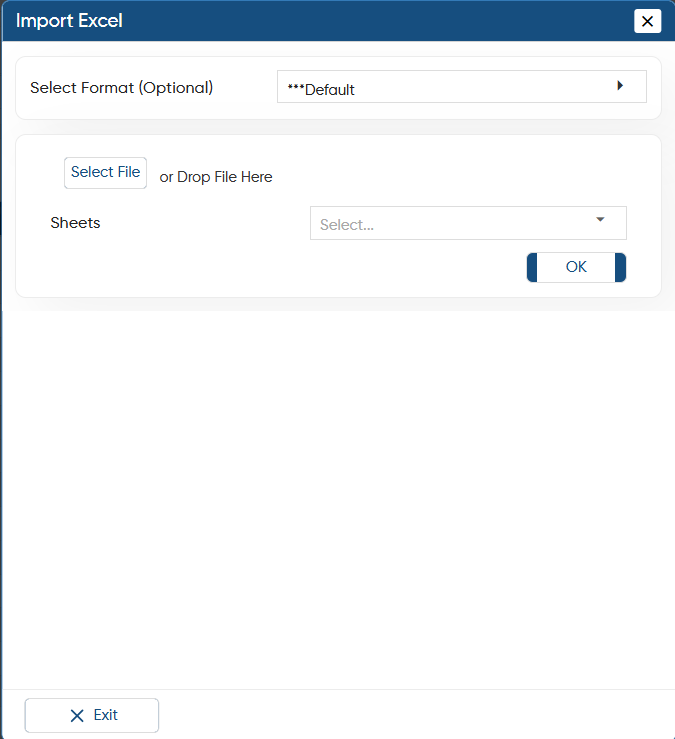
Now click on 'Select File' button to select the file where it has been saved or Drag & Drop the file on the 'Import Excel' window.
-
The file will get attached, click on 'OK' button.
-
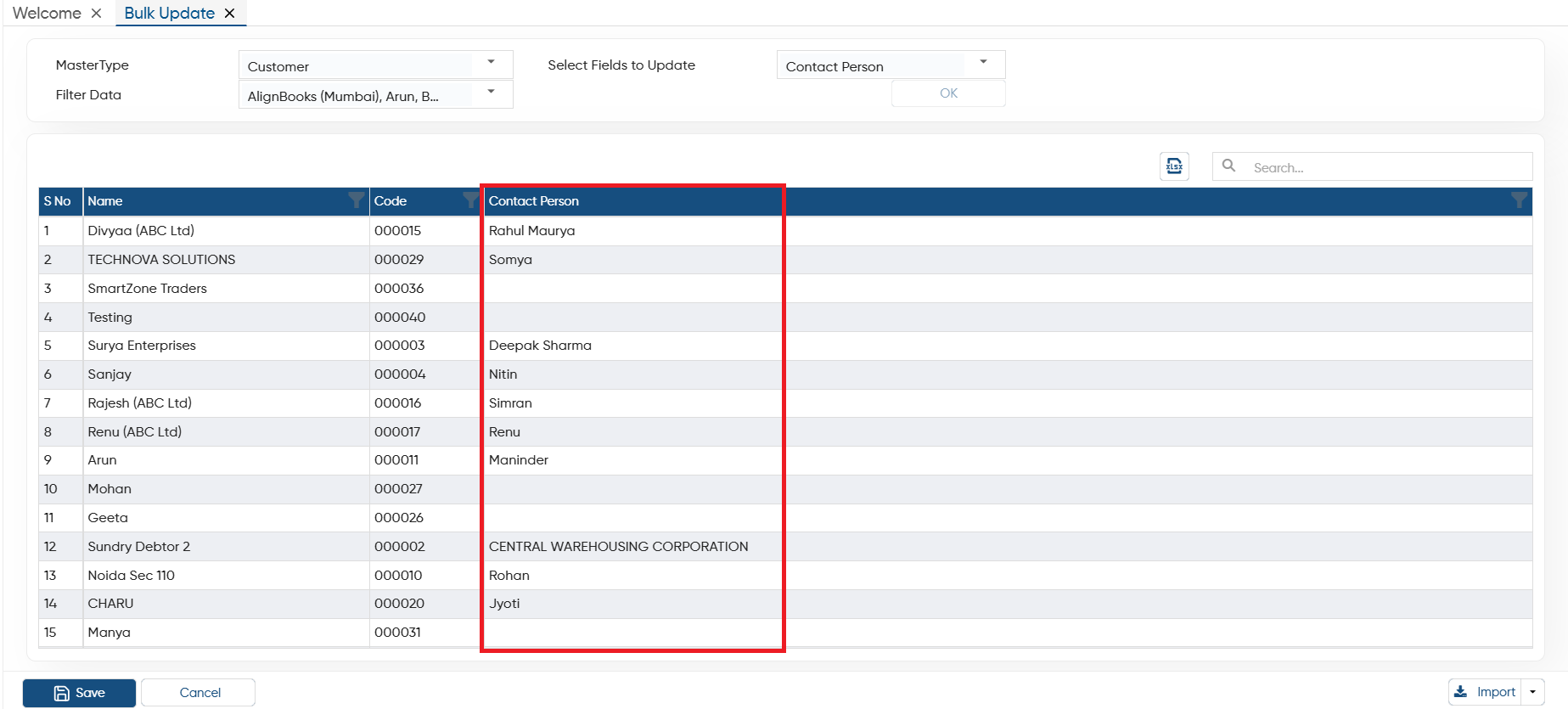
Thereafter, the data will be imported and fields will get update. You can view the field data on the screen.
-
Click on 'Save Bulk Update' button to save the changes.
In this way you can Update Master details in Bulk in AlignBooks.