
Close Accounting Period
At the end of each financial year, you need to close the books of accounts and make closing entries to transfer any surplus or deficit to the following year's records. AlignBooks streamlines this process by automating the creation of closing entries. With just one click, it automatically transfers the surplus or deficit amounts to the Reserve and Surplus account for each location.
-
Click on 'Configuration' icon and select 'Dashboard Configuration' option.
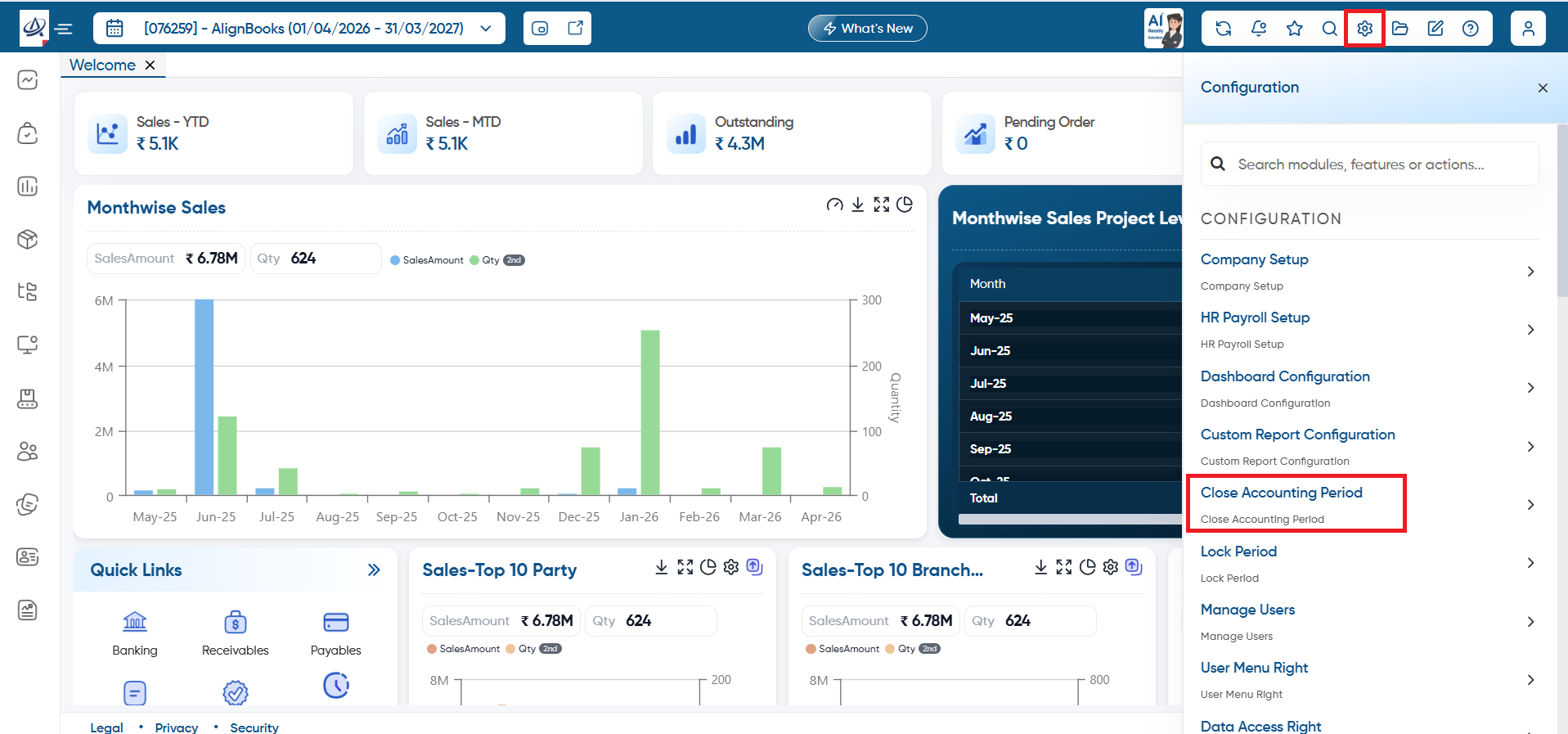
-
You need to click on the dropdown to select the desired Financial Year Period which you need to close.
-
Click on 'Close Financial Period' button and all closing entries will get auto pass in the system.
Before closing the financial Period, make sure you don't require any changes in that specific financial Year.
|
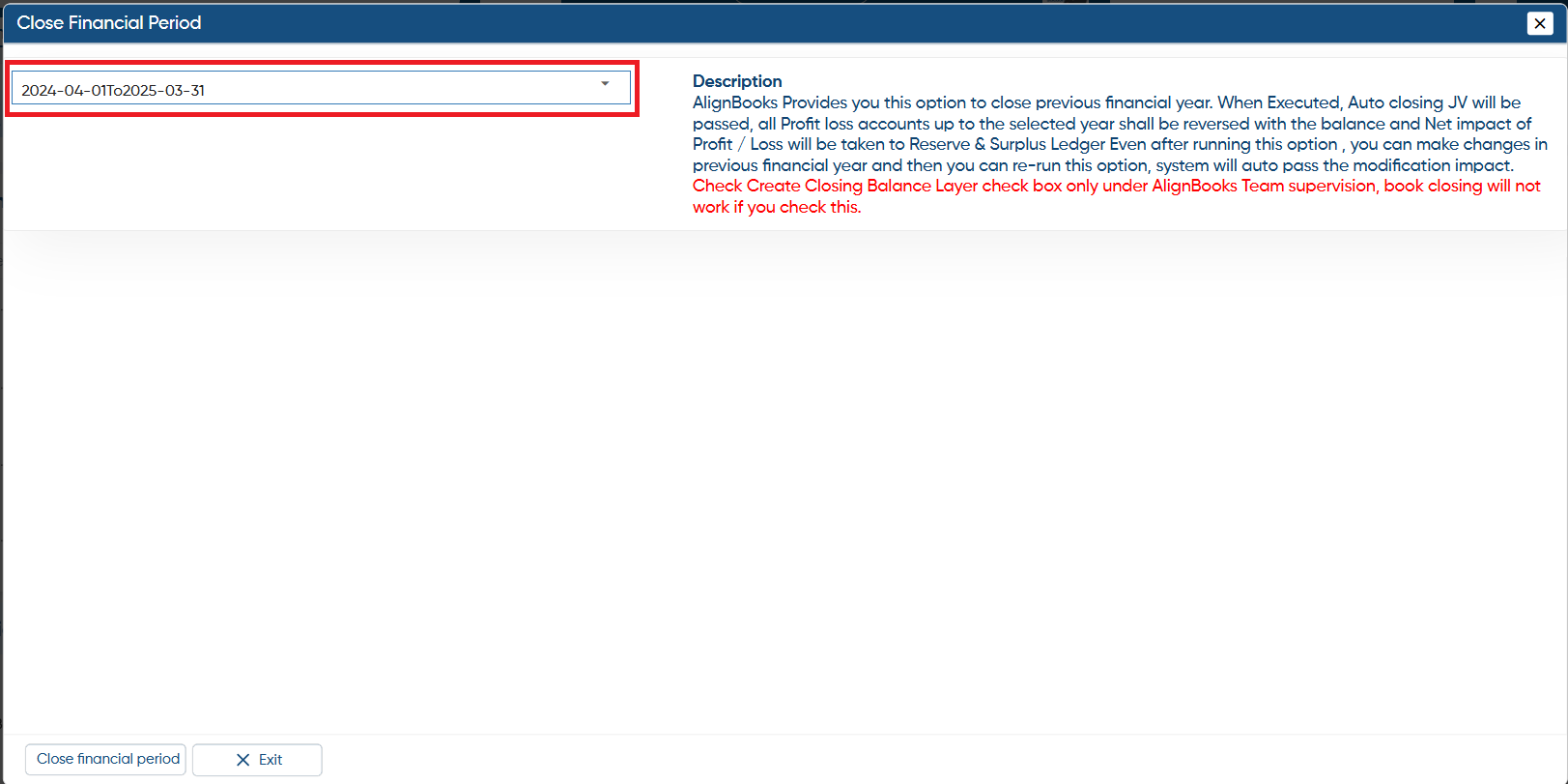
In this way, you can Close Financial Period and proceed to next year in AlignBooks.