
Copy Data From Other Company
With AlignBooks, managing multiple companies is simple and efficient. If you need to Update Setups, Master Data, or Transactions from one company to another, the platform provides a seamless process to accomplish this.
AlignBooks is designed to streamline these tasks, allowing you to easily replicate or transfer essential information between companies without hassle. This feature ensures consistency and saves time, making it an ideal solution for businesses handling multiple entities.
-
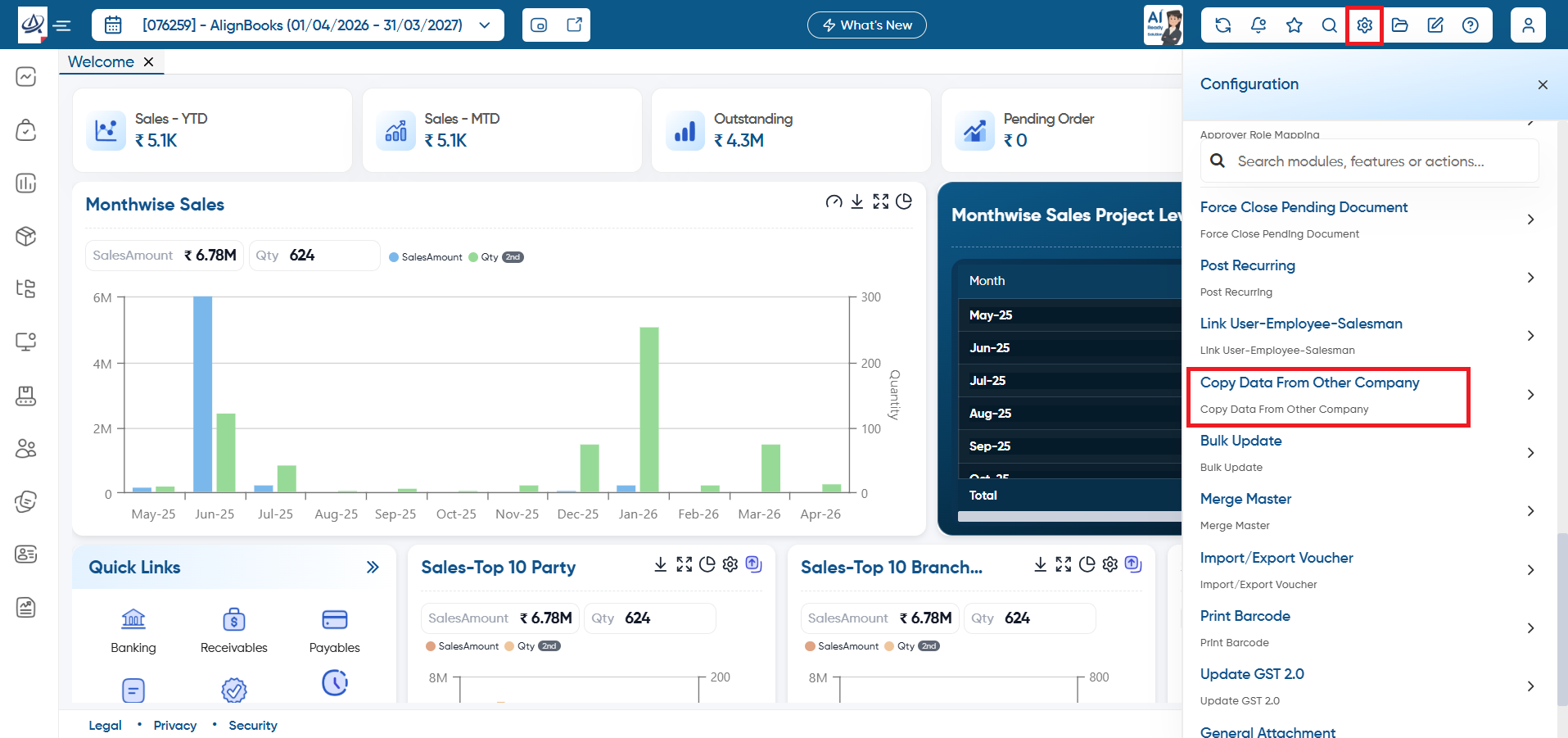
Click on 'Configuration' icon and select 'Copy Data From Other Company' option.
-
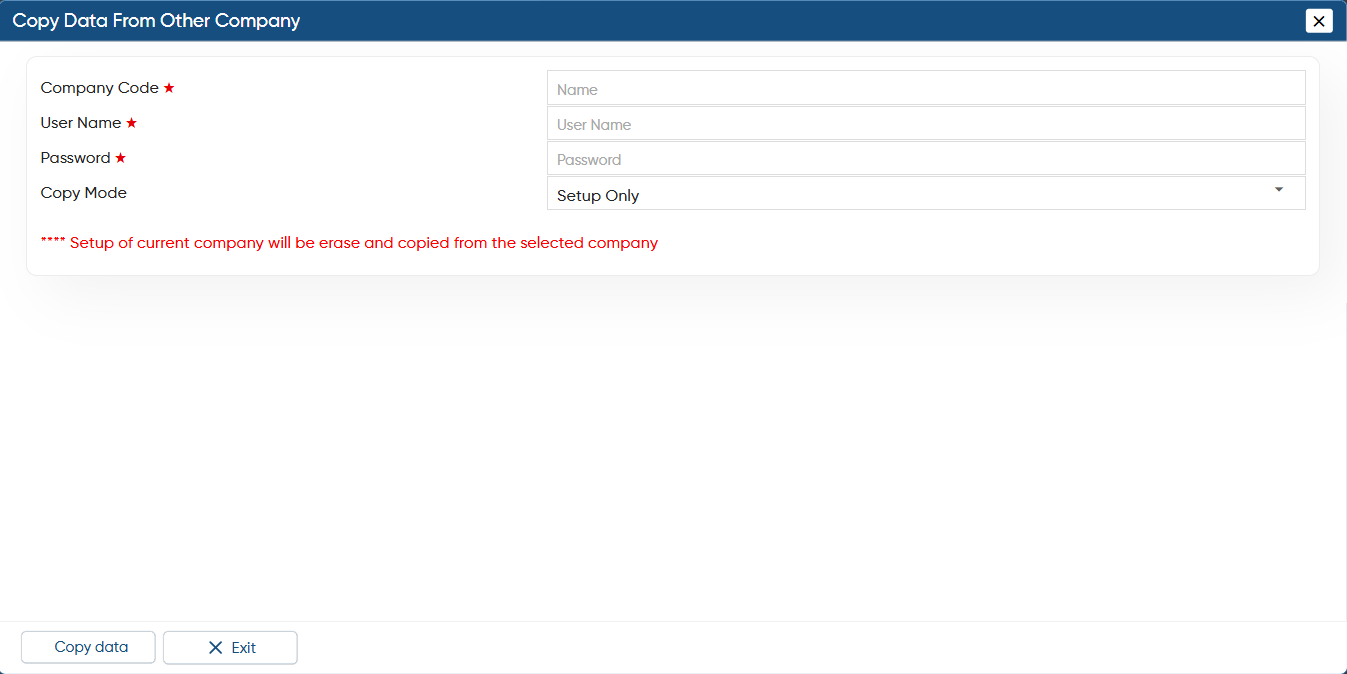
Company Code: Mention the company code from which the data needs to be copied.
-
User Name: Mention the User name with which you Log In the company.
-
Password: Mention the password.
-
Copy Mode: Select the option that you needs to be copied as per your requirement.
SetupOnly: Select this option if only setup needs to be copied.
SetupandMaster: Select this option if need to copy both Setup and Master.
SetupMasterAndTransaction: Select this option if need to copy all data Setup, Master, and Transaction.
Click on 'Copy Data' button.
The Setup of Current company will be removed and replaced by the selected company.
|
In this way, you can Copy the Data from other Company in AlignBooks.