
Lock Period
In many companies, once the accounts are finalized (like the Balance Sheet and Profit & Loss Account), it is important to ensure no changes are made to those records for that period. Similarly, some companies close their accounts monthly or quarterly as per their policies, and changes during those periods need to be restricted.
AlignBooks offers a feature that allows you to lock a specific period. Once locked, no one can make any changes to the data for that period. This includes restricting new transactions or modifications to existing ones, even for the Admin user.
-
Click on 'Configuration' icon and select 'Lock Period' option.
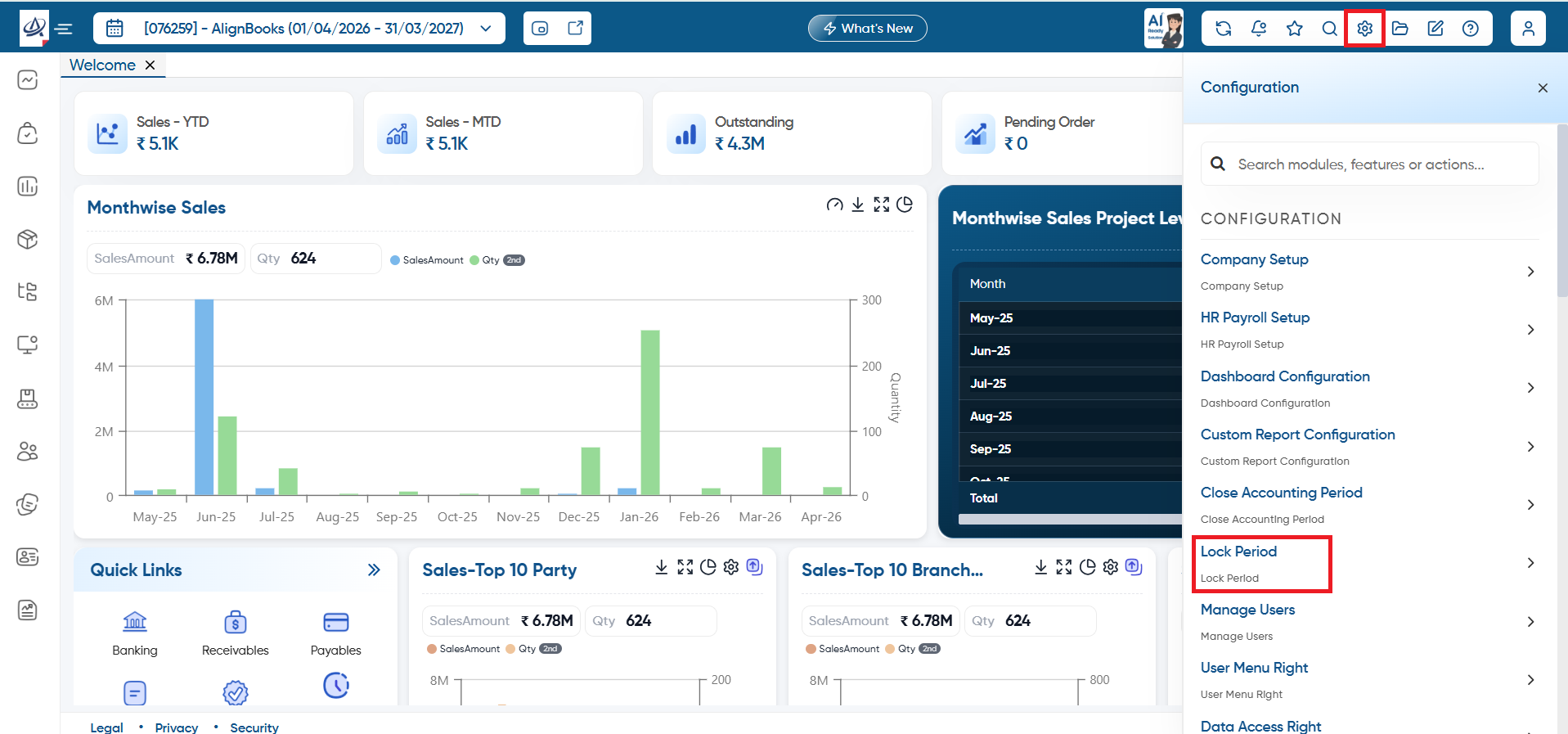
-
Unlock Period: To unlock the locked period, turn this option 'ON'. This will remove the lock-up date, allowing transactions to be made for any date without restrictions.
-
Lock Upto: Here, you need to select the date upto which you want to lock the data.
-
Now click on 'Save' button.
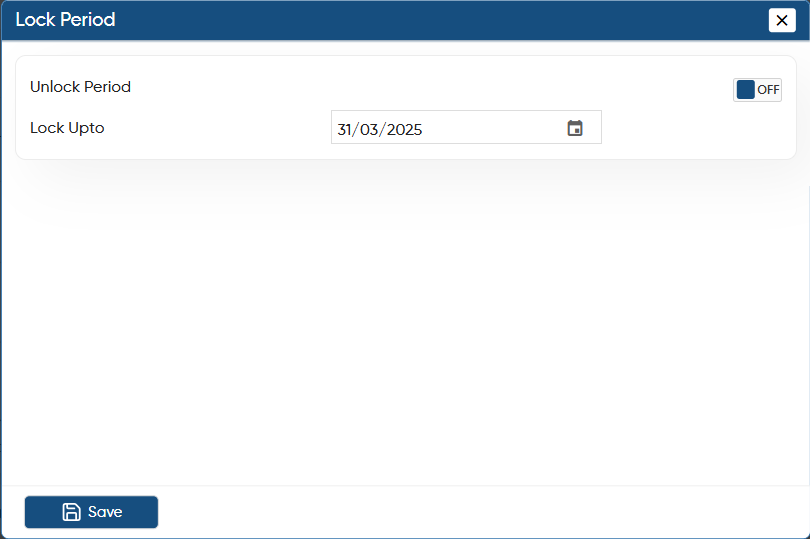
In this way you can Lock the Period in AlignBooks.