
Miscellaneous Master
In AlignBooks, you can easily manage and make changes to various types of Masters you have created, such as Brand, Asset Groups, State, Territory, Attributes, Employee Designations, Departments, and more. To edit any of these masters, simply use the 'Miscellaneous Master' option. This feature allows you to update or modify the details of these data categories whenever needed.
-
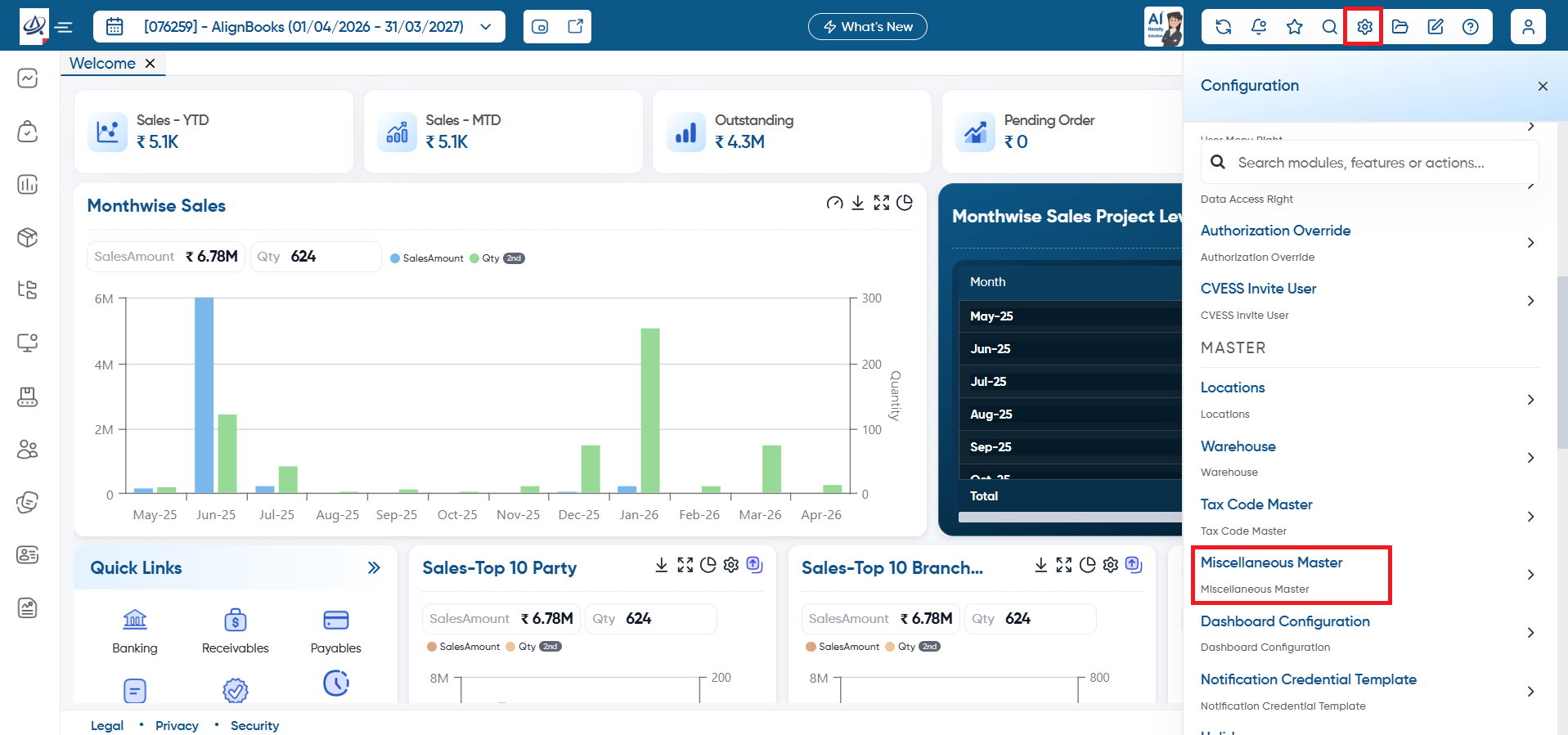
Click on 'Configuration' icon and select 'Miscellaneous Master' option.
-
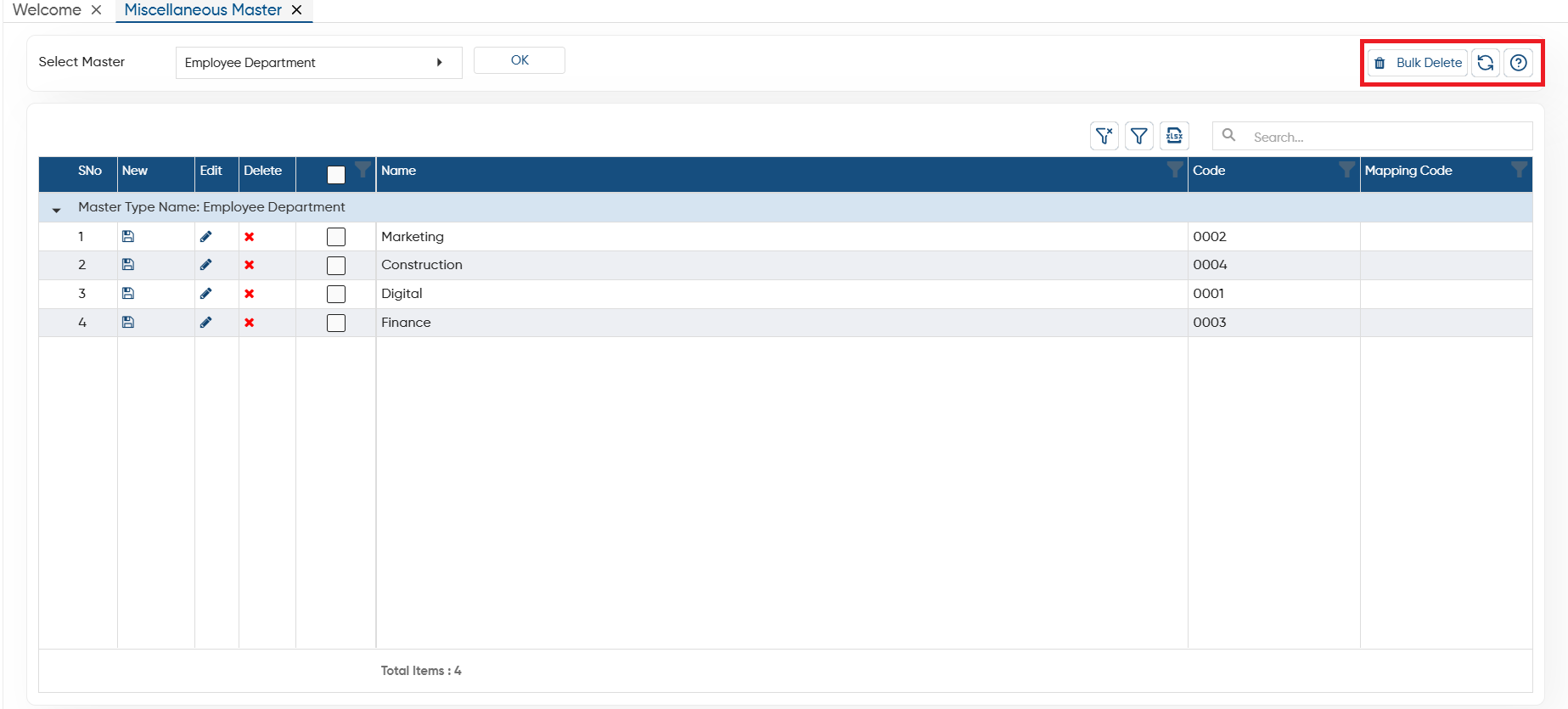
Bulk Delete: To delete the multiple at once select them (checkbox provided next to the name) then click on this button. (Make sure the master don't have any transaction or data, only then the software will allow you for bulk deletion).
-
Refresh: After making changes if screen does not update, you can refresh the screen. This will display the latest changes on the screen.
-
Help: Click on the help icon to access the step by step guide of the Process.
-
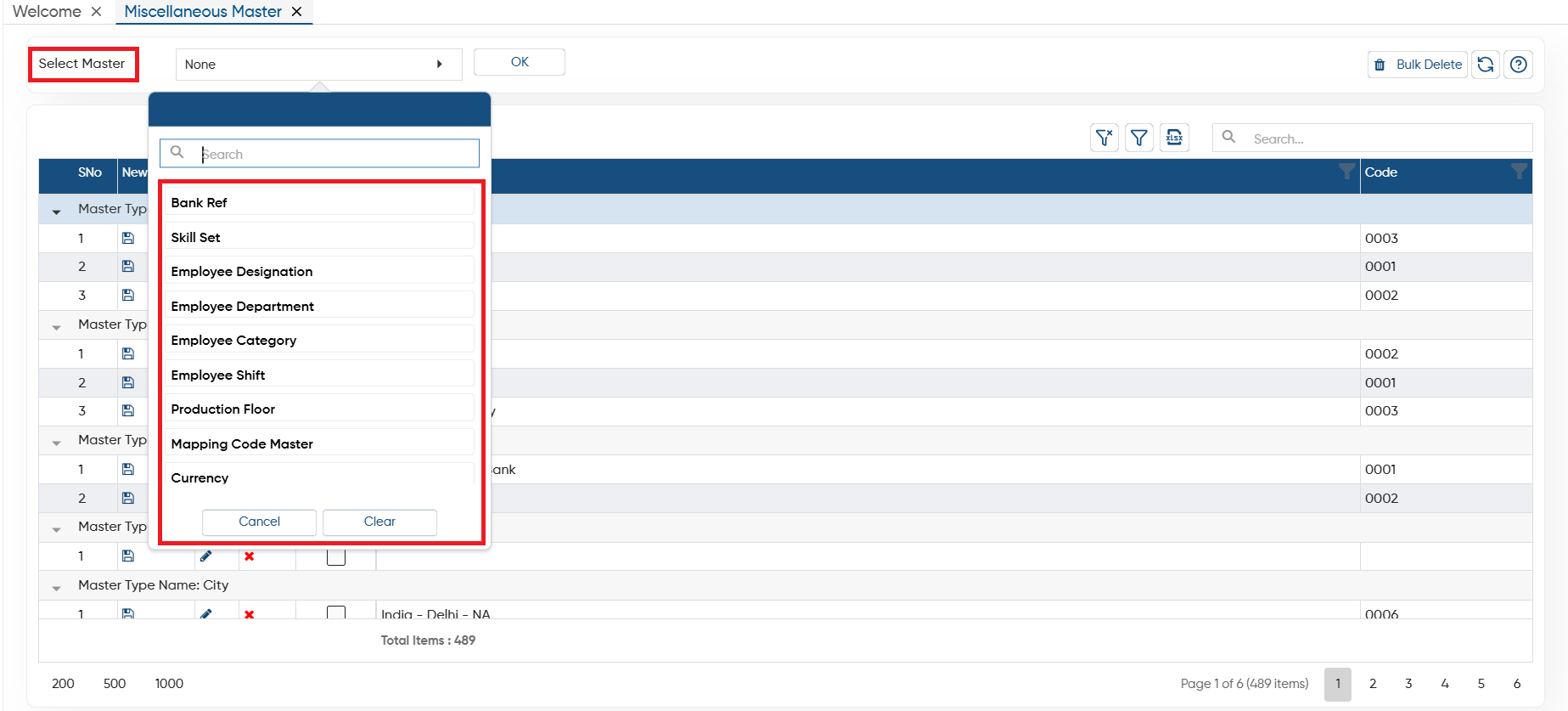
In 'Select Master' option, select the master in which you want changes and click on 'OK' button.
 You can create a New Master on the same screen, click on 'New' icon to Add the new master.
 All the state list will appear on the screen, click on 'Edit' icon on the specific State to make changes.
 If you required to delete any Master, click on 'Cross' icon on a specific master which needs to be removed.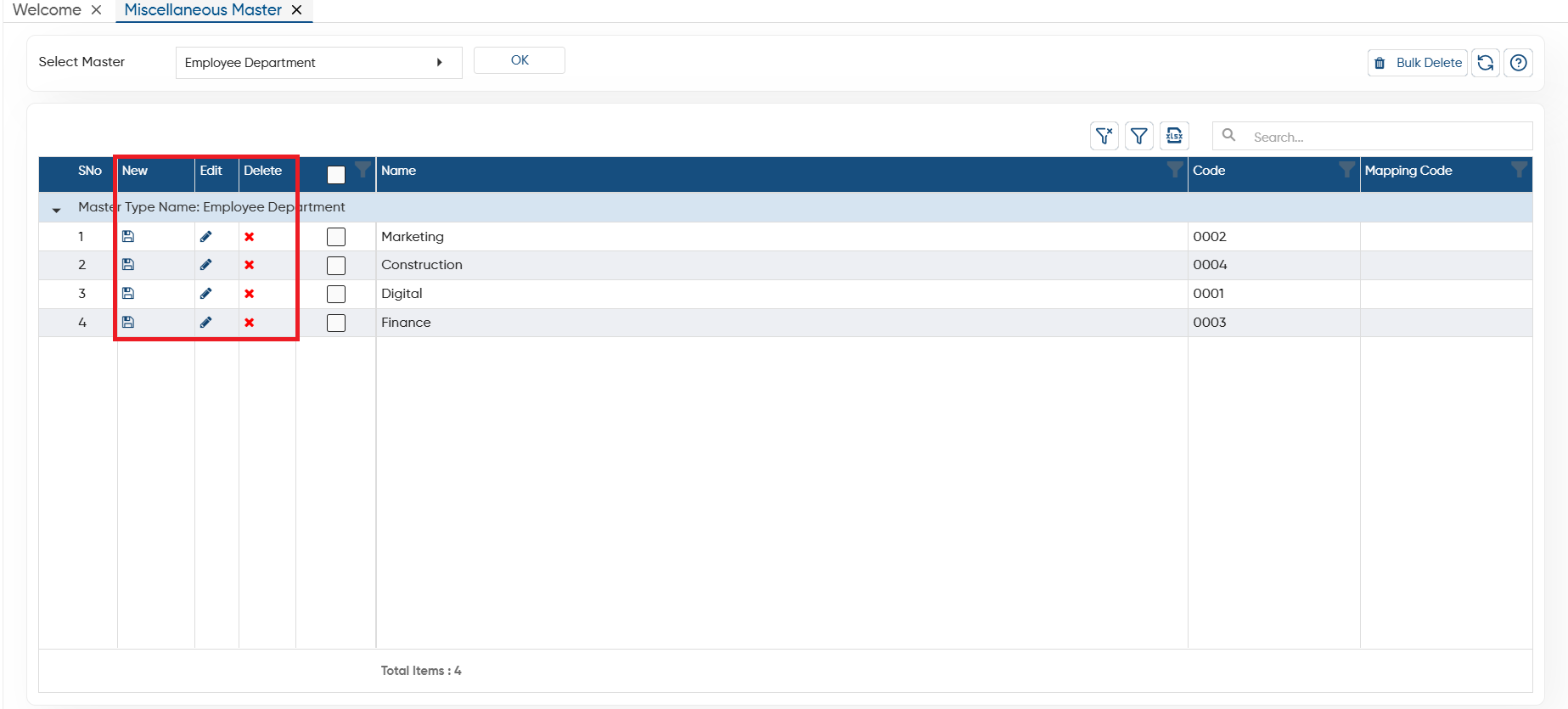
-
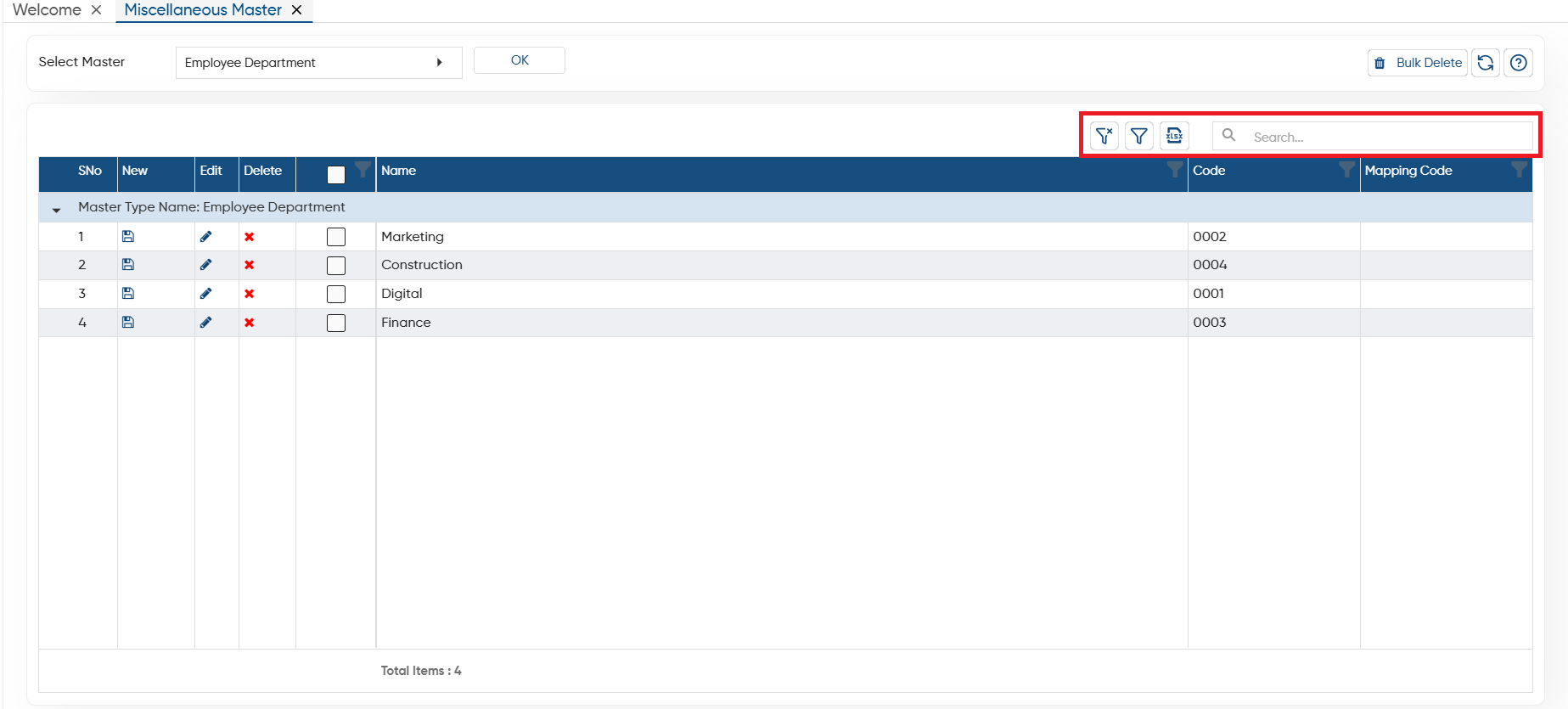
Clear Filter: Click on the Clear Filter icon, to remove all the filters you have applied on the list.
-
Show Filter: Through the ‘Show Filter’ icon, you can enable column-wise filtering. Once activated, a search icon will appear at the top of each column, allowing you to filter the list easily.
-
Excel: You can export the all data in excel file also, to export the data click on excel icon.
-
Search: To search any record in the list, only type the related information in search box, software will display the result on the screen.
In this way you can Manage any Master in AlignBooks.