
Print Barcode
AlignBooks makes it simple to create and print barcodes for your items. A barcode is a pattern of lines or symbols that stores important information about a product, like its unique code. With this feature, you can print barcodes not just for individual items but also for specific vouchers within a selected date range. This helps you manage your inventory more easily and keep track of items accurately.
AlignBooks provides several pre-configured barcode formats to meet different business needs. You can choose the format that best suits your operations and print barcodes directly through the software. This saves time and ensures your barcodes are professional and ready to use.
-
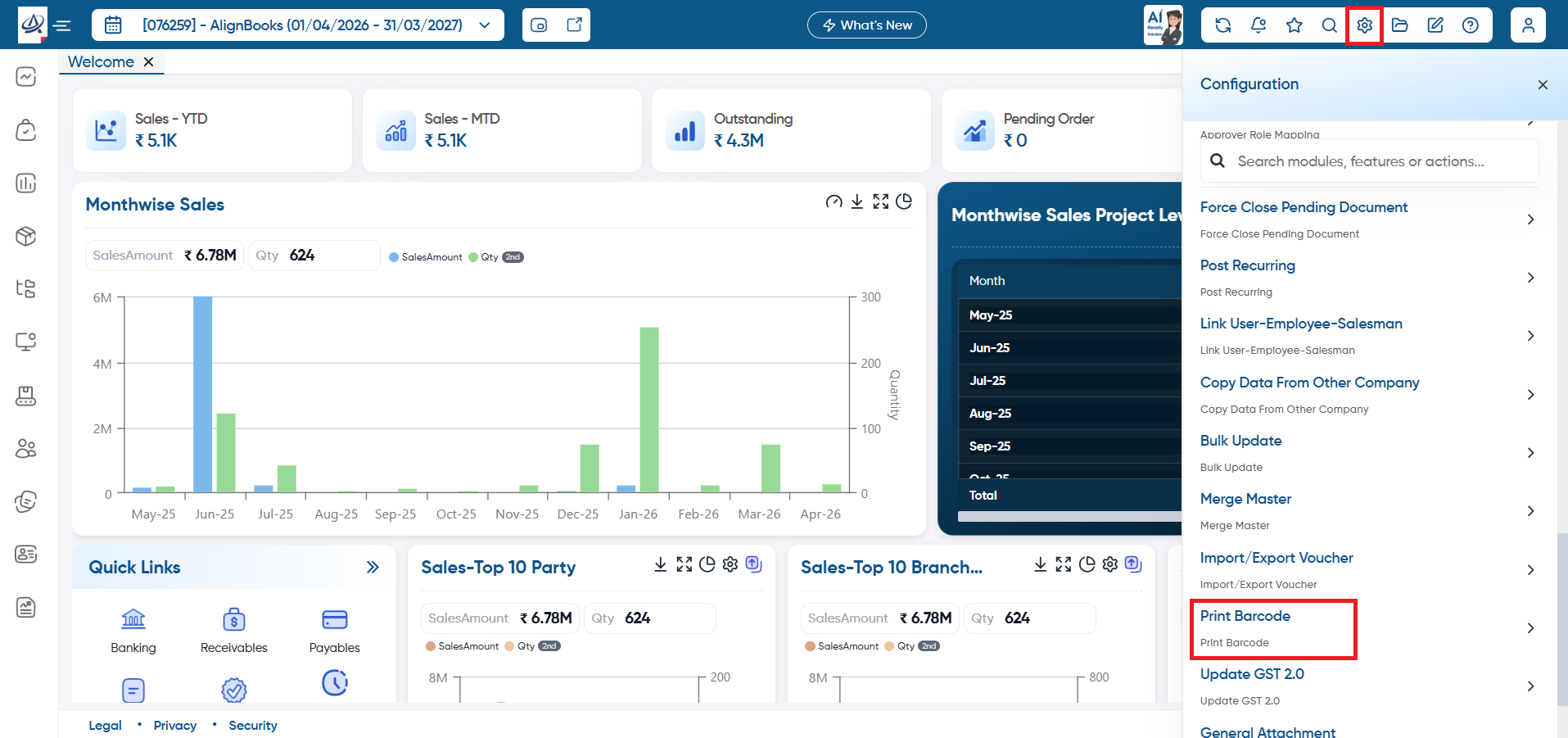
First go to 'Configuration' icon and select 'Print Barcode' option.
-
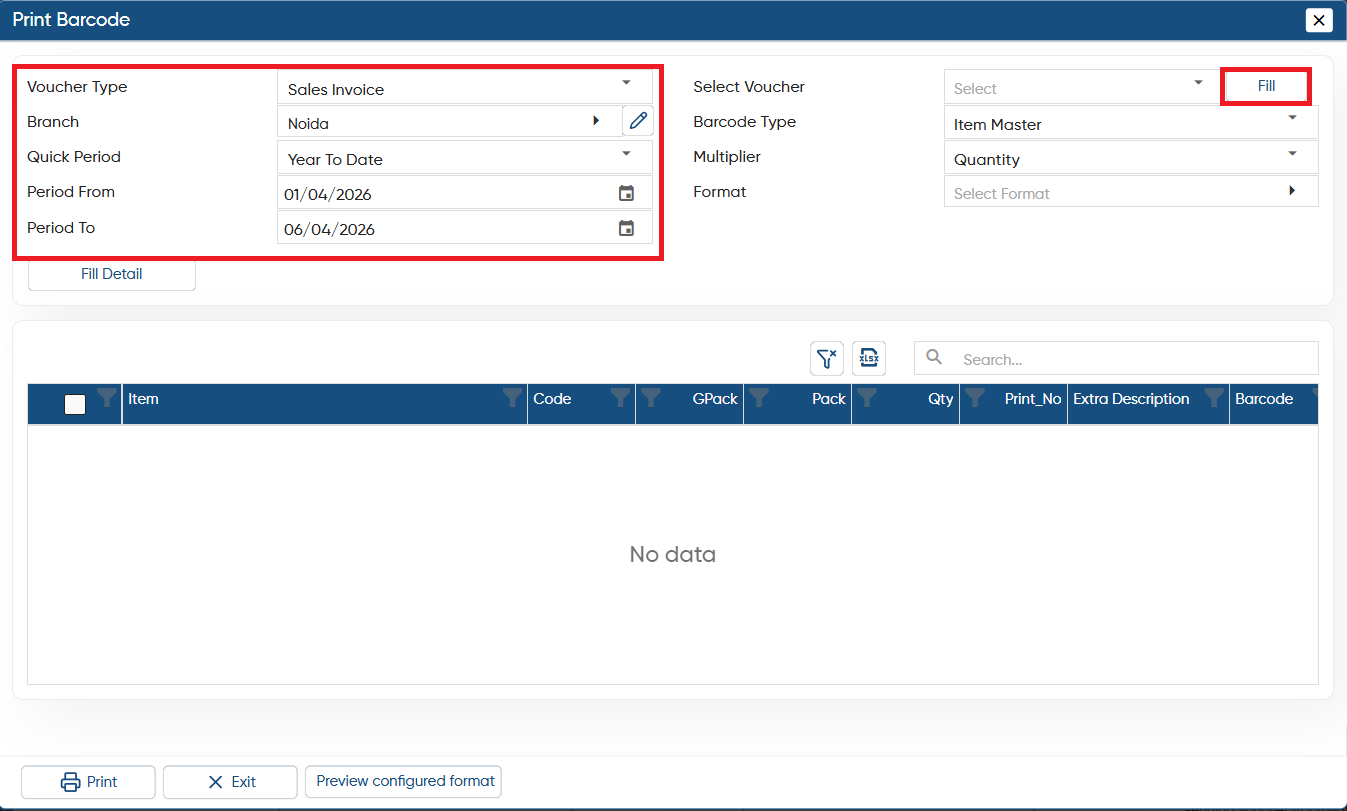
Voucher Type: Select the voucher type whose invoice's item barcode you want to print.
-
Branch: Select the branch as per you requirement (if you are maintaining).
-
Quick Period: Select the period.
-
Period From: Select the date, from which you want to load the vouchers.
-
Period To: Select the date, till which you want to load the vouchers.
Click on the 'Fill' button.
-
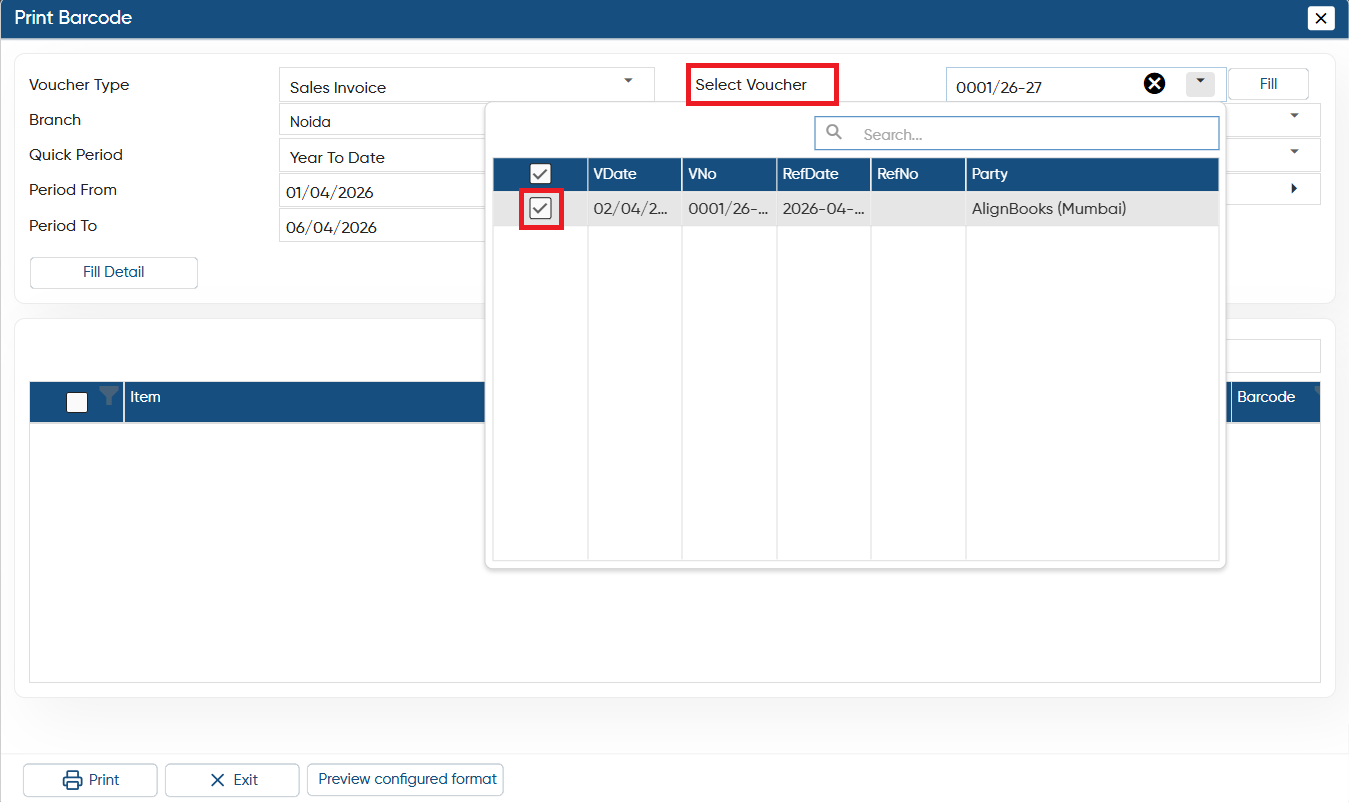
In 'Select Voucher' option, you need to select the vouchers whose item's Barcode need to be print.
-
Tick the checkbox against the invoices whose item's barcode needs to be print.
-
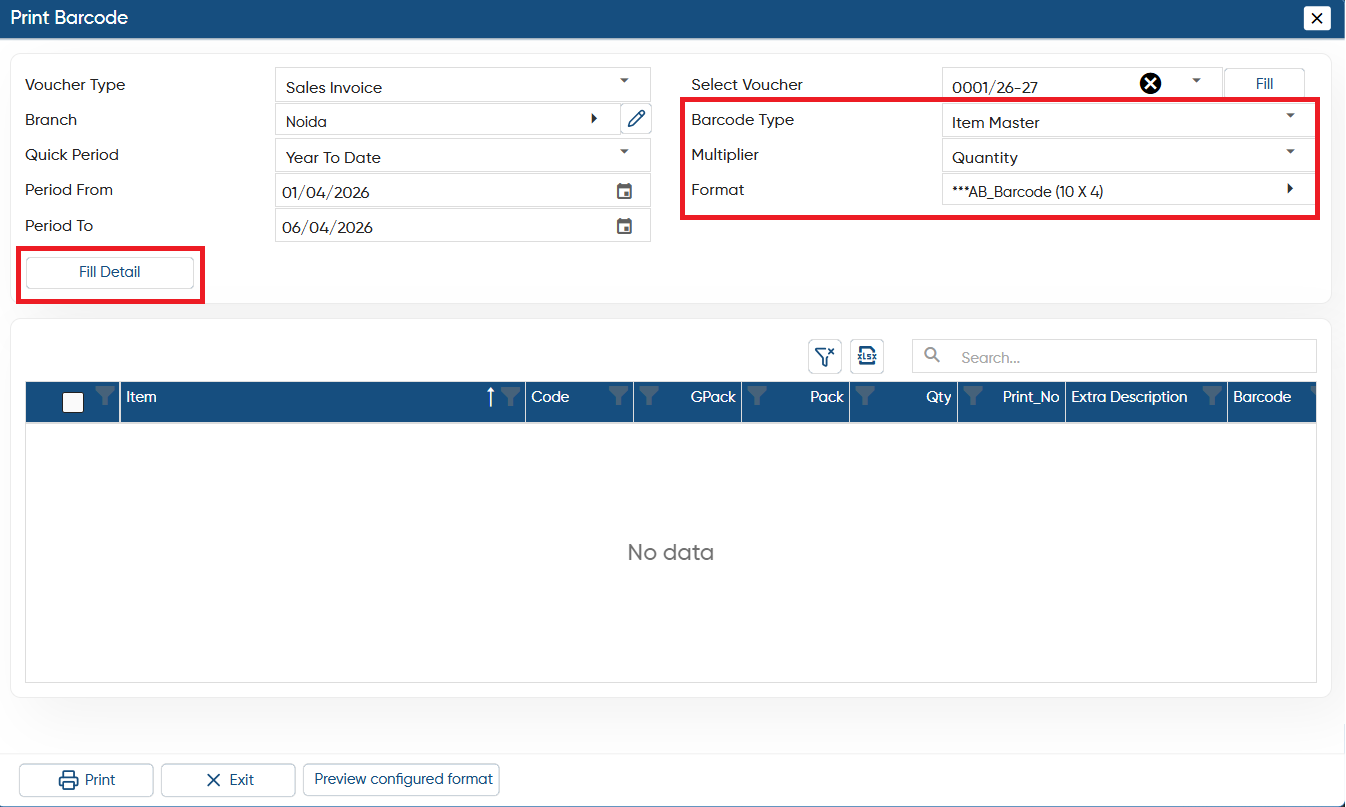
Barcode Type: You need to select the Barcode type such as Line item Batch Barcode, Serial Number etc. Select the type as per your industry.
-
Multiplier: Select on which basis you want to print the barcode Quantity such as Quantity, Pack Quantity etc.
-
Format: AlignBooks provides multiple preconfigured Barcode Formats in the software. You can select any of the format as per your requirement.
Click on 'Fill Detail' button.
-
Now tick the checkbox against the Items whose barcode you want to print and click on 'Print' button.
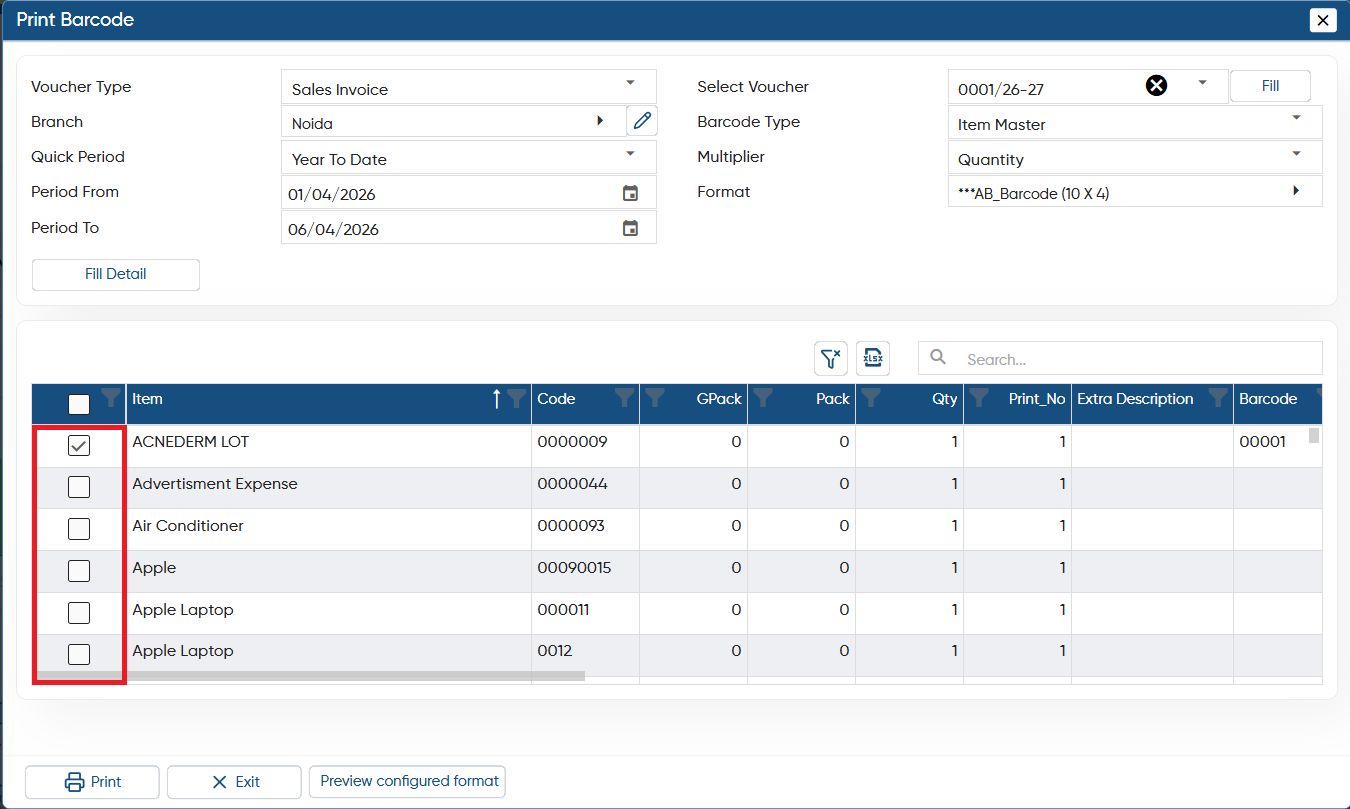
Thereafter, you can view Barcode will be printed through AlignBooks.
