
User Menu Right
AlignBooks has improved its User Management system to give you more control and flexibility. Now, you can manage user roles and permissions at a detailed level, right down to specific menus within each module. This means you can assign precise rights to users for different tasks, such as configurations, managing masters, performing transactions, and accessing reports. You can also define what actions each user is allowed to take in these areas, making it easier to ensure they have the exact access they need to do their work efficiently and securely.
-
Click on 'Configuration' icon and select 'User Menu Right' option.
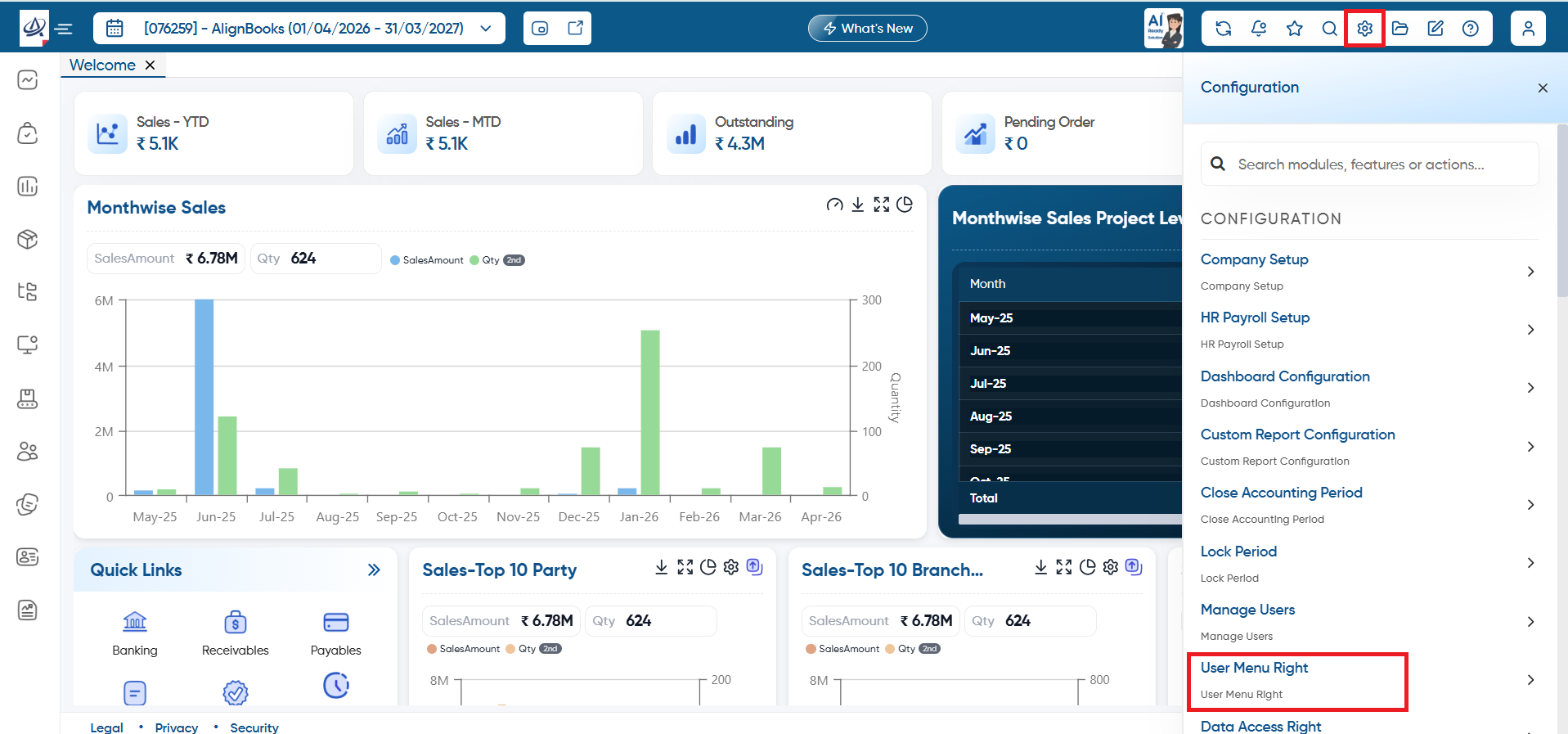
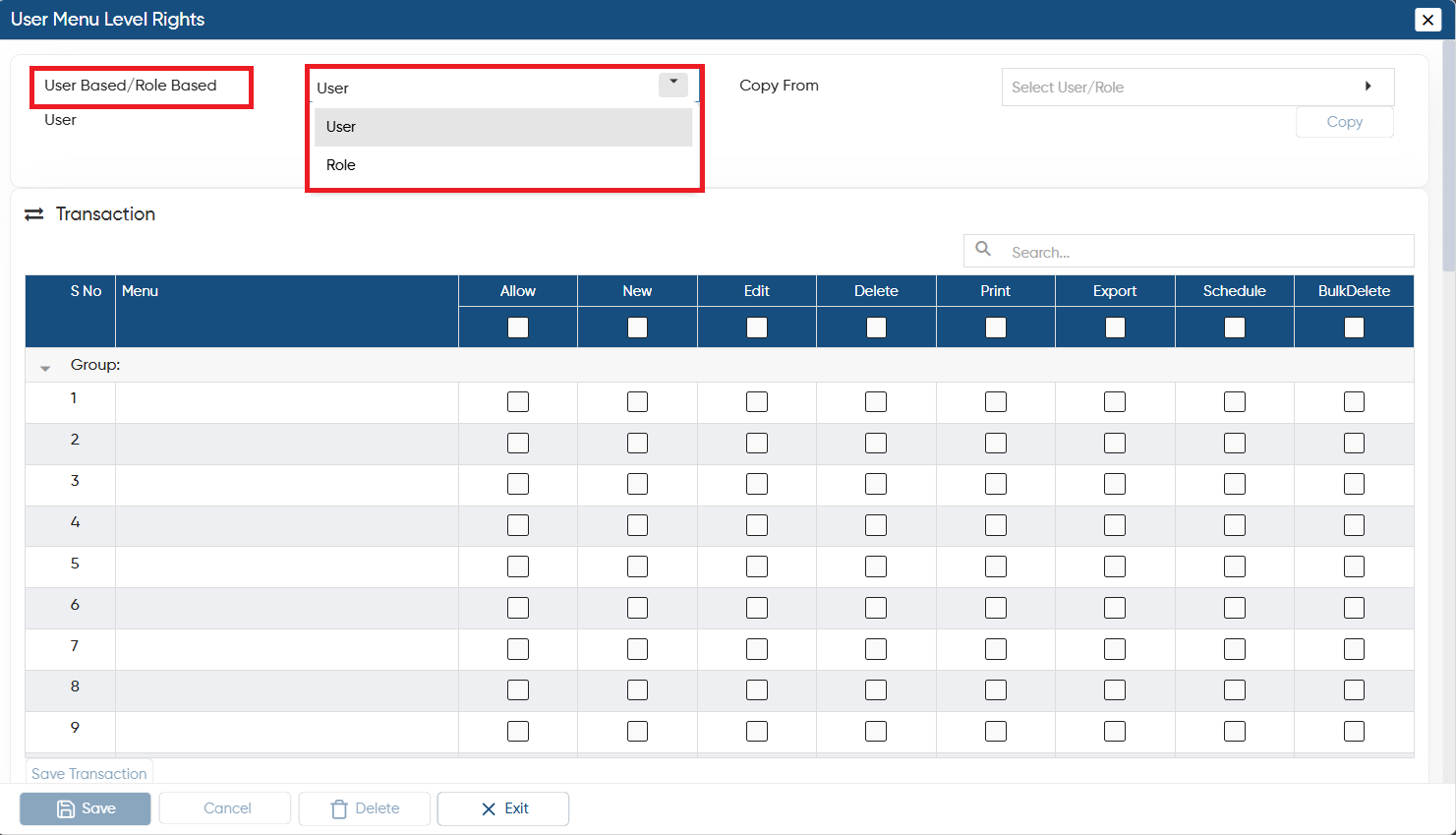
In 'User Based/Role Based' option, select whether you want to set the Rights for User or Role wise.
-
User: Select this option, if you want to set the Right of any specific User.
-
Role: Select this option, if you want to set the Rights based on Role like Super Admin, Admin, etc. Through this option the rights will be changed for all the users who are under that specific role.
-
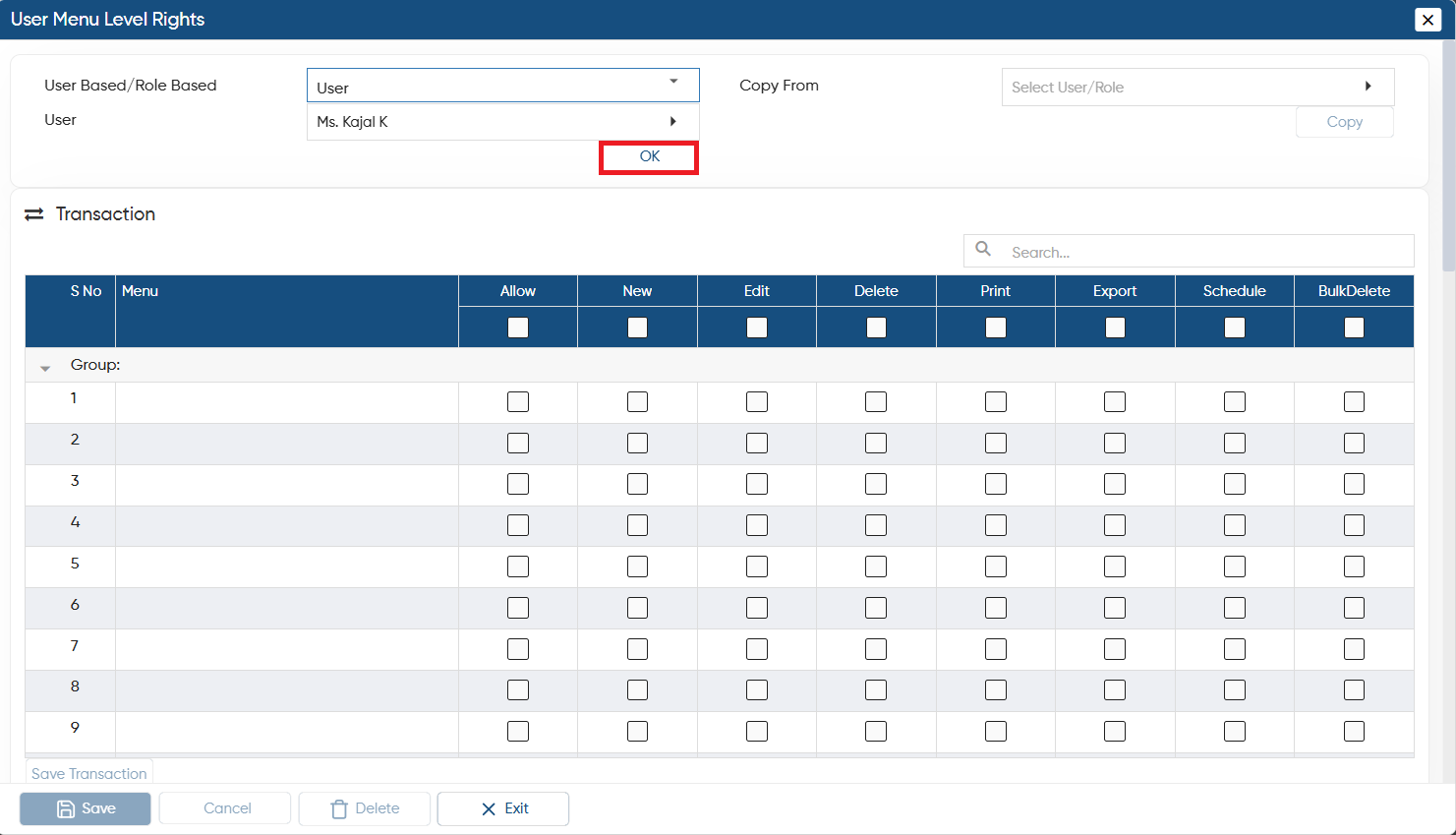
Based on the above option selection, next option will appear 'User/Role'.
-
Here you have to select the specific User/Role whose Right you wants to fix.
-
Click on 'OK' button.
-
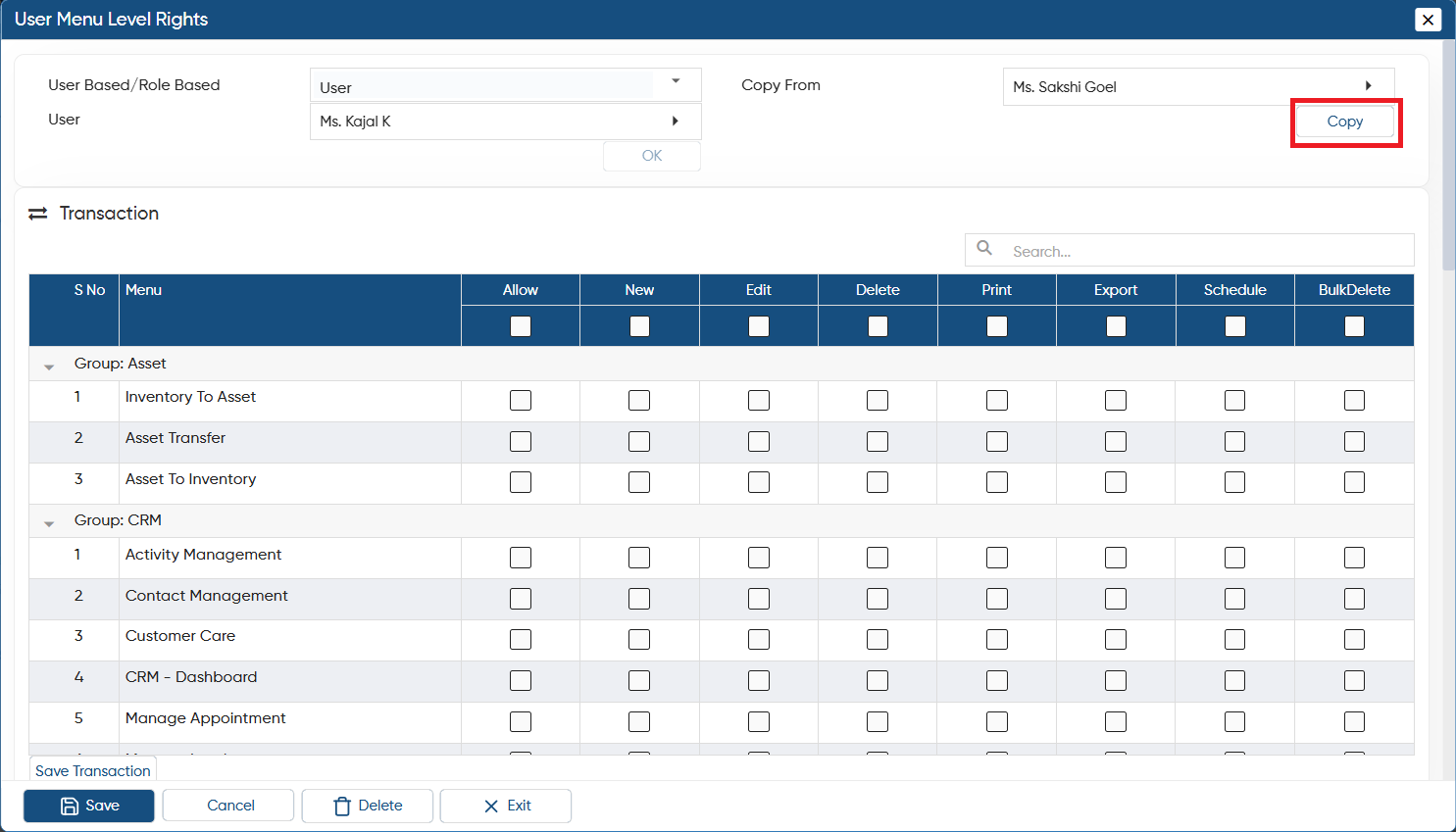
In 'Copy From' option, you can choose a specific User or Role to directly copy their rights.
-
Click on 'Copy' button.
-
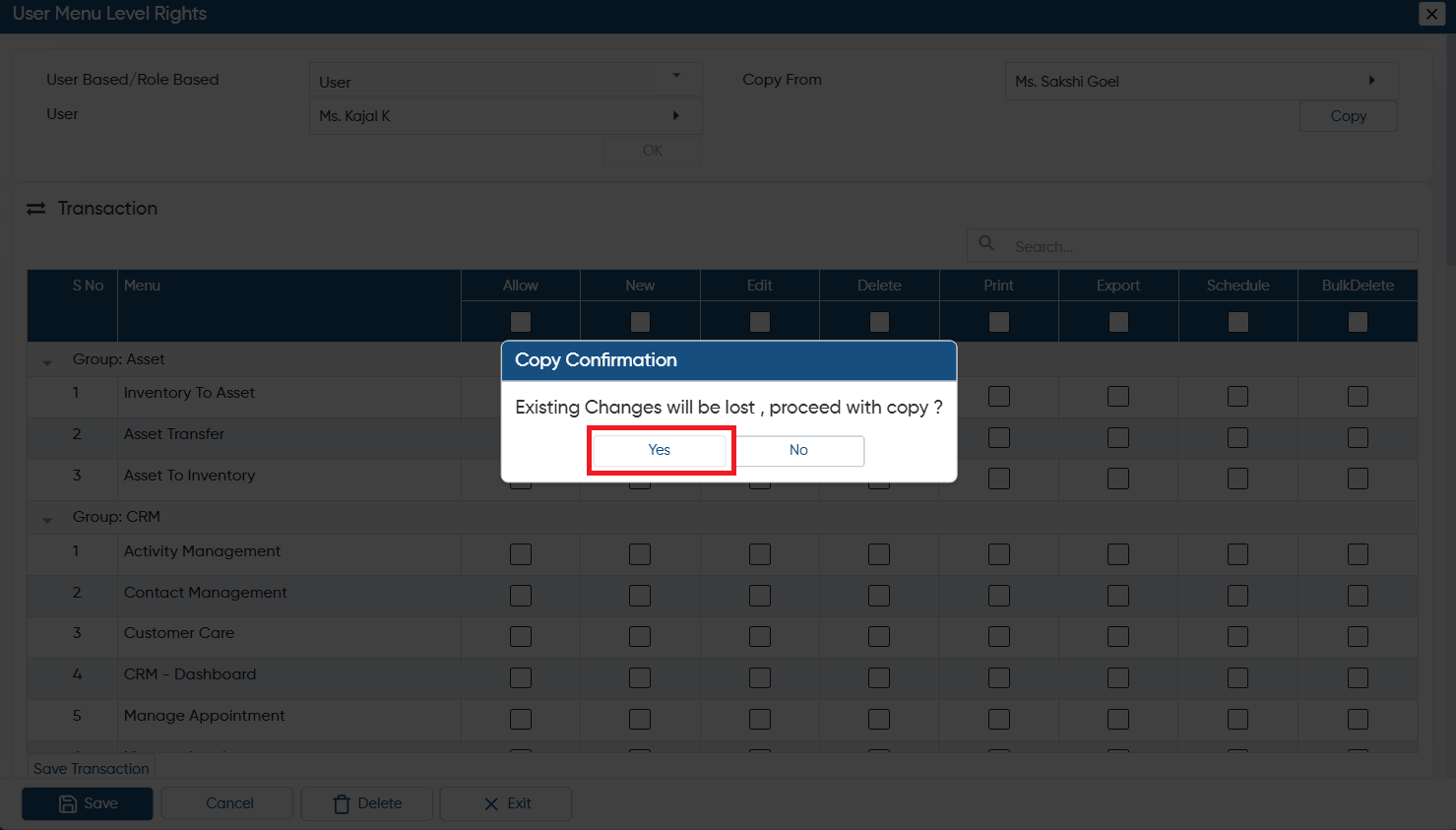
A confirmation window will appear, indicating that if you copy another user's rights, the rights currently assigned to the selected user will be removed.
-
Click on 'Yes' button if you are sure to copy the rights of another user.
-
Thereafter, the Rights will be copied.
-
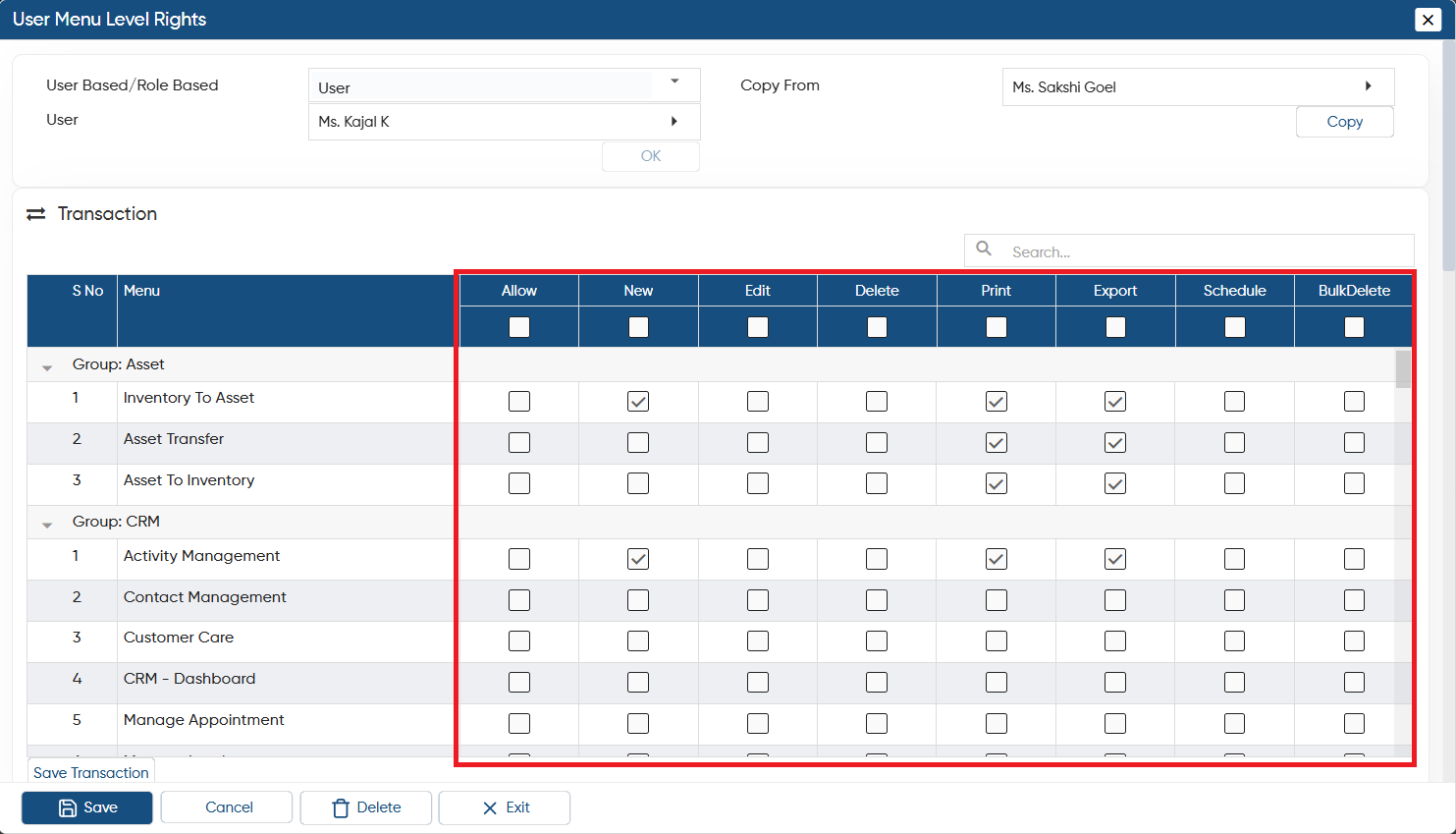
You can assign specific tasks and the corresponding permissions to your user, that are related to Transactions, Configuration Menu, Reports, and more.
For example, if you only want your user to create new transactions, simply check the box for 'New' under the relevant task.
-
After giving all the required rights to your user, click on 'Save' button to save the changes.
-
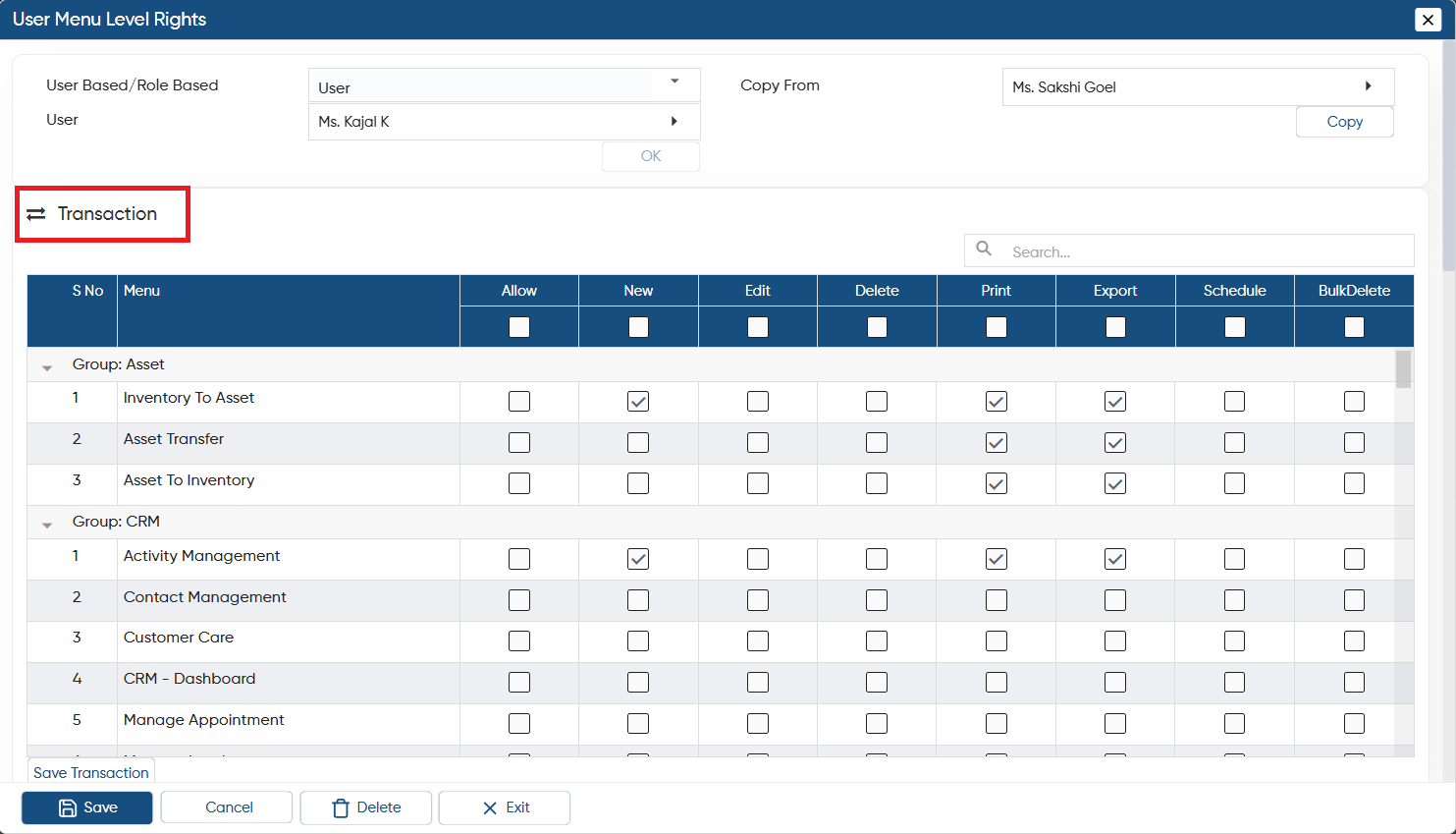
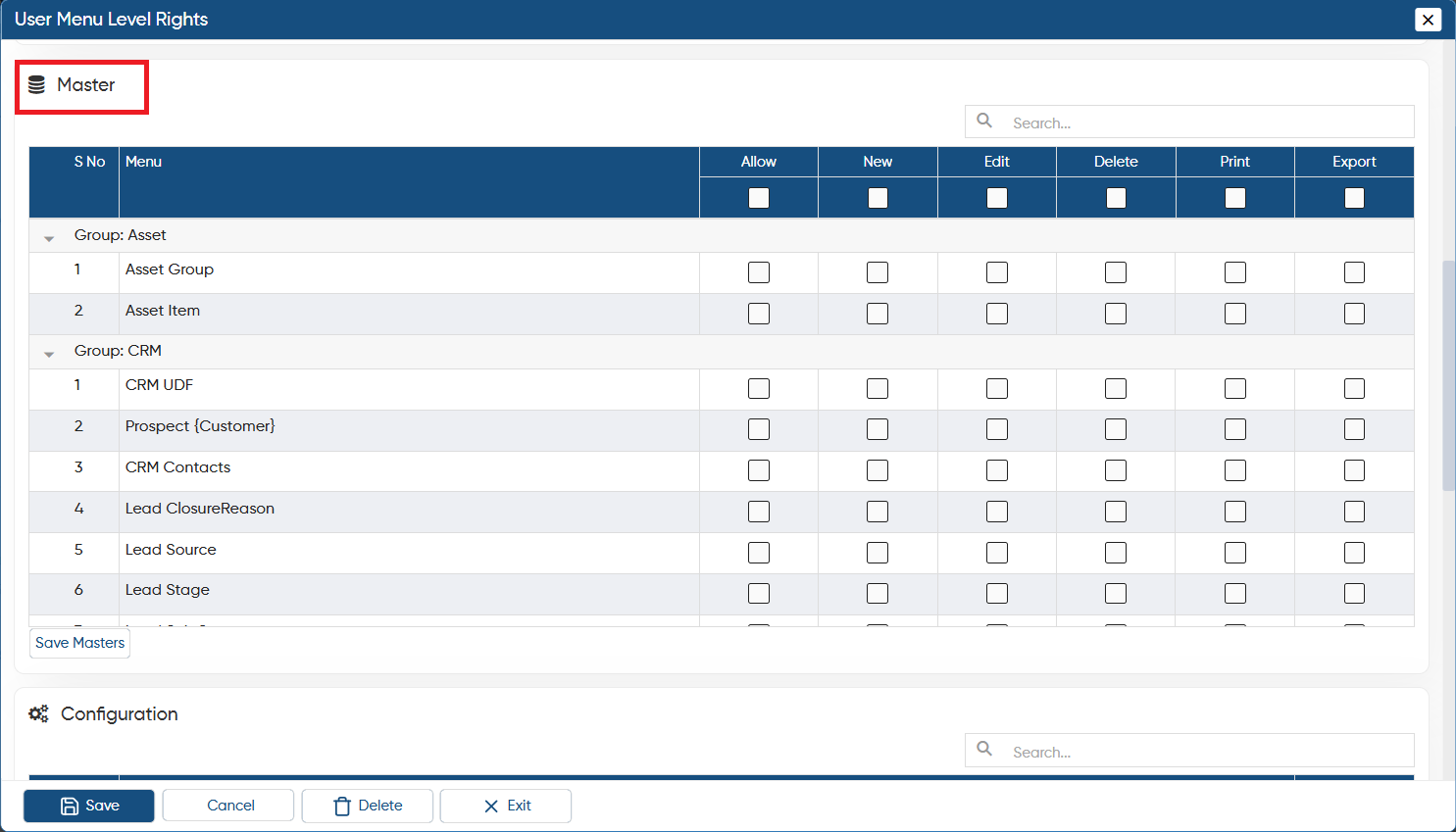
Now, you can manage user roles and permissions at the menu level within each module. This means you can assign specific rights for different tasks, such as Transactions, Masters, Configurations, and Reports, based on individual actions.
Transactions
Master
In this way, you can Fix User Menu Rights for the User in AlignBooks.