
Authorisation Rule Override is a feature that lets you temporarily change the normal approval process without changing the permanent approval settings. It allows you to assign a different approver for invoices during a specific time period.
This is helpful when the regular approver is on leave, unavailable, or when certain invoices need special approval. Instead of delaying work or updating main roles, the system automatically sends those invoices to the assigned override approver.
After the selected date range ends, the system automatically returns to the original approval process, ensuring smooth operations while keeping approval control intact.
Note: This option replaces approvers for all documents covered under the override rule. To replace an approver for a specific document only, update that document’s workflow and use the Authorisation Rule Override option there.
|
-
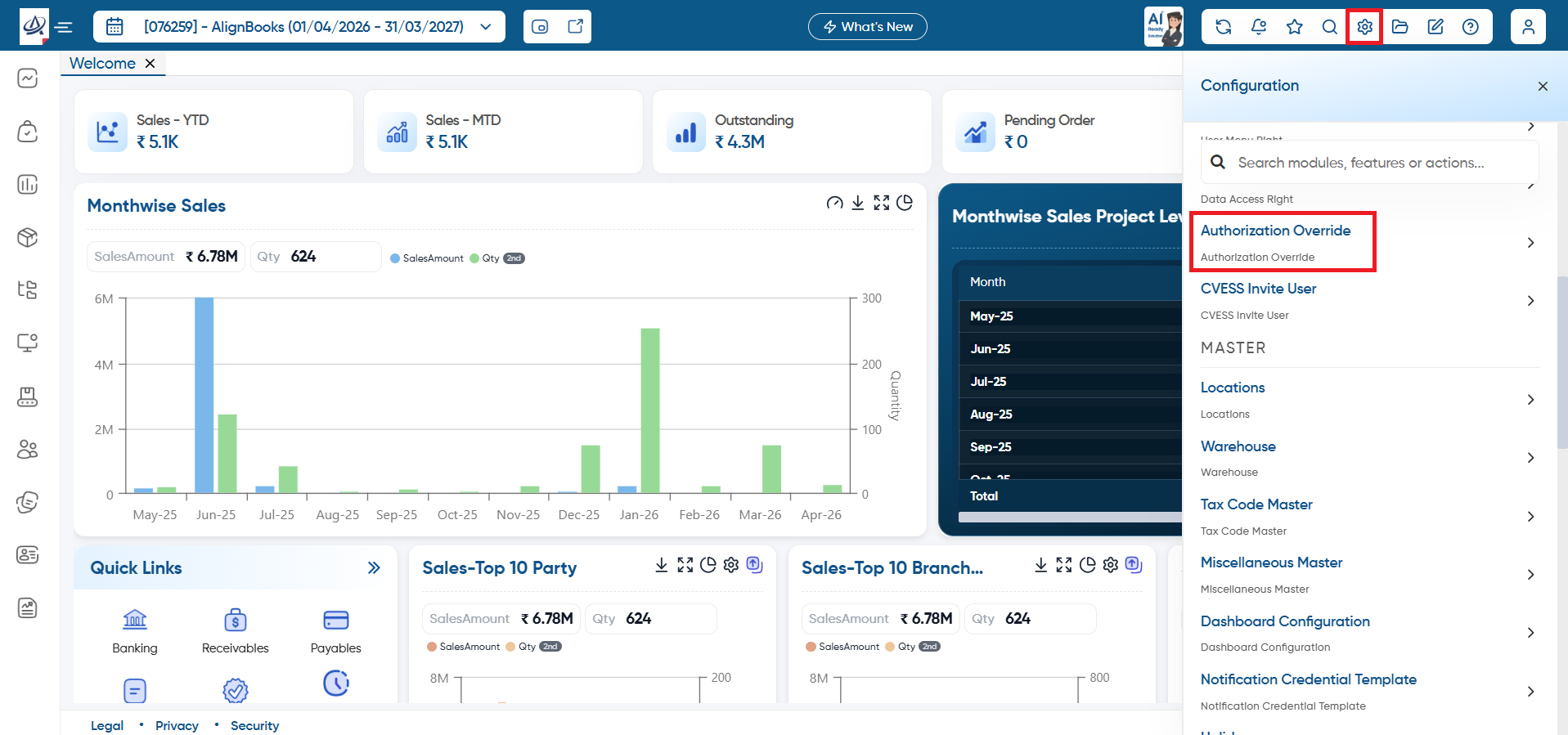
Click on 'Configuration' icon and select 'Authorisation Rule Override'.
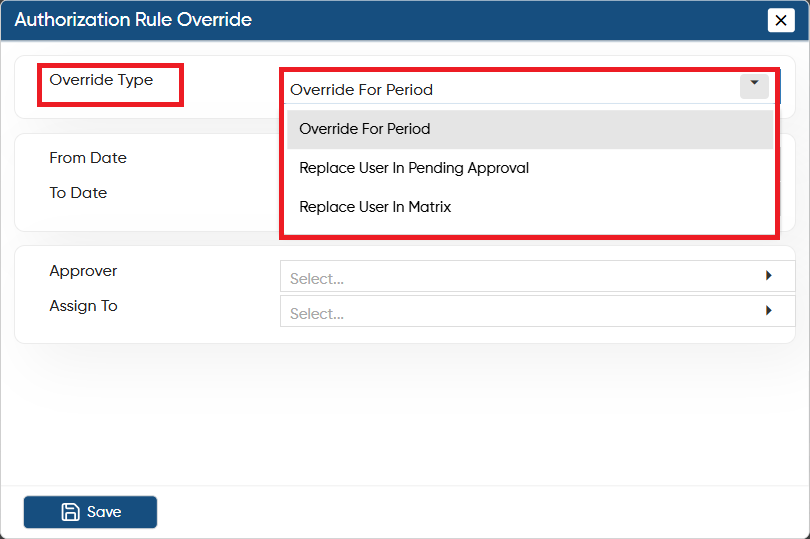
In 'Override Type', select based on which you want to override the user for approval.
-
Override for Period: Select this option if you want to override the user for a specific period.
-
Replace User In Pending Approval: This option will override the user only for the invoices which are pending for approval.
-
Replace User In Matrix: Select this option to replace the user in the matrix.
-
From Date: Select the date of the invoice for which you want to replace the user for approval.
-
To Date: Sets the ending date of the invoice for which you want to replace the user for approval..
-
Approver: Select the approver which you want to replace or whose approval you want to shift to the another user.
-
Assign To: Select the user to whom you want to assign as the approver in approval workflow matrix.
Click on the 'Save' button.
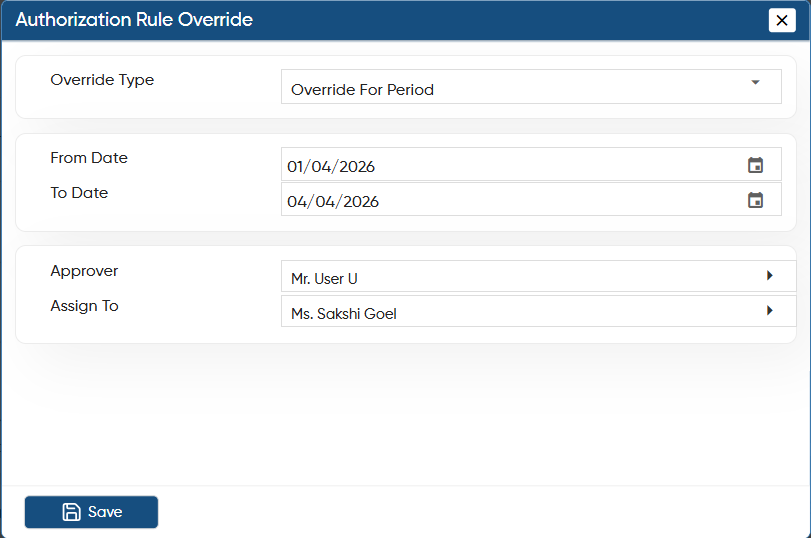
In this way, you can override the rule for invoice approvals in AlignBooks.