
Bank Virtual Account for Auto Receipt
Bank Virtual Account for Auto Receipt is a feature that works after bank integration (like with ICICI Bank), where the money received from customers is automatically credited to your bank account, and the software also automatically creates a receipt entry for it.
After the Integration with bank, they will provide you a special prefix code (for example, ‘ABC’) which you can use to create unique codes for each customer like ‘ABC001’, ‘ABC002’, etc. When the customer makes a payment using their assigned code, the software matches the code with the customer and auto-generates the receipt entry.
The user have to provide the given details to the Bank (Provided by the AlignBooks).
-
SSL Certificate
-
IP
-
URL’s
Thereafter, coordinate with the Bank for Integration and bank will provide you the initials or code to map with your parties.
You have to add the Bank ledger and mention the Code received from the Bank.
-
Go to Finance > Chart of Accounts.
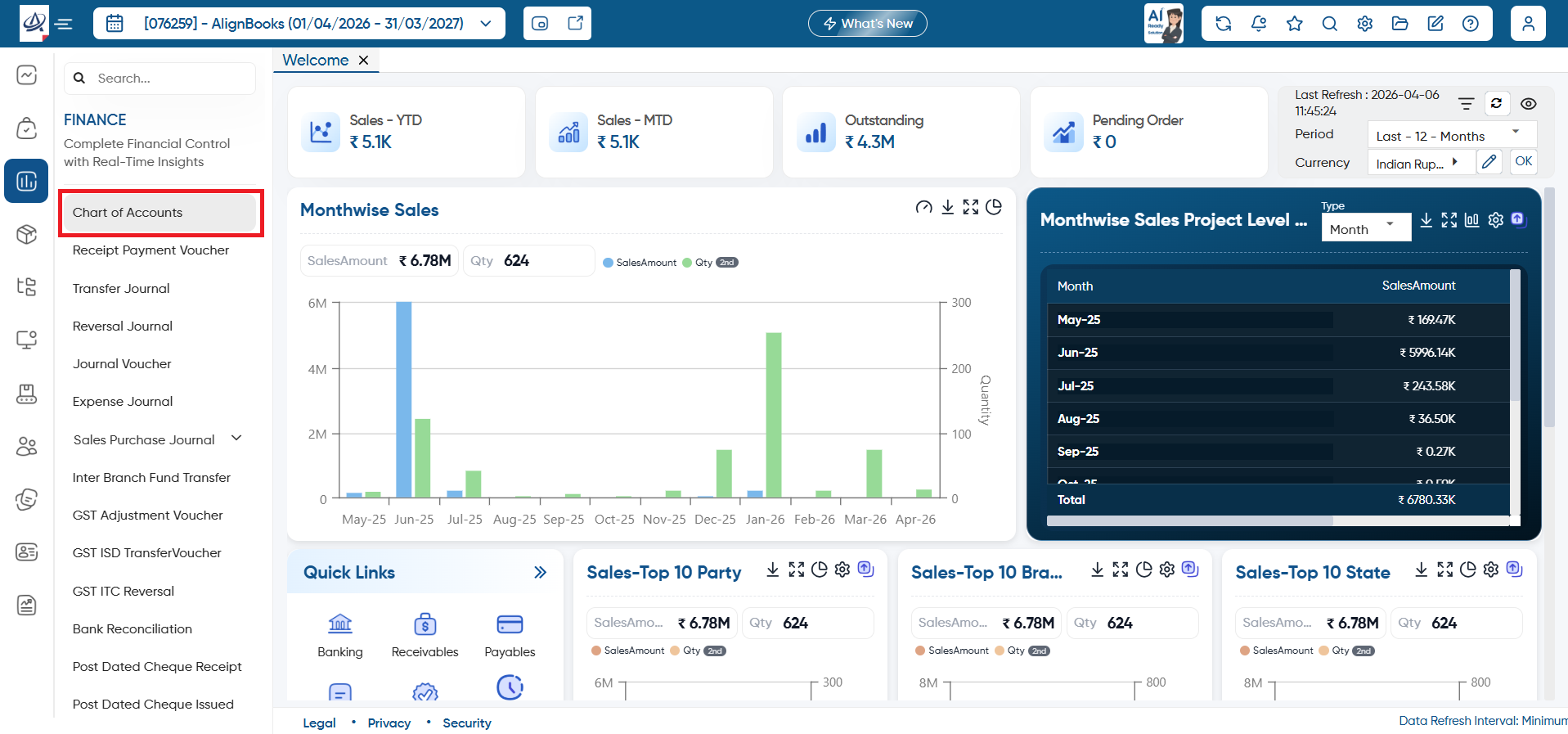
-
Click on the ‘Create New Chart of Accounts’ button to add the new bank ledger.
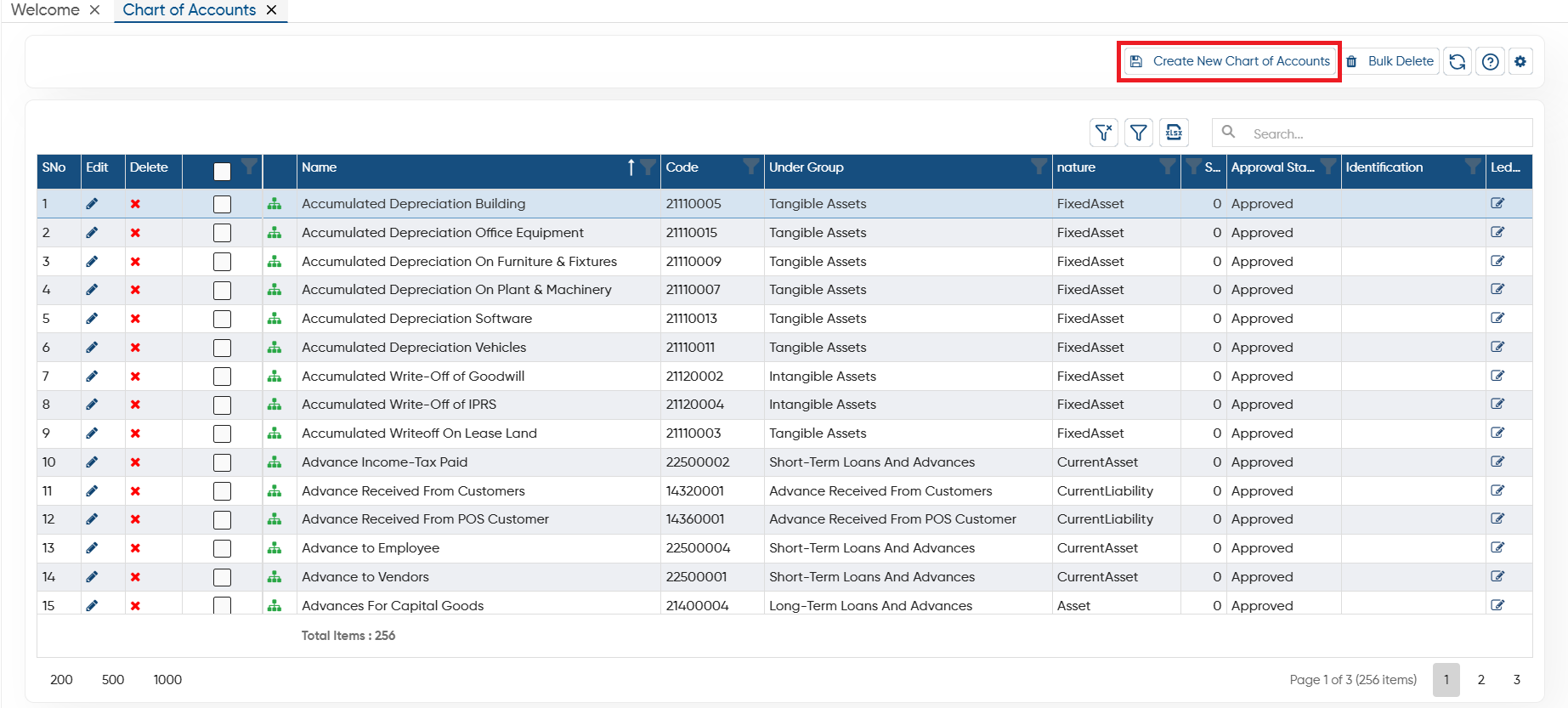
-
Here, you are required to add the bank details and in ‘AccountNo’ field, mention the initials or prefix given by the Bank (ABC).
-
Thereafter, click on the ‘Save’ button.
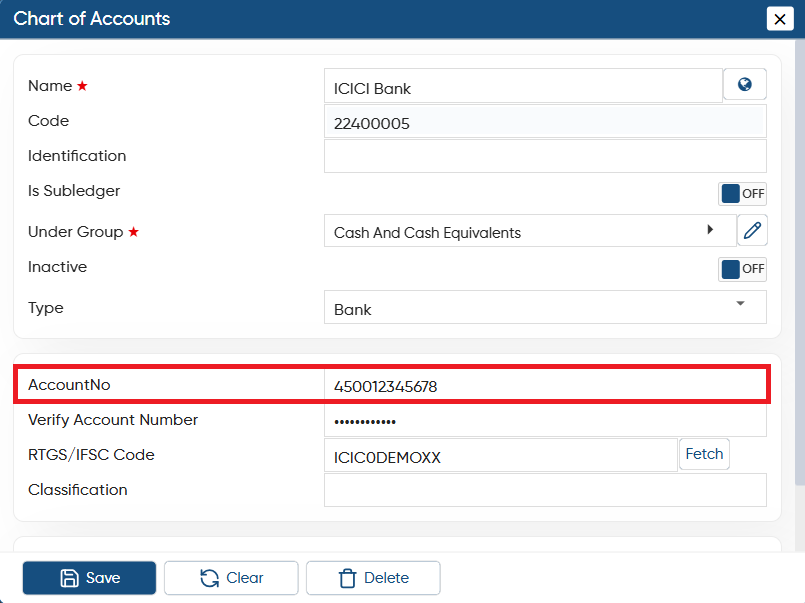
-
Now click on the ‘Configuration’ icon and select ‘Bank Virtual Account for Auto Receipt’ option.
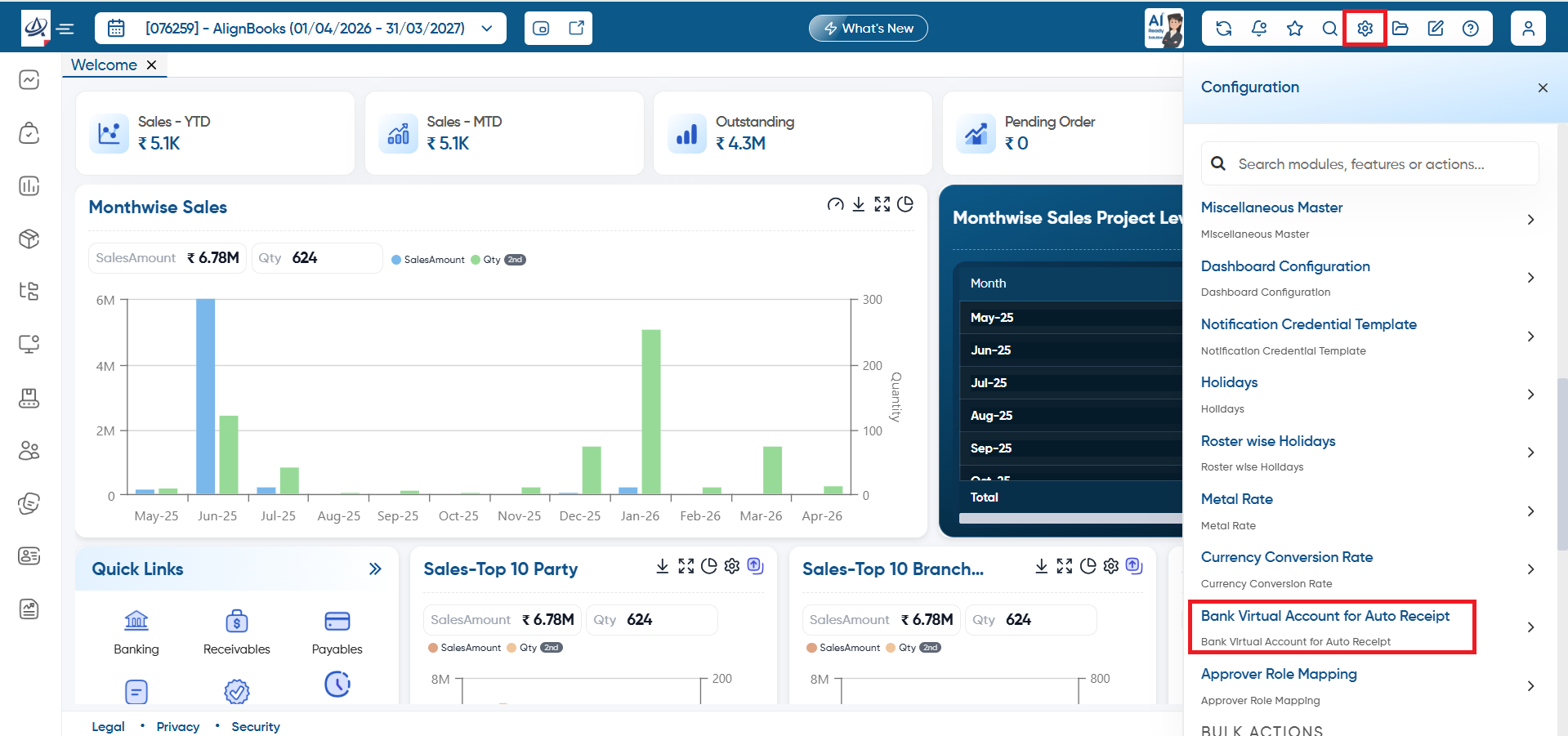
-
In ‘Bank Account’ option, select the Bank Ledger.
-
In ‘Client Code’ option, mention the code provided by the bank.
-
Thereafter, select the Ledger group of the party, then select party name.
-
In ‘Mapping code’ mention the code for each party separately as required (code must have the initials starting with the code given by your Bank).
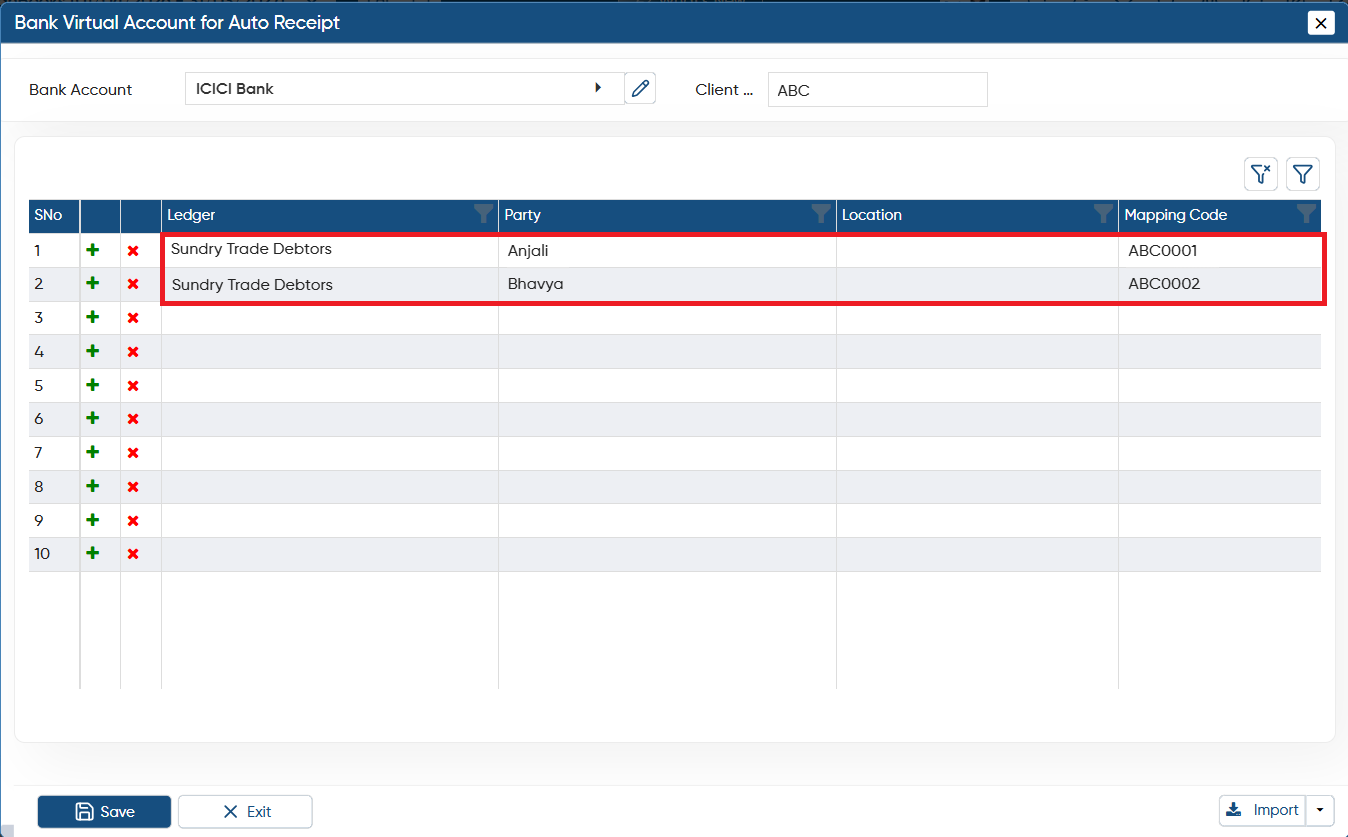
You need to share these mapping codes with your parties so that when they make a payment, it will be linked to the respective code. This will ensure the amount is automatically credited to your bank account, and the software will automatically generate a receipt entry in the system.