
Bulk Dispatch From Order
With AlignBooks, managing your workflow from Sales Order to Dispatch and from Dispatch to Sales Invoice is seamless and efficient. The system enables documents to flow effortlessly from one stage to the next, eliminating data entry and ensuring accuracy.
AlignBooks allows you to convert individual Sales Orders into Dispatch Notes with ease, giving you full control over the process. However, if you need to convert multiple Sales Orders into Dispatch Notes at once, the software provides a bulk conversion feature. This eliminates extra effort and streamlines operations, making your sales and dispatch management faster and more efficient.
Key Benefits of Bulk Dispatch From Order
-
Time-Saving Automation: Convert Sales Orders to Dispatch Notes individually or in bulk with just a few clicks, reducing manual effort.
-
Improved Accuracy: Minimize errors by pulling data directly from previous documents, ensuring consistency in records.
-
Streamlined Operations: Seamless integration between different workflow stages eliminates duplication and speeds up order processing.
-
Flexibility & Control: Choose to process orders one by one or in bulk, depending on your business needs.
-
Enhanced Productivity: By automating routine tasks, your team can focus on more strategic activities, leading to better efficiency.
-
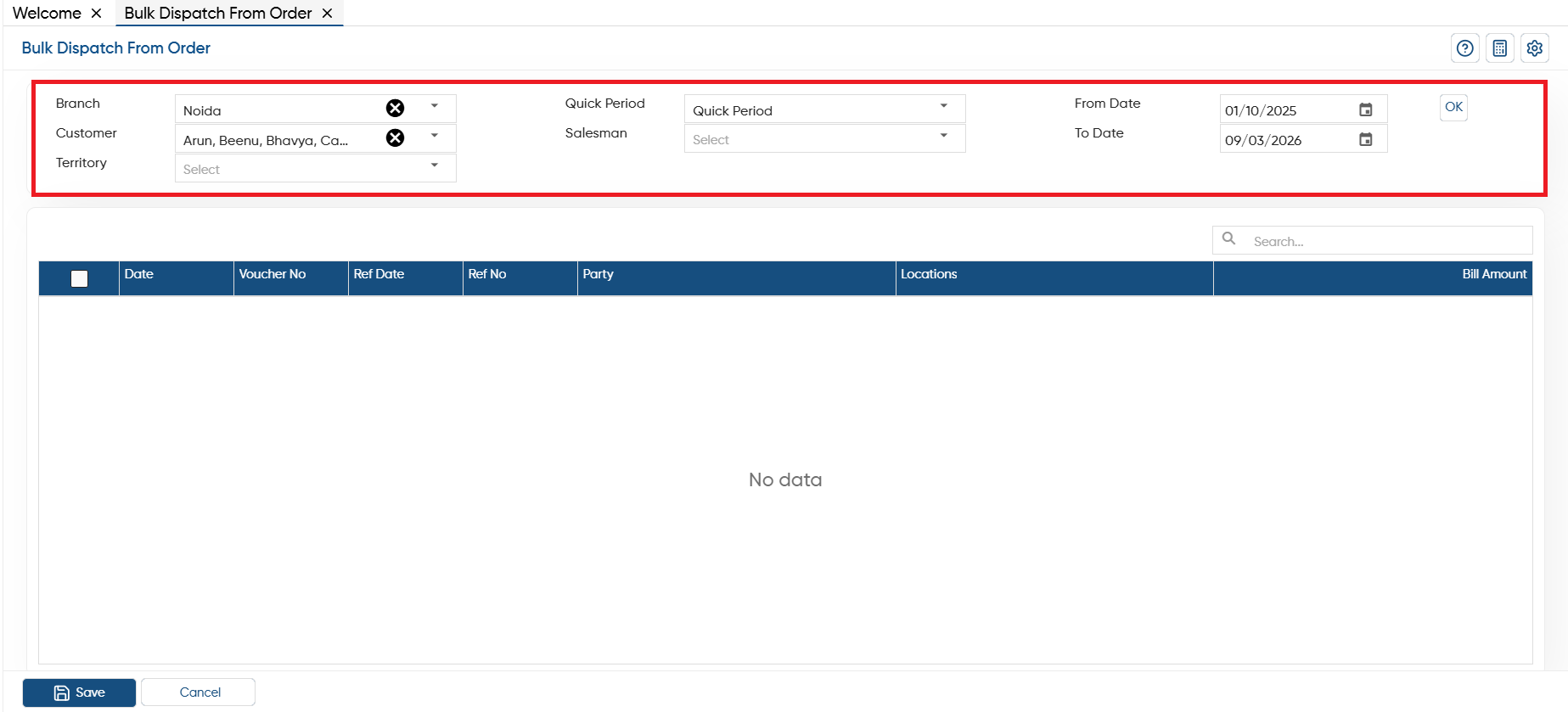
Go to Sales > Bulk Dispatch/ Invoice > Bulk Dispatch From Order.

-
Branch: If your company operates across multiple branches or locations, you can easily select a specific branch or location where you want to bulk transfer the dispatch from orders.
-
Customer: Select a specific customer whose Sales Order you want to convert in Dispatch.
-
Territory: Select the specific territory whose sales order you want to convert into sales dispatch.
-
Quick Period: Here, you need to select the period for which you want to bulk convert such as Yesterday, Monthly, Quarterly, Yearly etc.
-
Salesman: Select the salesman for more sorting the list whose order you want to display.
-
From Date: After period selection you can further specify the date from which you want to convert the documents.
-
To Date: Mention the date till which you want to convert the Sales Order into Dispatch document.
Click on 'OK' button.
-
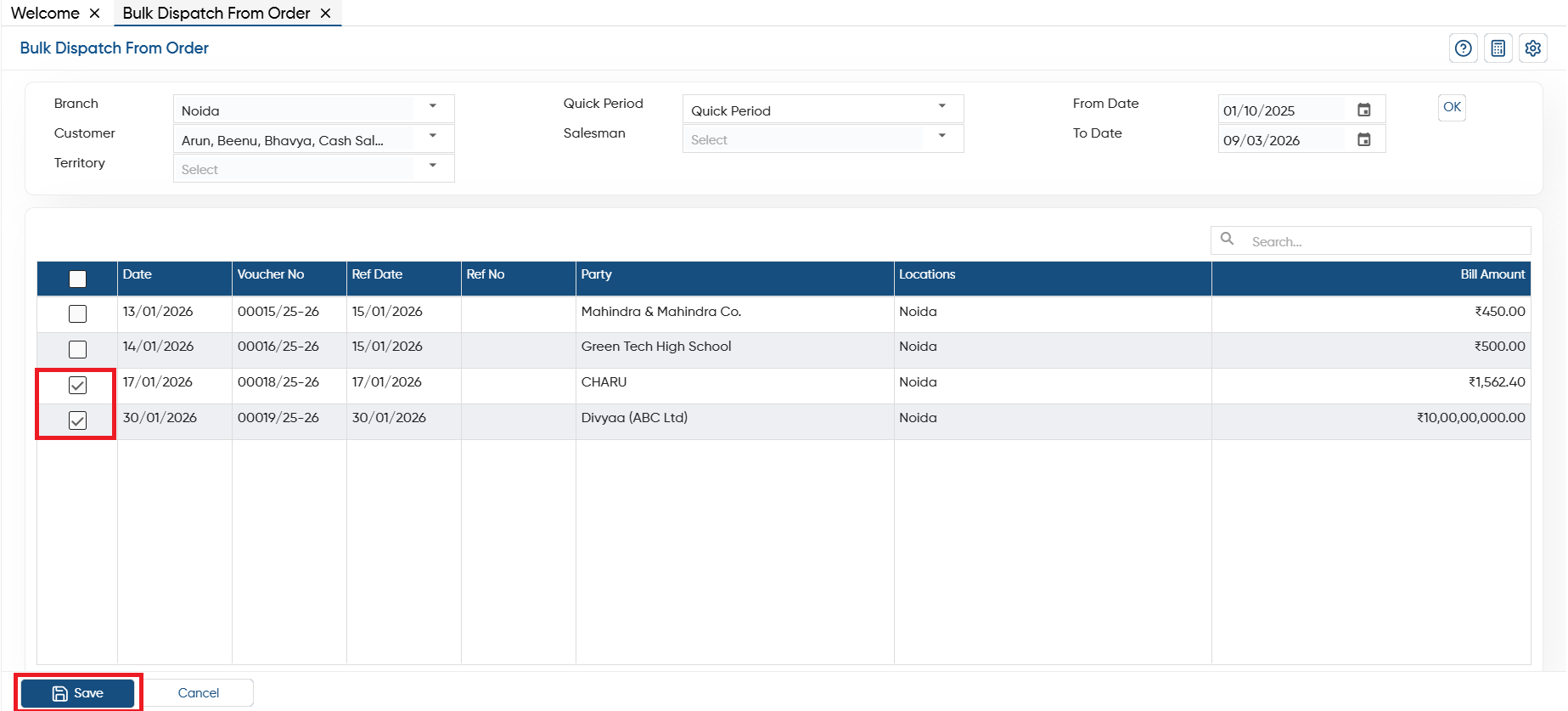
Tick the check box against the Sales Order that needs to be converted into the Dispatch document.
-
Click on 'Save' button.
-
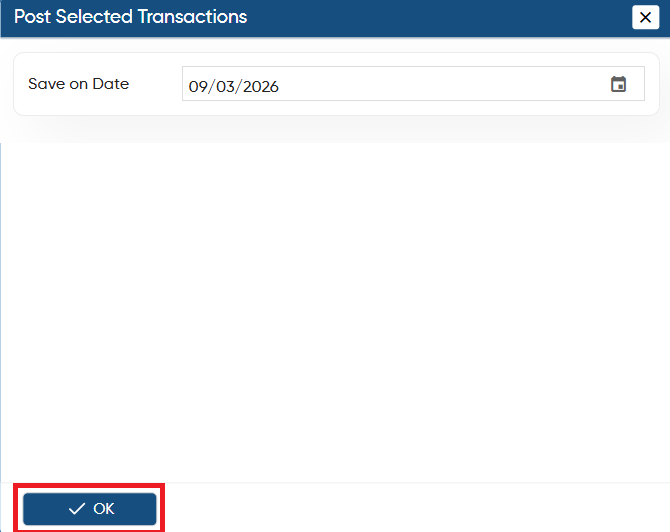
Another window will appear to select the date on which you want to save the all dispatch documents and click on 'OK' button.
-
Thereafter, you can view the dispatch documents will be post on the selected date.
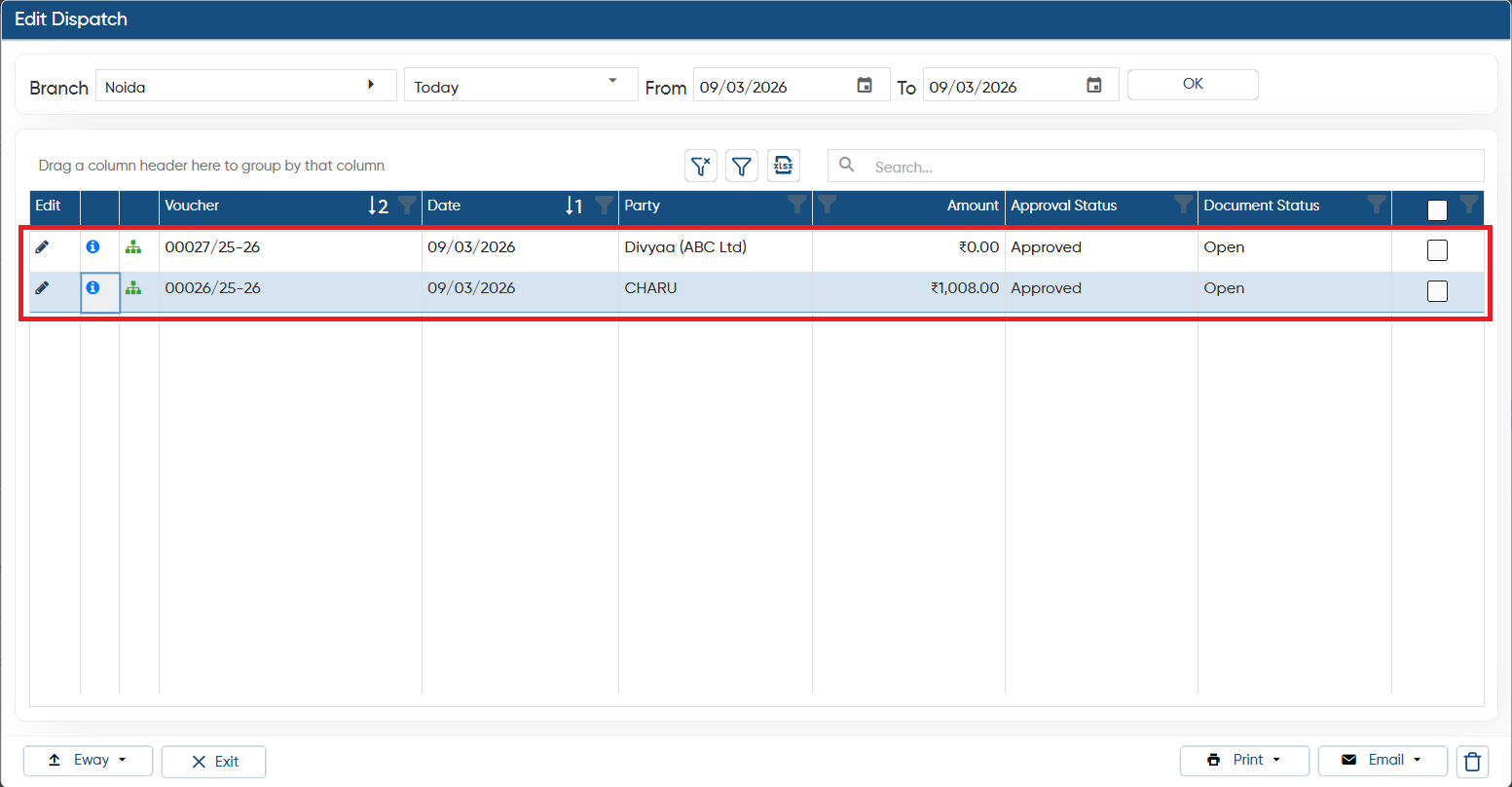
In this way, you can Convert Sales Order into Dispatch Documents in Bulk in AlignBooks.