
Easyecom
Easyecom is a comprehensive marketplace aggregator designed to simplify multi-channel eCommerce management. It provides a unified platform where businesses can manage orders, inventory, products, and customer data across multiple online marketplaces such as Amazon, Flipkart, Shopify, and others. By centralizing these operations, Easyecom helps businesses save time, reduce manual errors, and ensure smooth inventory and order management.
AlignBooks, a cloud-based accounting and ERP software, offers seamless direct integration with Easyecom. Through this integration, you can automatically fetch order details, product information, and customer data from Easyecom into their AlignBooks account. This enables businesses to streamline their processes further, as they can handle accounting, invoicing, and inventory management within a single platform. The integration eliminates the need for manual data entry, reduces errors, and provides a real-time overview of business operations, enhancing efficiency and accuracy.
-
Click on the 'Configuration' icon and select 'Company Setup' option.

-
Click on 'Integration' Tab.

-
Scroll down the page and in 'Easycom' click on 'Register Now' button.

An 'Easycom' window will appear.
-
Email: Mention the Log-In Id Easycom.
-
Password: Mention the Password of Easyecom.
-
Location Key: Mention the location key provided by the Easycom.
-
API Key: Mention the API Key of Easyecom.
Click on 'Save' button.

-
Go to Sales > E-Commerce > Market Place Dashboard.

-
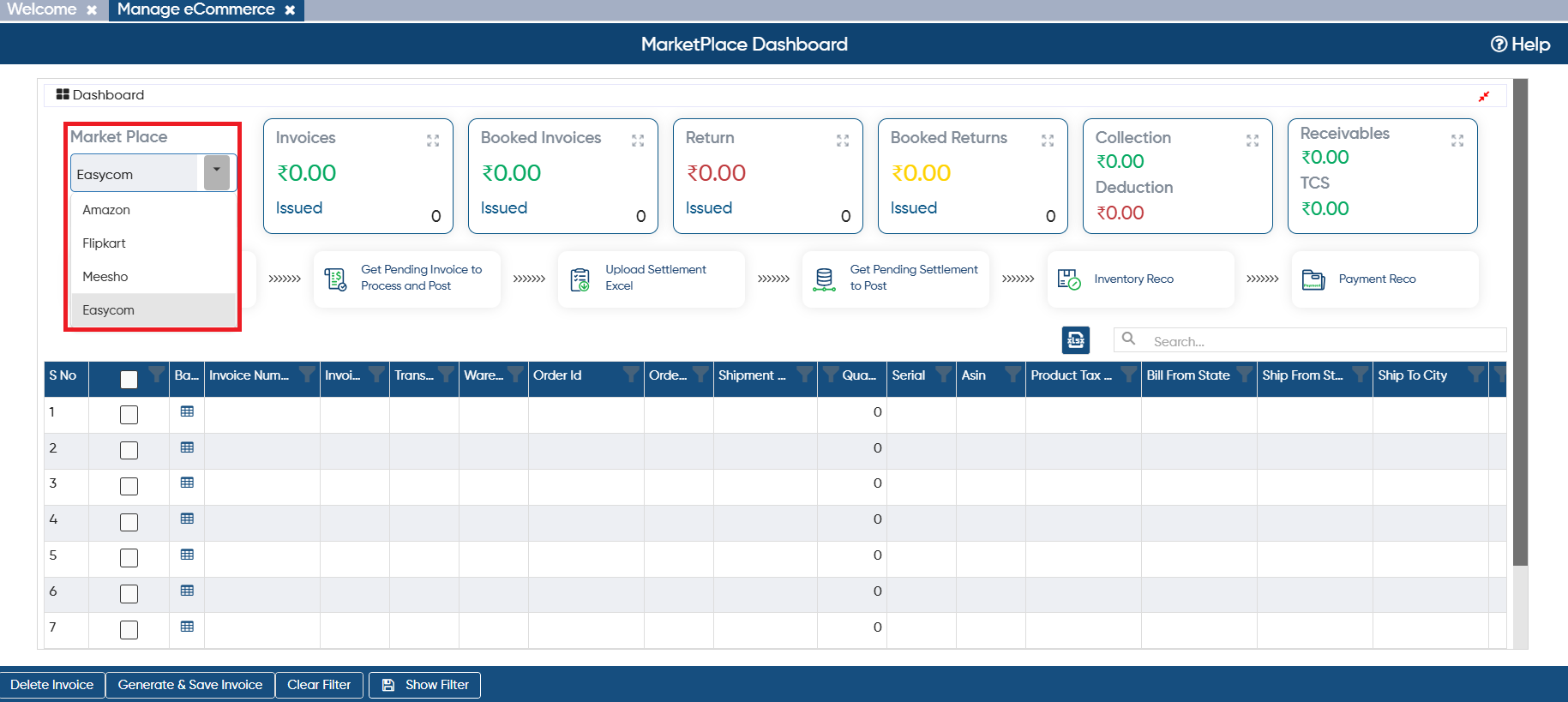
In 'Market Place' option, select 'EasyEcom'.
-
To fetch the order details click on 'Download From EasyEcom'.

-
In 'From Date' and 'To Date' option, mention the date range for which order needs to be fetch.
-
Click on 'Ok' button.
You can only fetch the data for 7 days at once.
|

-
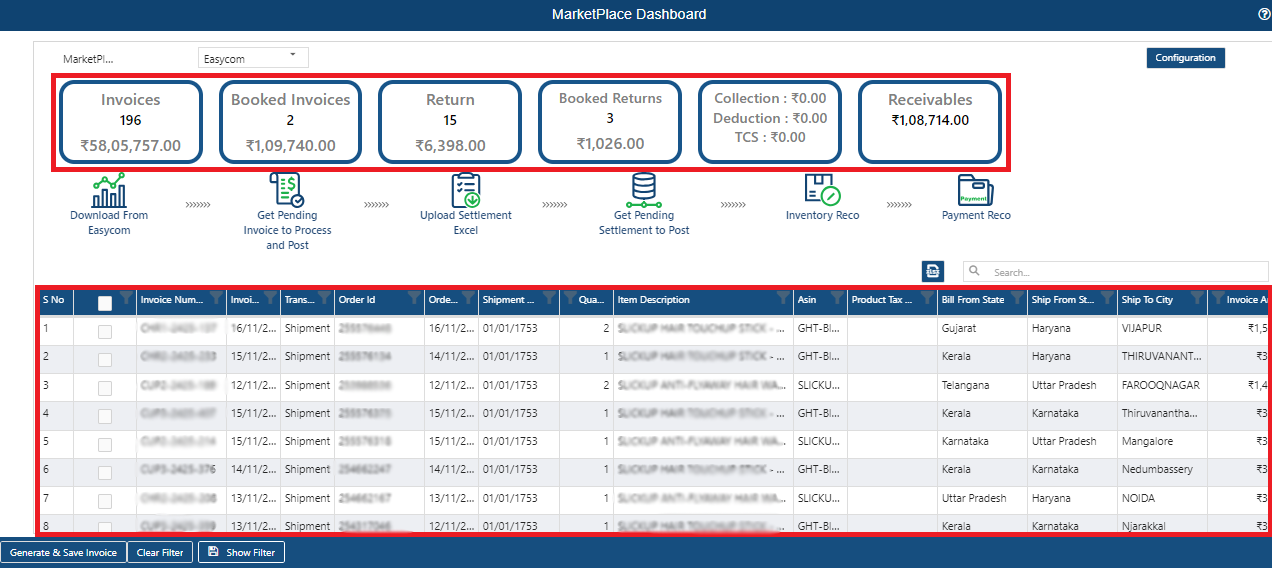
The user can view orders will get fetched in the software.
-
Invoices: All the Orders data will be displayed.
-
Booked Invoices: After fetching the data the user needs to Book the invoices or generate Invoice. Generated invoices data will display here.
-
Return: Total Number of Returns from the fetched order will display.
-
Booked Return: Same as invoices, return also booked or invoices generate for them. So after generating the invoices for the Returns, data will display in Booked Return.
-
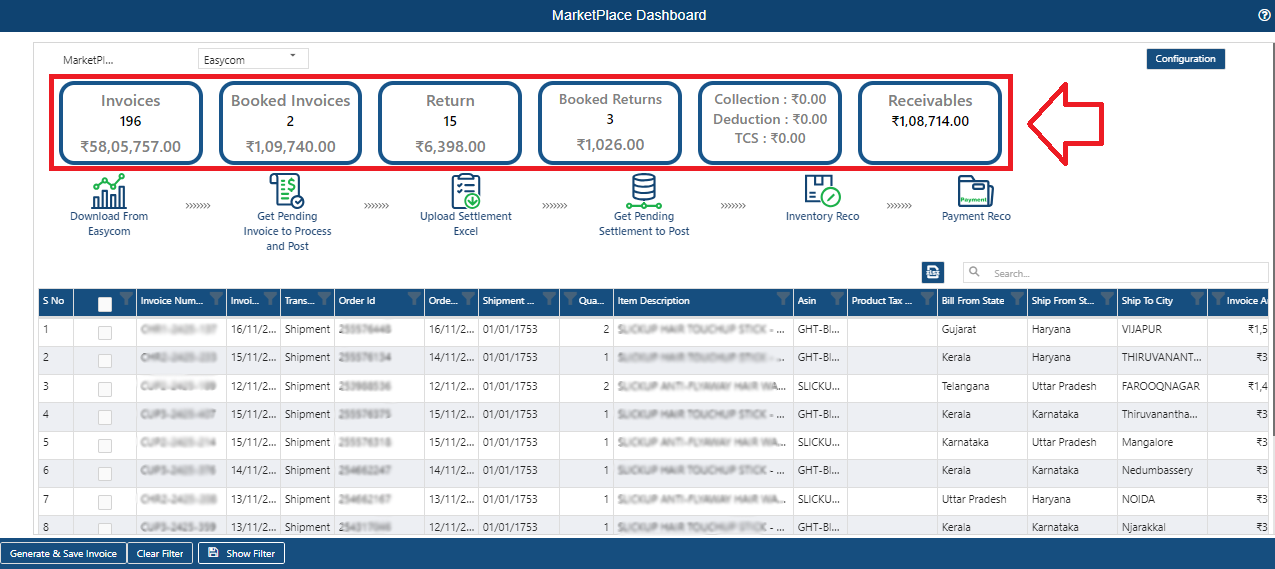
Receivable: The value generates after deducting Booked Return Value from the Booked Invoices will display in receivables.
( 1,09,740.00 - 1,026.00 ) = 1,08,714
-
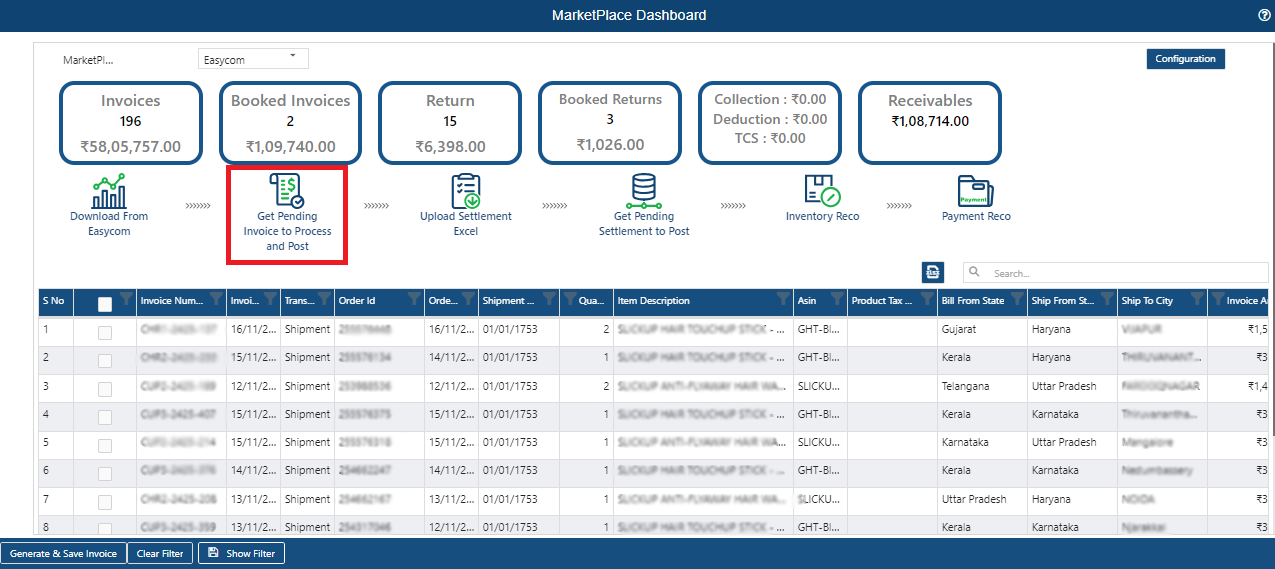
Click on 'Get Pending Invoice to Process and Post'.
-
In 'From Date' and 'To Date' option, mention the date range for which invoices needs to be booked or generated.
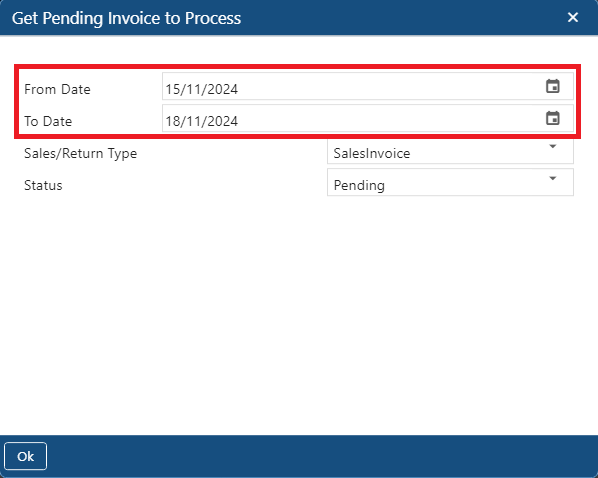
-
In 'Sales/Return Type' option, select the type of invoice that needs to be generated.
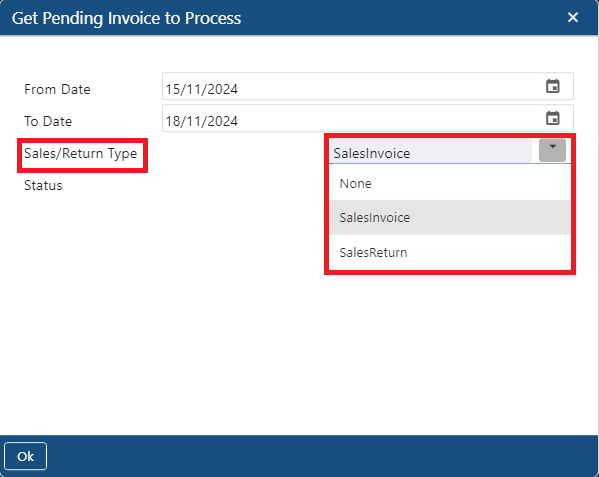
In 'Status' option, select the option as per the requirement.
-
Pending: Select the option if you only need to view the pending Invoices whose bills does not generate yet.
-
Clear: Select the option if you need to book the invoices whose bill has been generated.
-
All: Select the option to view all type of invoices Pending, Clear.
Click on 'Ok' button.

In this way you can Integrate Easyecom in AlignBooks.