
Import/ Export Voucher
AlignBooks offers a convenient feature that allows you to easily export and import vouchers and invoices between different companies. This functionality streamlines the process of transferring financial documents, saving time and reducing manual entry errors. Whether you're managing multiple entities or need to consolidate records, this option ensures seamless data migration, making it easier to keep your accounts up to date across all companies.
-
Click on 'Configuration' icon and select 'Import/Export Voucher' option.
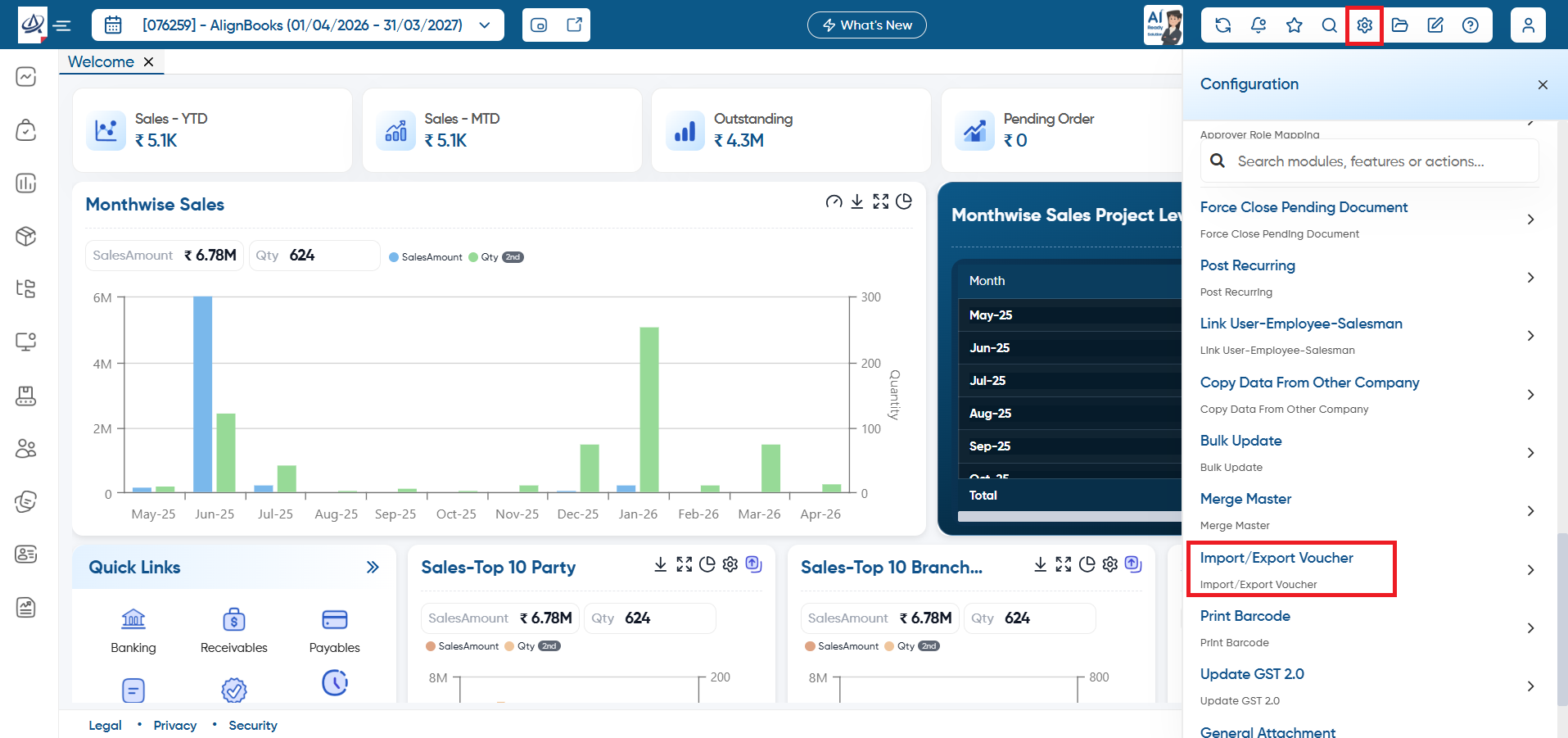
First you need to export the vouchers from the company as you required.
-
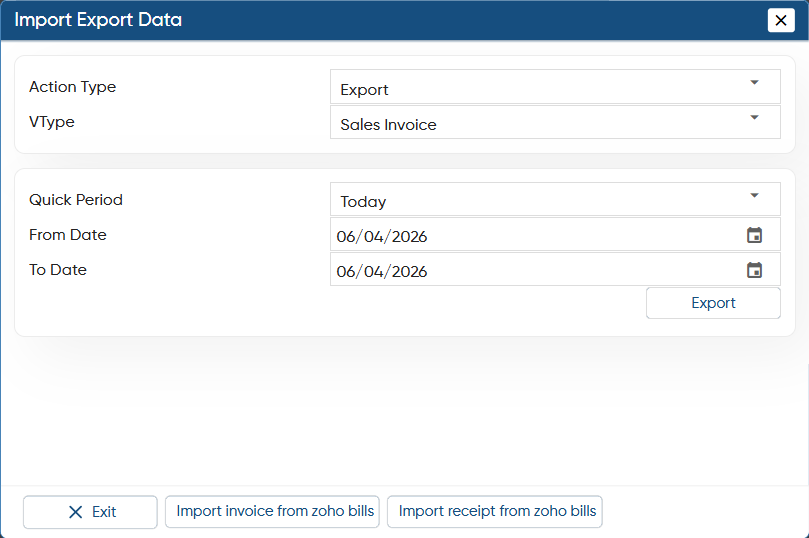
Action Type: To export the vouchers, select action type 'Export'.
-
VType: Here, you need to select the type of voucher that you want to export and import in another company.
-
Quick Period: Select the period for which you want to export the vouchers.
-
From Date: After selecting the period you can further select the specific date from which you need to export the vouchers.
-
To Date: Further select the date till which you need to export the vouchers.
Click on 'Export' button.
-
Thereafter, the data will be exported to Excel File.
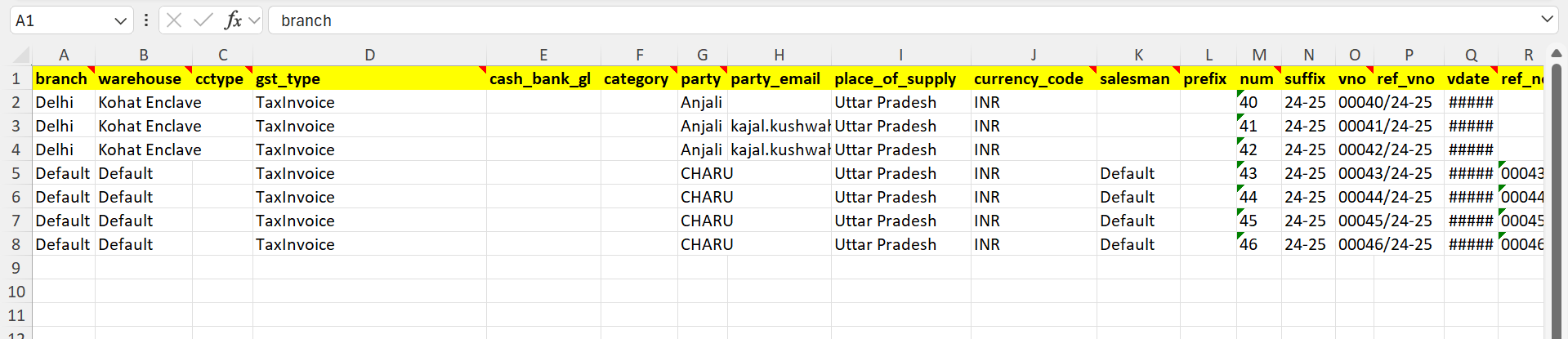
Now open the company in which you want to import the vouchers/ Invoices, and go to Configuration > Import/ Export Voucher.
-
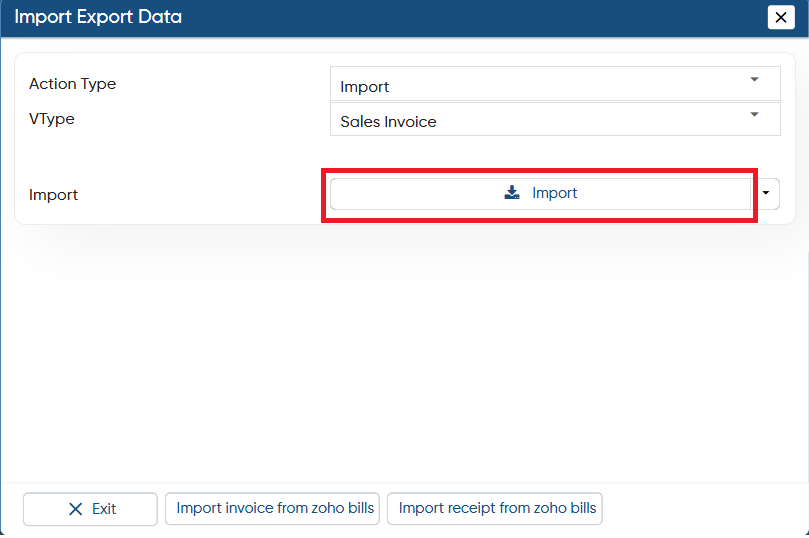
Action Type: To import the vouchers select 'Import' option.
-
VType: Select the same voucher type that you selected in another company while exporting the data.
Click on 'Import' button.
You can Add the data in the Excel File.
|
In this way you can Import/ Export Vouchers and Documents easily in AlignBooks.