
Job Work Inward Rate
When you get materials for a Job Work process, it's important to keep track of the prices for each product. You should enter the product rates into the system when you receive them. This helps the system automatically use the correct prices in different processes related to the same material.
Benefits Of Job Work Inward Rate:
-
Saves Time – No need to manually enter prices again for similar processes.
-
Reduces Errors – Ensures accurate pricing across different job work tasks.
-
Better Cost Control – Helps in tracking and managing material costs efficiently.
-
Improved Decision-Making – Provides a clear view of material costs for better planning.
-
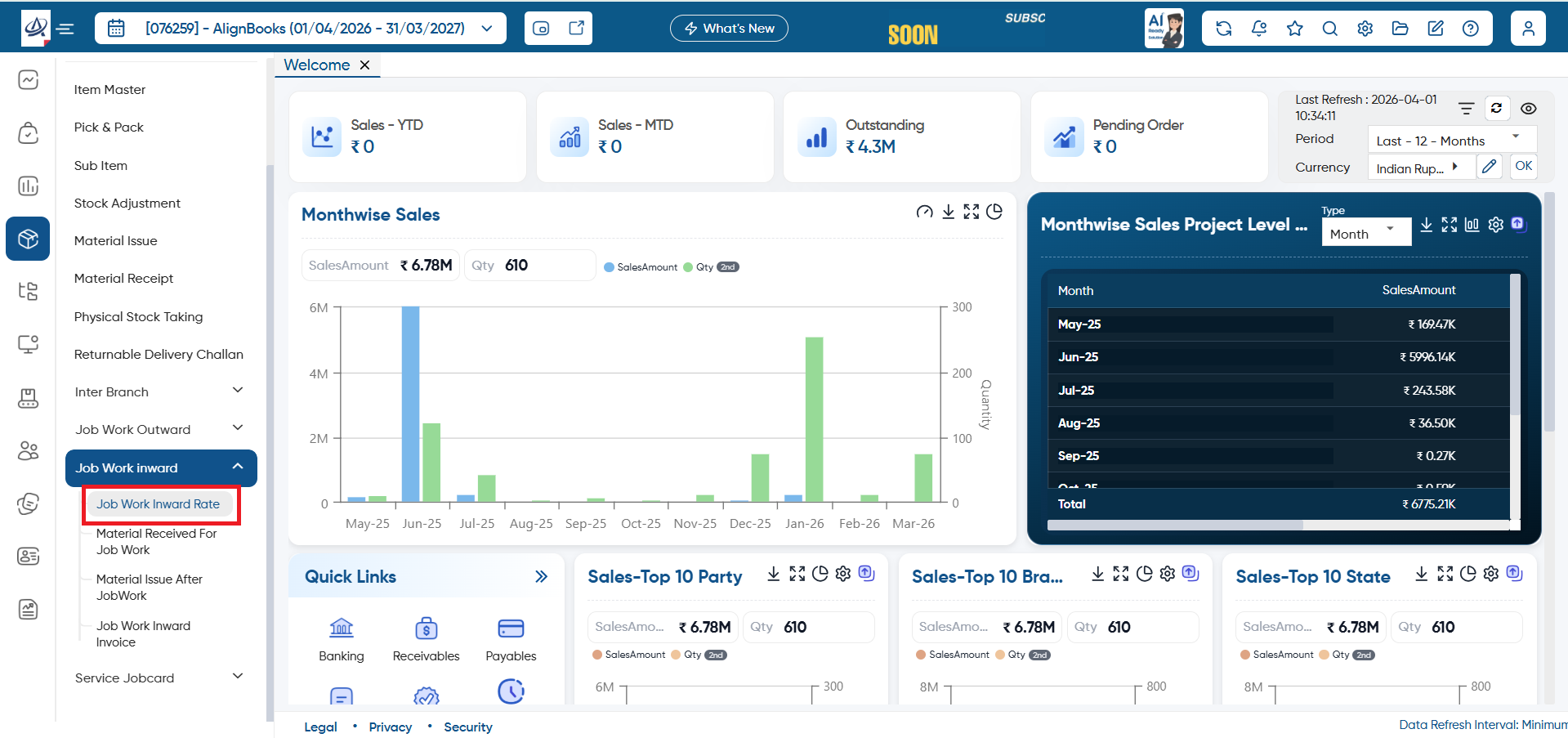
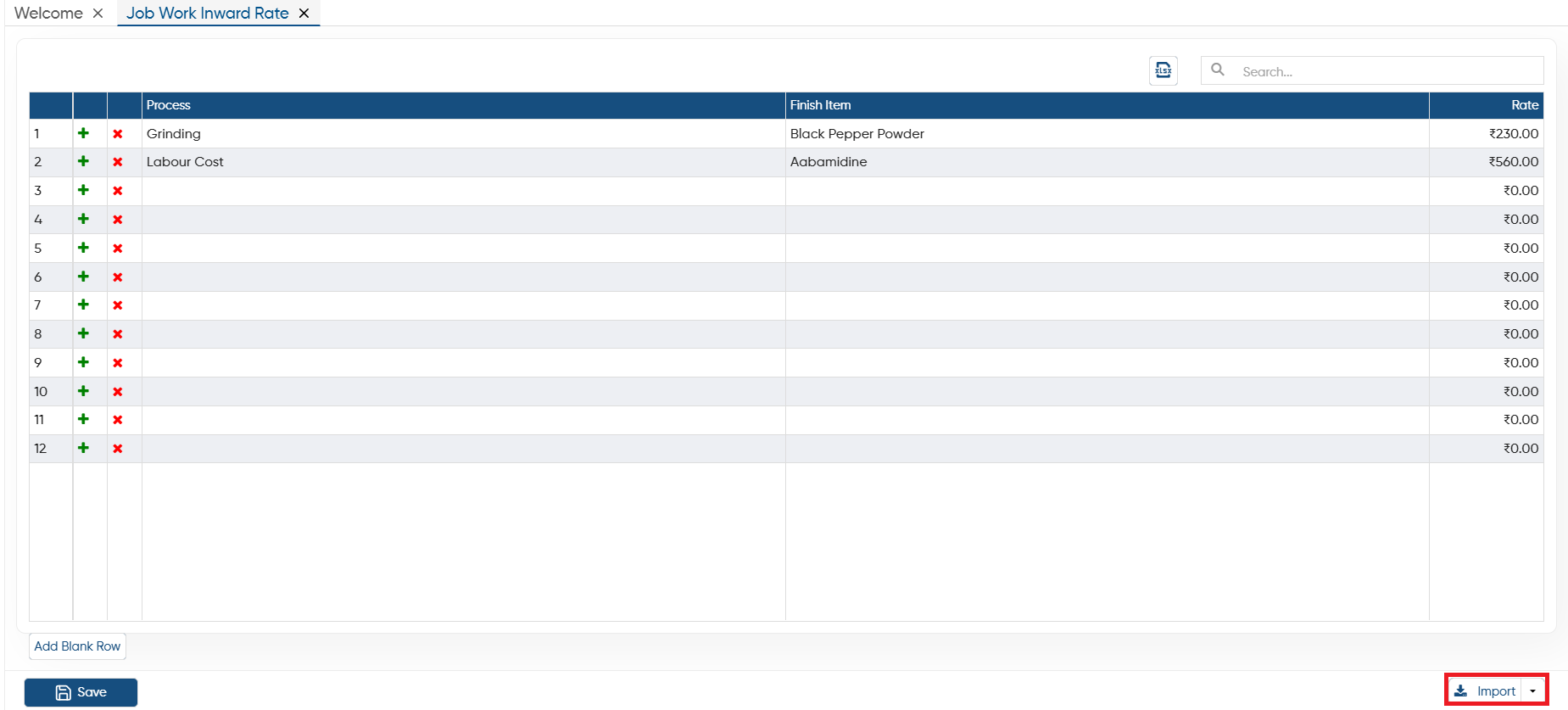
Go to Inventory > Job Work Inward > Job Work Inward Rate.
-
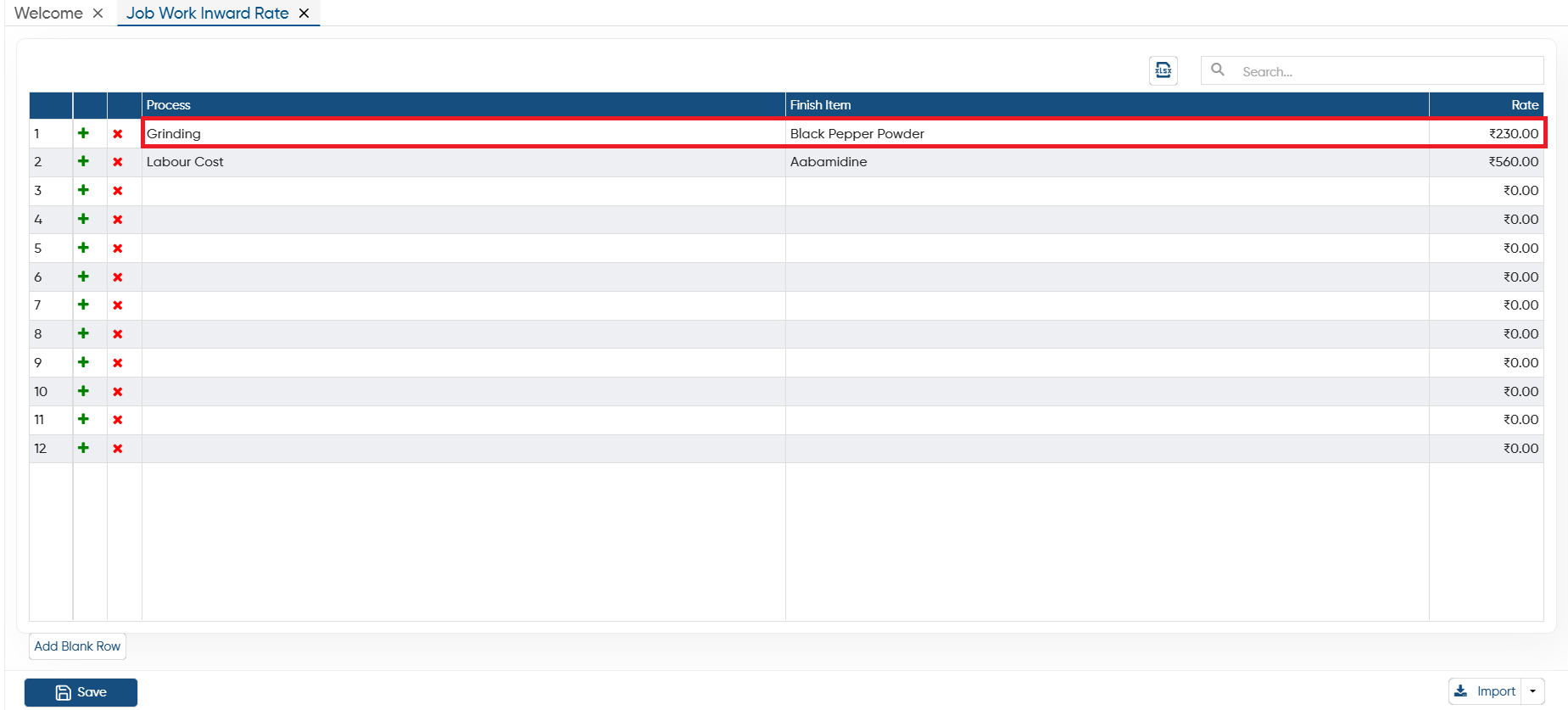
In 'Process' column, select the type of process for which you are receiving the job work.
-
In 'Finished Item' option, select the finished item you required create from this job work.
-
In 'Rate' column, mention the rate of the Job work.
Click on 'Save' button.
-
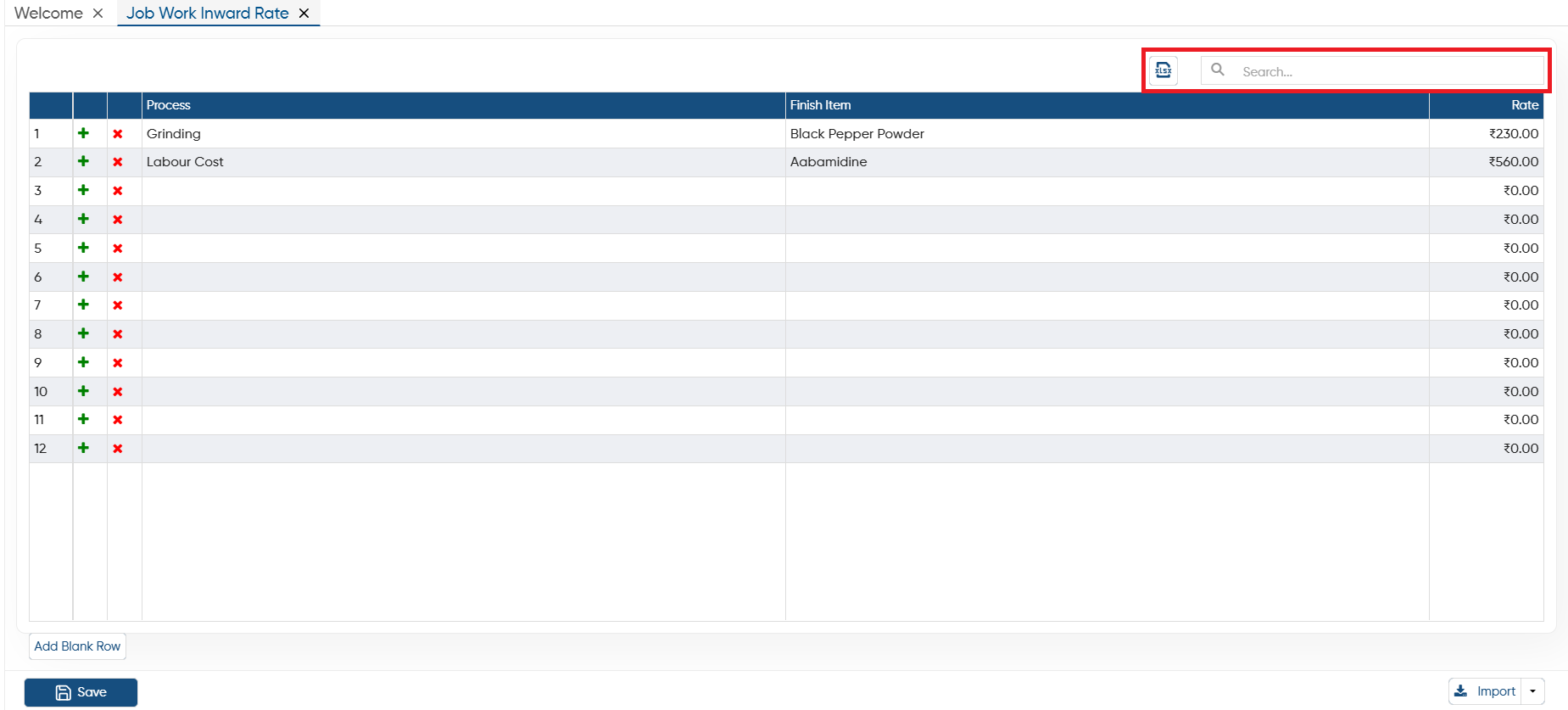
Excel: If you required to export the Job Work Inward Rate list then click on the Excel icon. All the Rate list will be exported to the excel File.
-
Search: To search any process, Finished Item, rate type the details in the search box the software will display the result on the screen.
 Click on the plus icon to add more rows to the table.
 Click on the cross icon to remove the any specific row from the table permanently.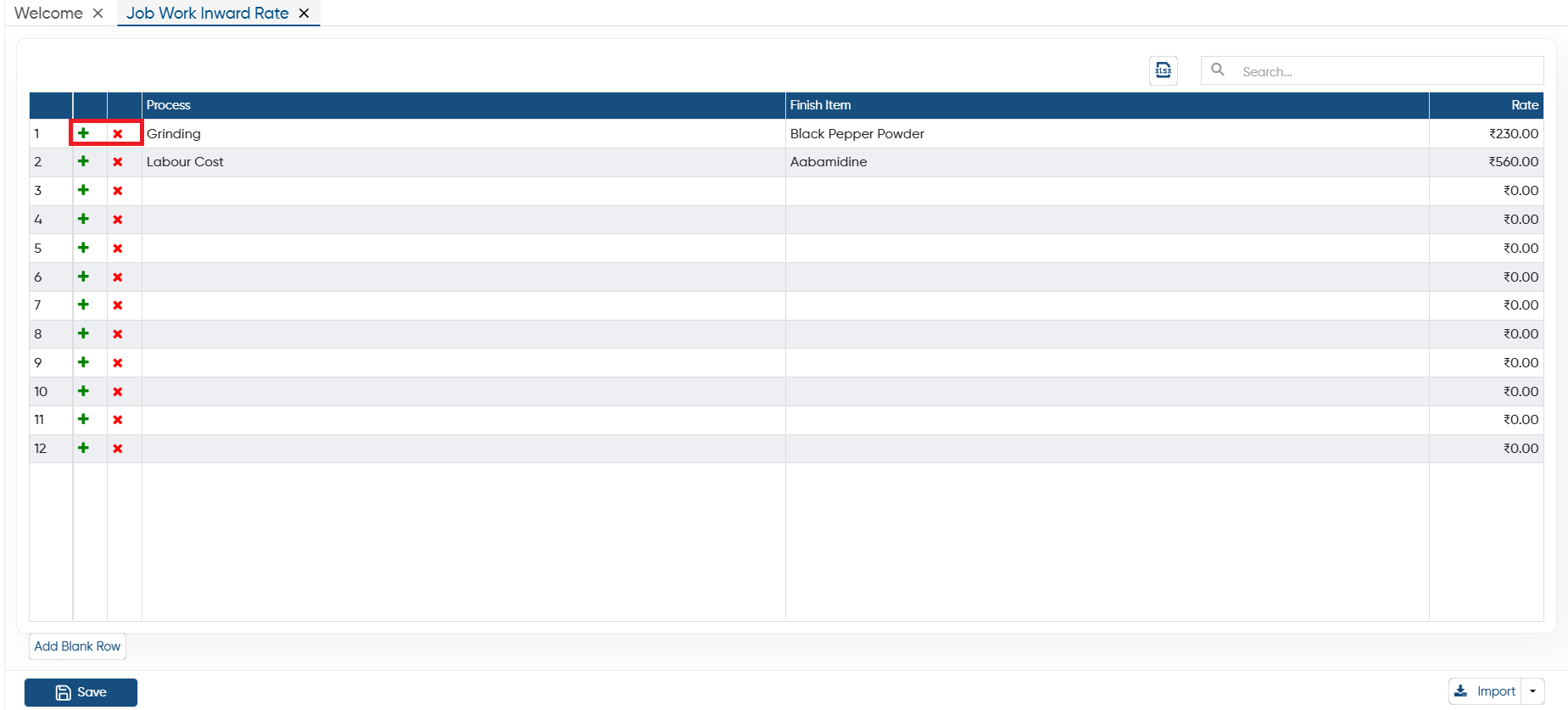
-
Click the 'Add Blank Row' button to add more rows to the table. It functions similarly to the '+' icon displayed in the table.

-
Download Format: If you want to import data from an Excel file, you can download the template through this option. After entering the data, you can directly import the file into AlignBooks.
-
Create Format: You can also create a custom format and map the columns with your Excel file. Make sure the field headings in the Excel file match those in the software when mapping the columns.
In this way you can Add and Manage the Job Work Inward Rate In AlignBooks.