
Merge Master
If you're running a business with multiple users using AlignBooks, there might be times when duplicate masters or batches are accidentally created for the same category or type. You might also need to combine the data from one master or batch into another.
This feature lets you easily merge duplicate masters or batches, ensuring all related records are updated and grouped under the chosen master or batch. Keep in mind that merging is only allowed for items of the same type.
-
Click on 'Configuration' icon and select 'Merge Master' option.
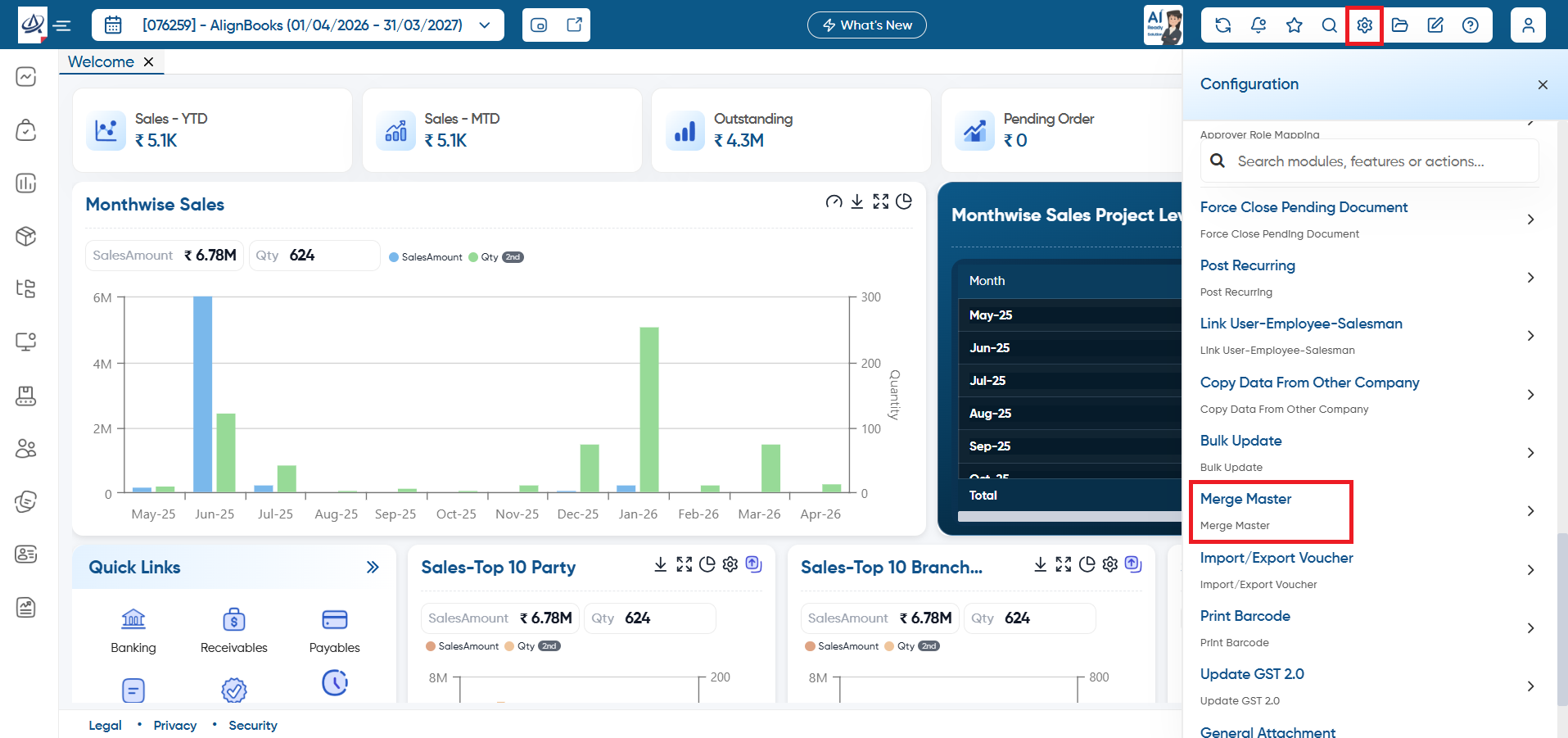
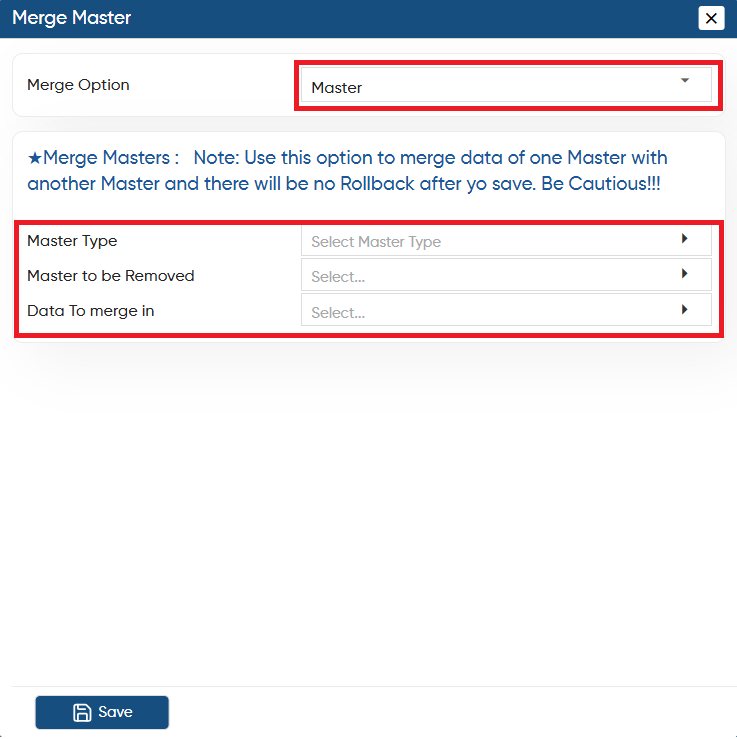
In 'Merge Option', select 'Master' from the dropdown.
-
Master Type: Select the type of master that you need to merge such as 'HSN/ Item/ Employee/ Customer/ Attribute etc.
-
Master to be Removed: Select the master you want to merge with another. All records from the selected master will be removed and the selected master will be deleted.
-
Data To merge in: Here, select the master in which you want to merge the master.
-
Click on 'Save' button.
Once you merge the master it can't be roll back.
|
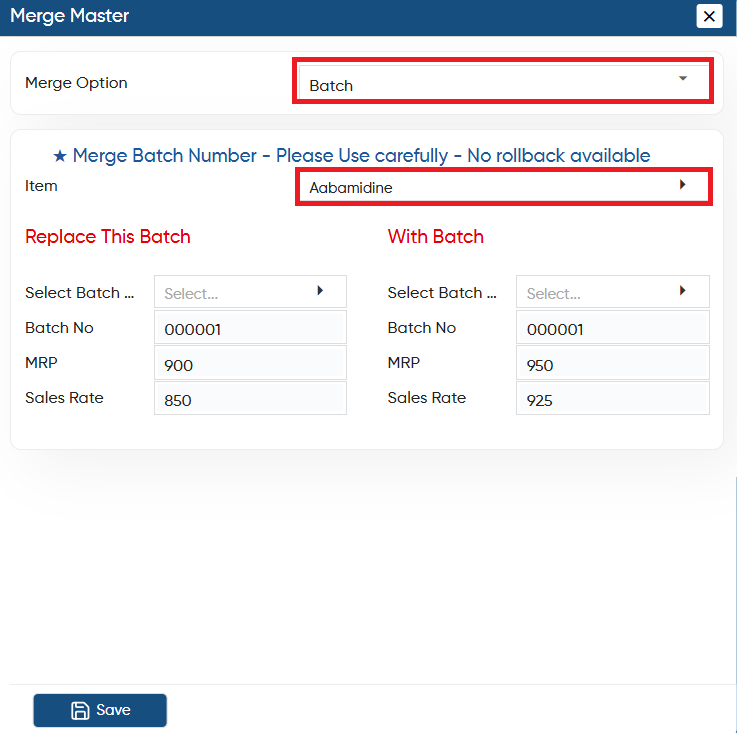
In 'Merge Option', select 'Batch' from the dropdown.
-
Item: Select the item, whose batches you want to merge.
Replace This Batch
-
Select Batch: Choose the batch that needs to be replaced. (selected batch will remove)
-
Batch No: The software will automatically display the Batch Number of the selected batch.
-
MRP: The software will automatically retrieve the MRP of the selected batch.
-
Sales Rate: The Sales Rate of the selected batch will also be automatically fetched by the software.
With Batch
-
Select Batch: You need to select the batch with which you want to merge the above selected batch.
-
Batch No: The software will automatically display the Batch Number of the selected batch.
-
MRP: The software will automatically retrieve the MRP of the selected batch.
-
Sales Rate: The Sales Rate of the selected batch will also be automatically fetched by the software.
Click on 'Save' button.
Once you merge the Batch it can't be roll back.
|
In this way you can Merge Master and Batches in AlignBooks.