
Post Recurring
In service industries or many companies, you may need to create entries on a daily, weekly, or monthly basis. It’s possible that occasionally you might forget to enter certain vouchers or invoices. To address this issue, AlignBooks offers a feature that allows you to schedule any voucher or invoice on a daily, weekly, or monthly basis. Afterward, using the 'Post Recurring' option, you can post all those entries at once.
For Example: Canteen Expenses are a type of Daily expenses that company needs to bear and maintain same vouchers. Therefore, in AlignBooks you just need to create the entry one time and you can schedule it Daily/ Weekly/ Monthly as needed while creating Voucher. Thereafter, all those entries will get reflect on the POST RECURRING option. You can post all the vouchers at once easily.
-
First, you need to pass any Voucher or Invoice and save it.
-
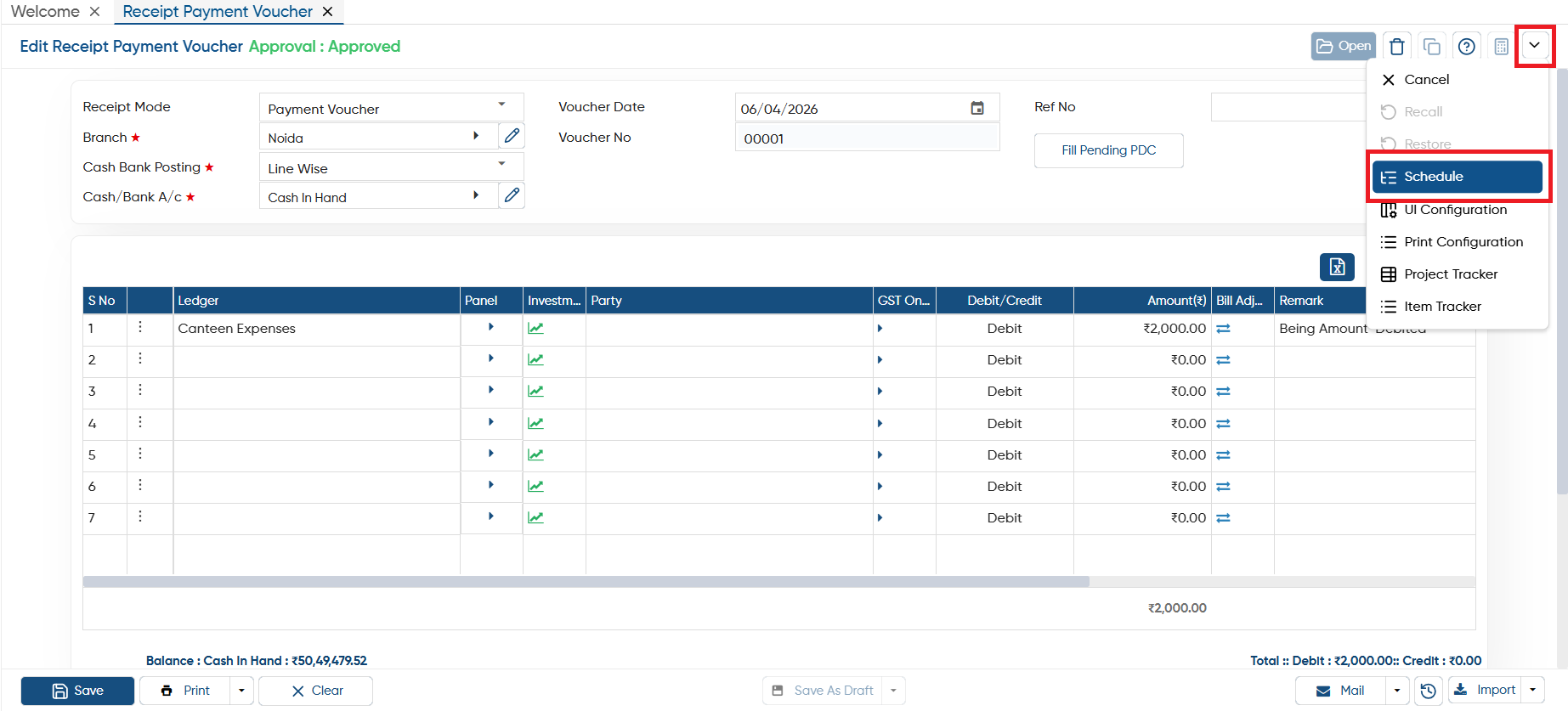
After saving the voucher or Invoice you need to re-open it, click on the drop-down > Schedule.
-
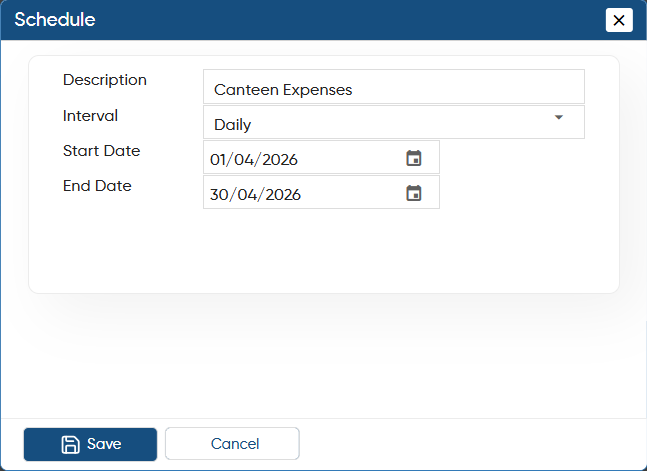
Mention the description, Select Interval 'Daily/ Weekly/ Monthly', then date range and click on 'Save' button.
-
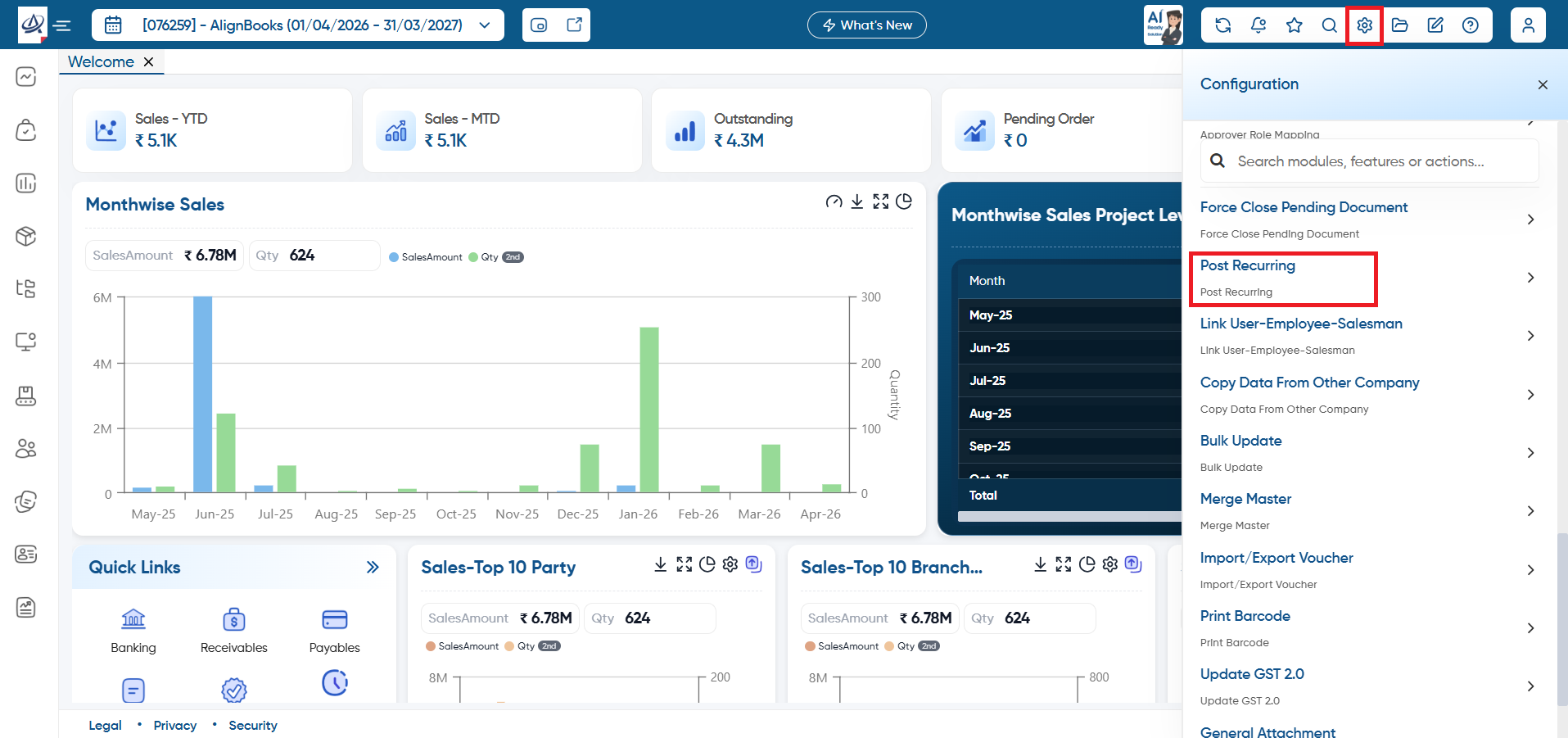
Click on 'Configuration' icon and select 'Post Recurring' option.
-
Here, you can view based on the daily process, entry has been creating from 1st April till today's date auto.
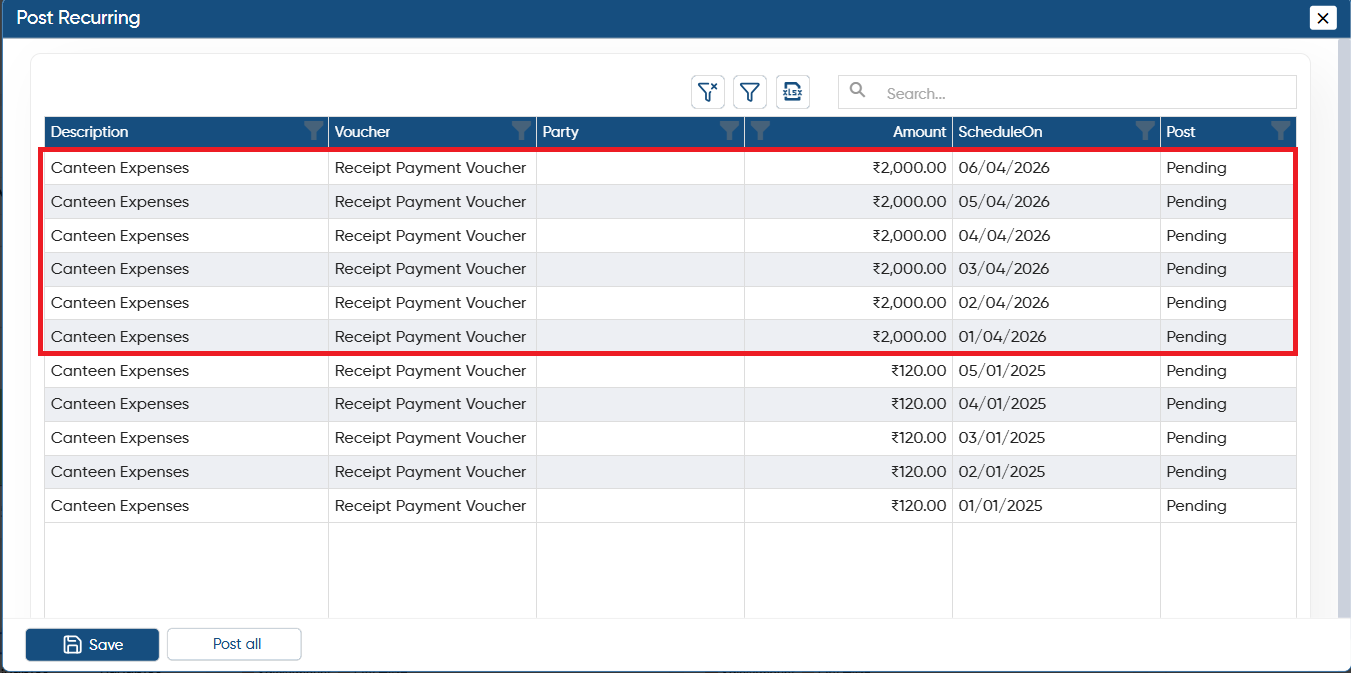
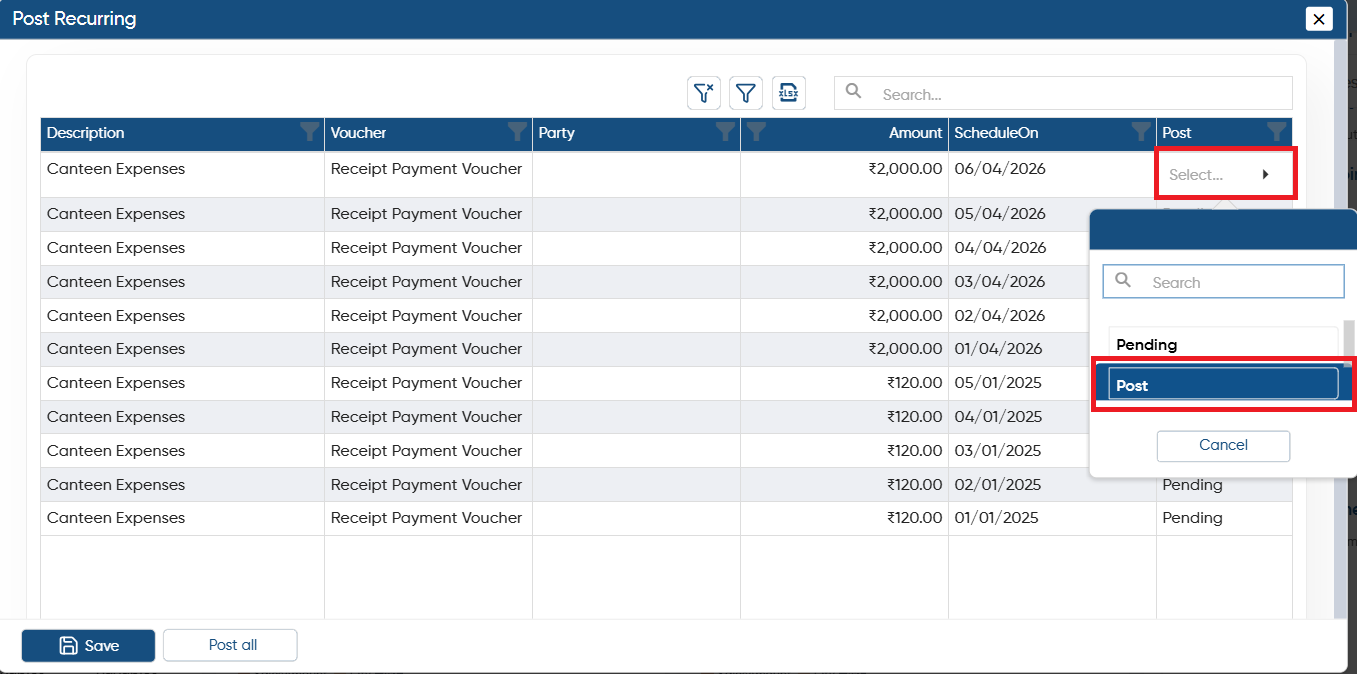
Case 1. Post the select Voucher/Invoice.
-
Click on the 'Post' column dropdown and select 'Post' option corresponding to the voucher that needed to be post.
-
And click on 'Save' button.
Case 2. Post All at Once.
-
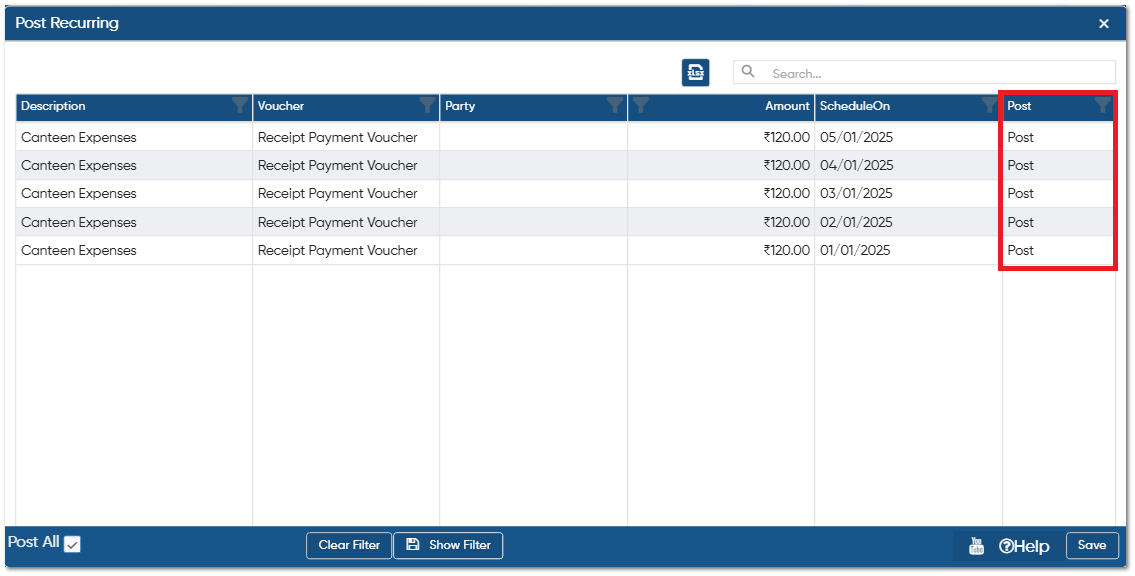
Tick the checkbox of 'Post All' and you can view 'Post' option will get auto update in all Vouchers.
-
Click on 'Save' button to post vouchers.
In this way, you can Manage Post Recurring in AlignBooks.