
RFP/RFQ Eval Parameter
RFP stands for Request for Proposal.
In simple words, an RFP is a document that you send to vendors when you need a complete solution for a project. It is used when the requirement is not just about buying a product, but about solving a problem. In an RFP, you ask vendors to explain how they will handle the project, what approach they will follow, what experience they have, how much time they will take, and what the total cost will be. The vendor submits a detailed proposal describing their methodology, expertise, and pricing. RFP is mainly used when quality, technical capability, and experience are as important as cost.
RFQ stands for Request for Quotation.
In simple terms, an RFQ is used when you already know exactly what you want to purchase. The specifications are clearly defined, and you mainly need price details from different vendors. In this case, vendors do not need to explain their approach or strategy. They simply provide the rate, delivery time, payment terms, and basic commercial details. RFQ is mostly used for purchasing standard products where comparison is largely based on price and basic terms.
RFP/RFQ Evaluation Parameter
It refers to the method used to compare and select the right vendor after receiving proposals or quotations. Instead of choosing randomly or only based on price, you define certain criteria to evaluate each vendor fairly. These criteria are called evaluation parameters.
For example, in an RFP, parameters may include technical capability, experience, project approach, timeline, and cost. In an RFQ, parameters may include price, delivery time, warranty, and payment terms. Each parameter is given a specific weightage, which means assigning importance to it in percentage terms. This helps in scoring vendors properly according to business priorities. By using evaluation parameters and weightage, you can make a structured, transparent, and unbiased decision while selecting the best vendor for your project.
-
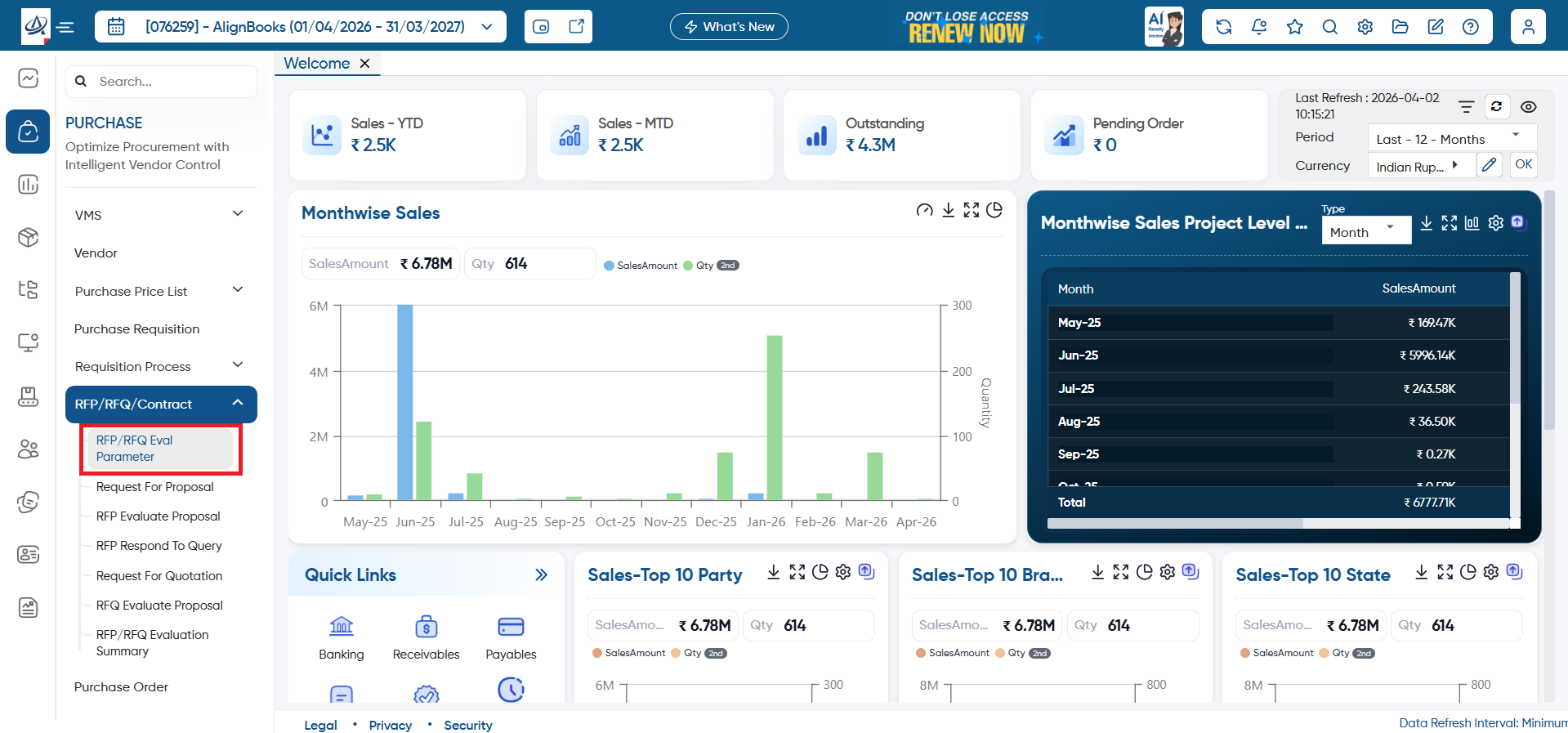
To create parameters, open the ‘Purchase’ > ‘RFP/RFQ/Contract’ > ‘RFP/RFQ Eval Parameter’ option.
-
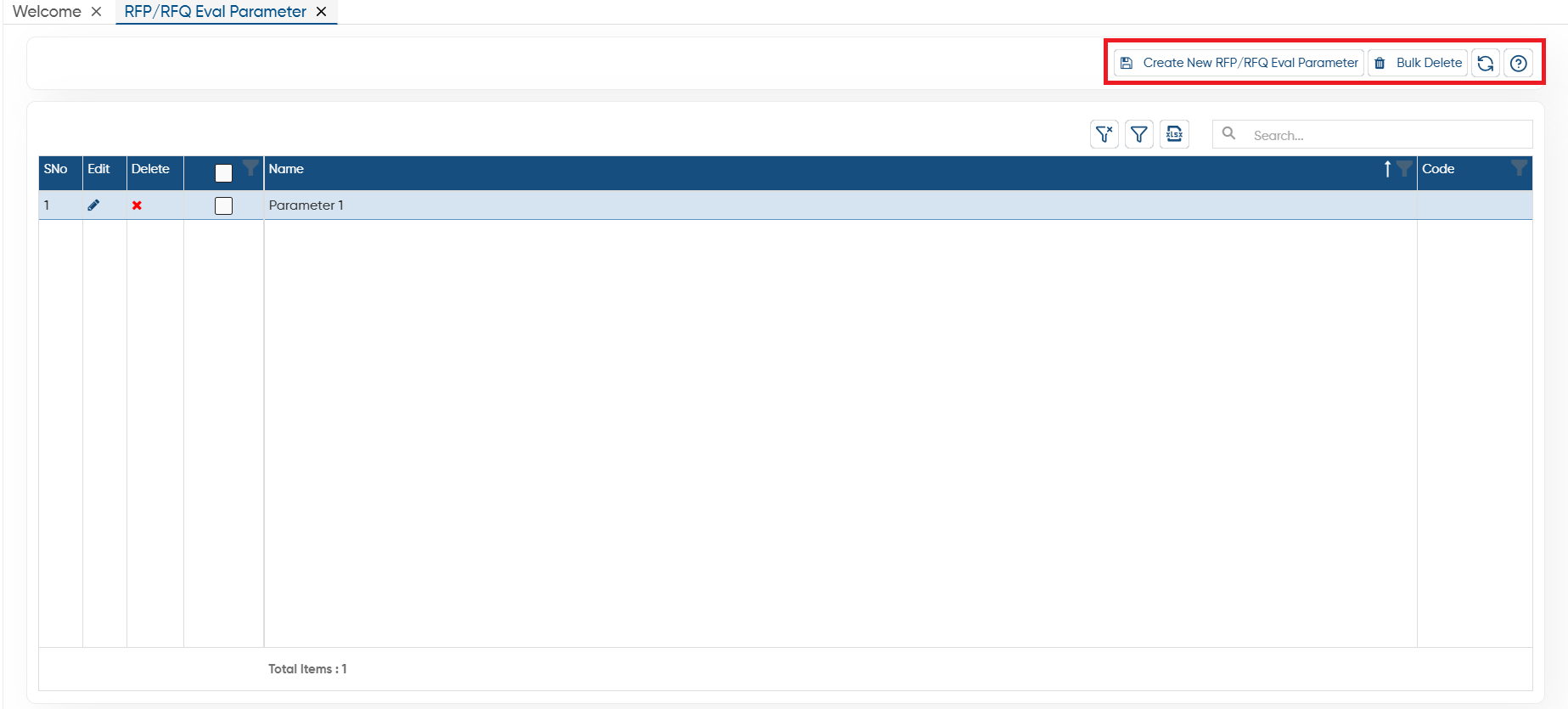
Create New RFP/RFQ Eval Parameter: Click on this button to create or add new RFP/RFQ Eval Parameter details.
-
Bulk Delete: To delete the multiple parameters at once select them (checkbox provided next to the parameter name) then click on this button.
-
Refresh: After making changes to the master if changes doesn't appear you can refresh the screen. This will display the latest changes on the screen.
-
Help: Click on the help icon to access the step by step guide of the Process.
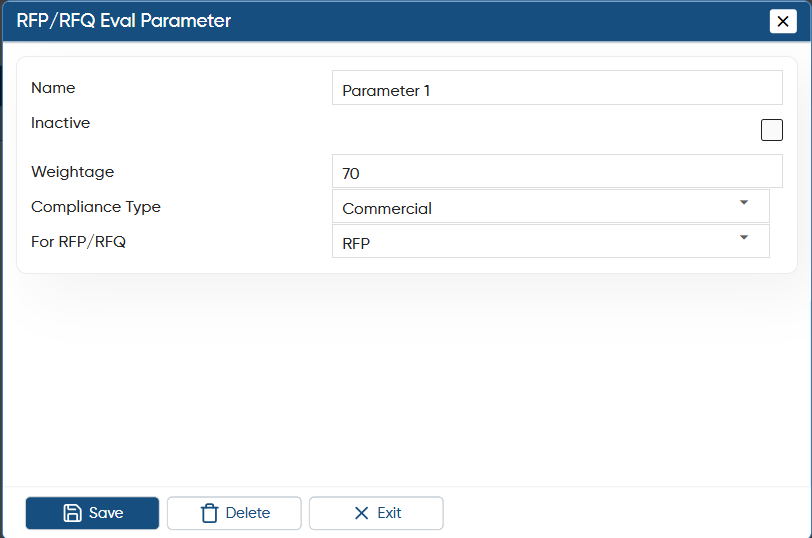
While creating new RFP/RFQ Eval Parameter, you have to mention the following details:
-
Name: Mention a clear and meaningful name for the parameter so that you can easily identify what you are evaluating, such as Cost, Technical Capability, or Delivery Timeline.
-
Inactive: You can mark the parameter as inactive whenever it is no longer required. This allows you to stop using it in evaluations without deleting the record.
-
Weightage: Enter the weightage you want to assign to the parameter. This defines how important the parameter is in the overall evaluation and how much it will impact the final score.
-
Compliance Type: Select whether the parameter belongs to Technical or Compliance evaluation. Technical checks capability and performance, while Compliance checks whether required conditions are fulfilled.
-
For RFP/RFQ: Choose whether the parameter will be used for RFP or RFQ evaluation, so it is applied only to the relevant process.
Click on the ‘Update’ button.
-
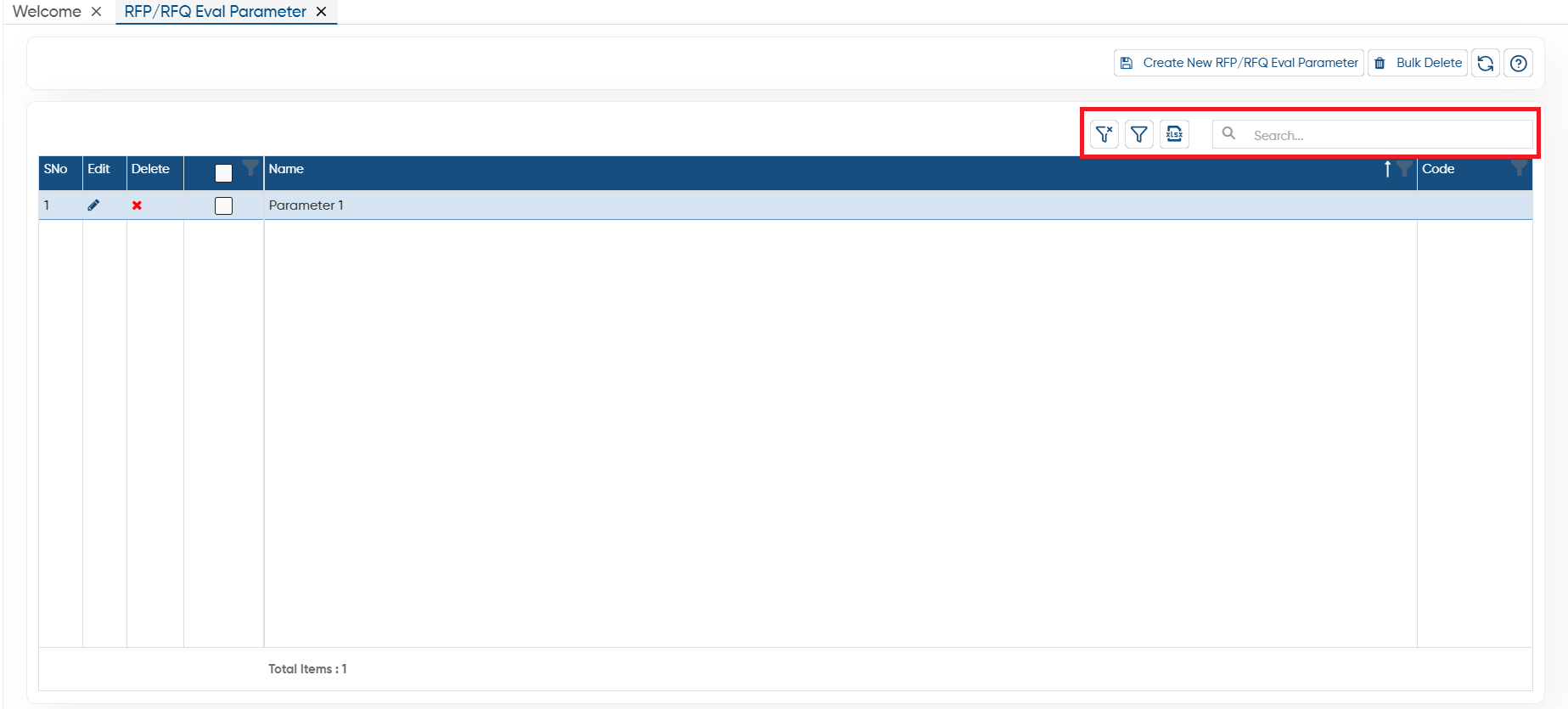
Clear Filter: Click on the Clear Filter icon, to remove all the filters you have applied on the list.
-
Show Filter: Through the ‘Show Filter’ icon, you can enable column-wise filtering. Once activated, a search icon will appear at the top of each column, allowing you to filter the list easily.
-
Excel: You can export the all data in excel file also, to export the data click on excel icon.
-
Search: To search any record in the list, only type the related information in search box, software will display the result on the screen.
In this way you can easily create and Manage RFP/RFQ Eval Parameter in AlignBooks.