
Parent - Child/ Sister Company Concept
The parent-child company concept refers to a business structure where one company (the parent) owns or controls another company (the child). The parent company has control over one or more smaller companies and can work in different industries.
When the parent company sells goods or services to the child/ sister company, it makes a sale invoice to keep track of the transaction. This could be for things like raw materials, finished products, or services such as consulting or IT support.
The child company also needs to create a purchase invoice. Doing this manually can take a lot of time and be a hassle.
To make things easier, AlignBooks has introduced a feature that eliminates the need to create a purchase invoice by hand. When the parent company creates a sale invoice, a purchase bill will automatically be created in the child/ sister company without any extra work.
Benefits:
-
Streamlined Processes: The automatic creation of purchase bills eliminates the manual invoice process, saving time and reducing administrative burdens.
-
Increased Efficiency: Automating transactions between the parent and child companies allows for quicker processing and reduces the likelihood of errors associated with manual entry.
-
Cost Savings: Reducing the time spent on manual invoicing can lead to lower operational costs and allow staff to focus on more strategic tasks.
-
Better Resource Management: By simplifying invoicing, companies can better allocate resources and prioritize critical business functions.
Watch a Video
-
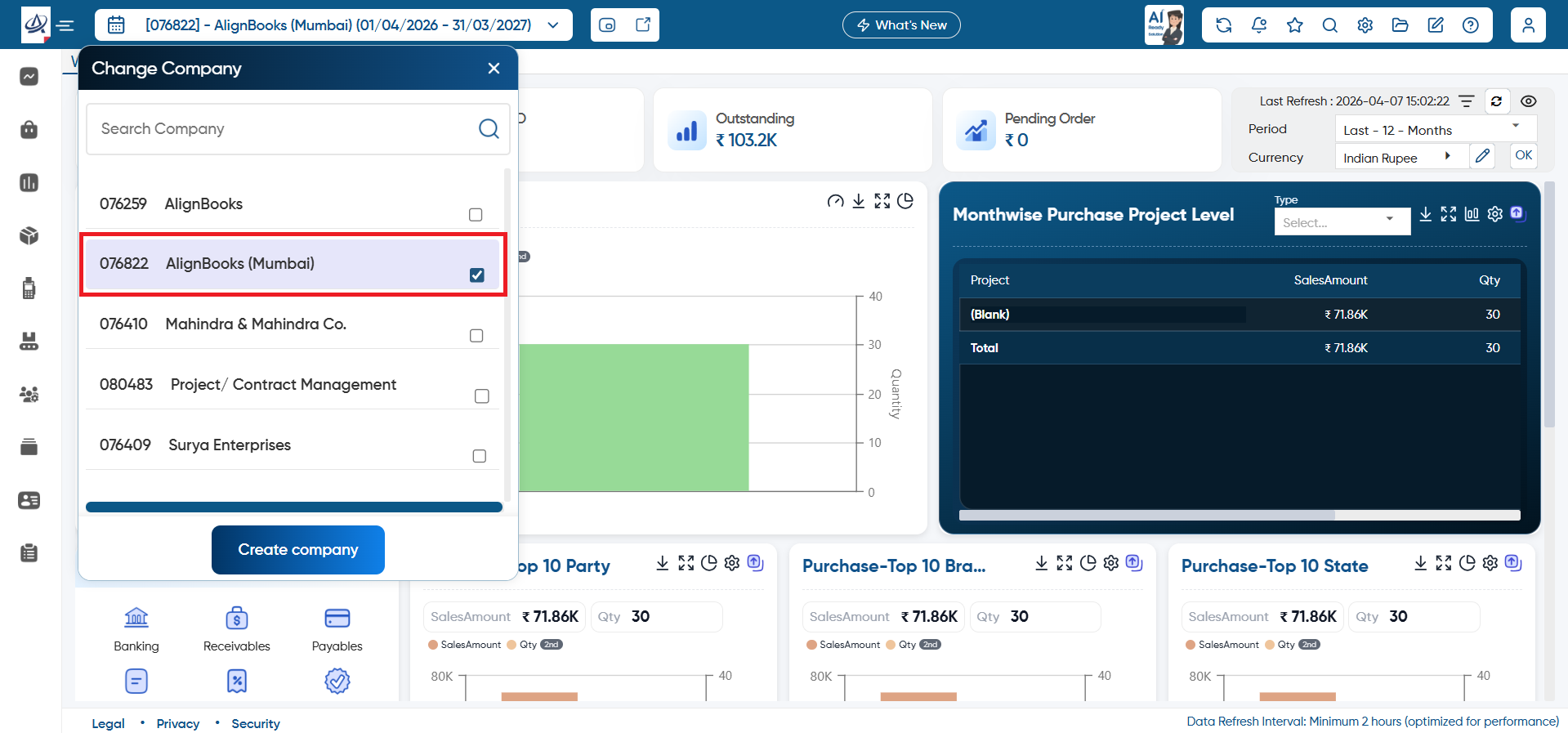
Firstly, open the Child/ Sister Company.
-
Suppose in our case Child/ Sister Company name is ‘AlignBooks (Mumbai)’.
-
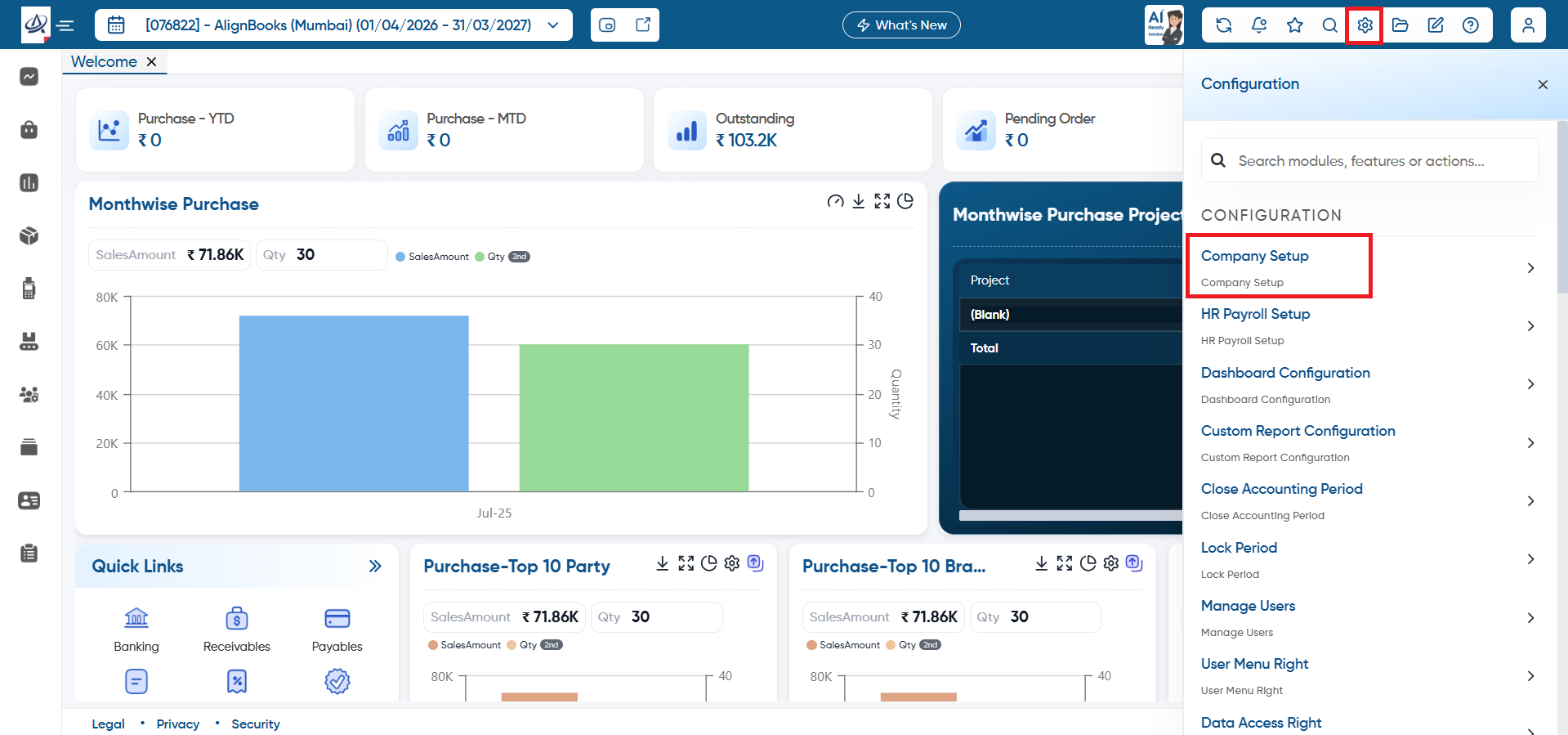
Click on 'Configuration' icon and select 'Company Setup' option.
-
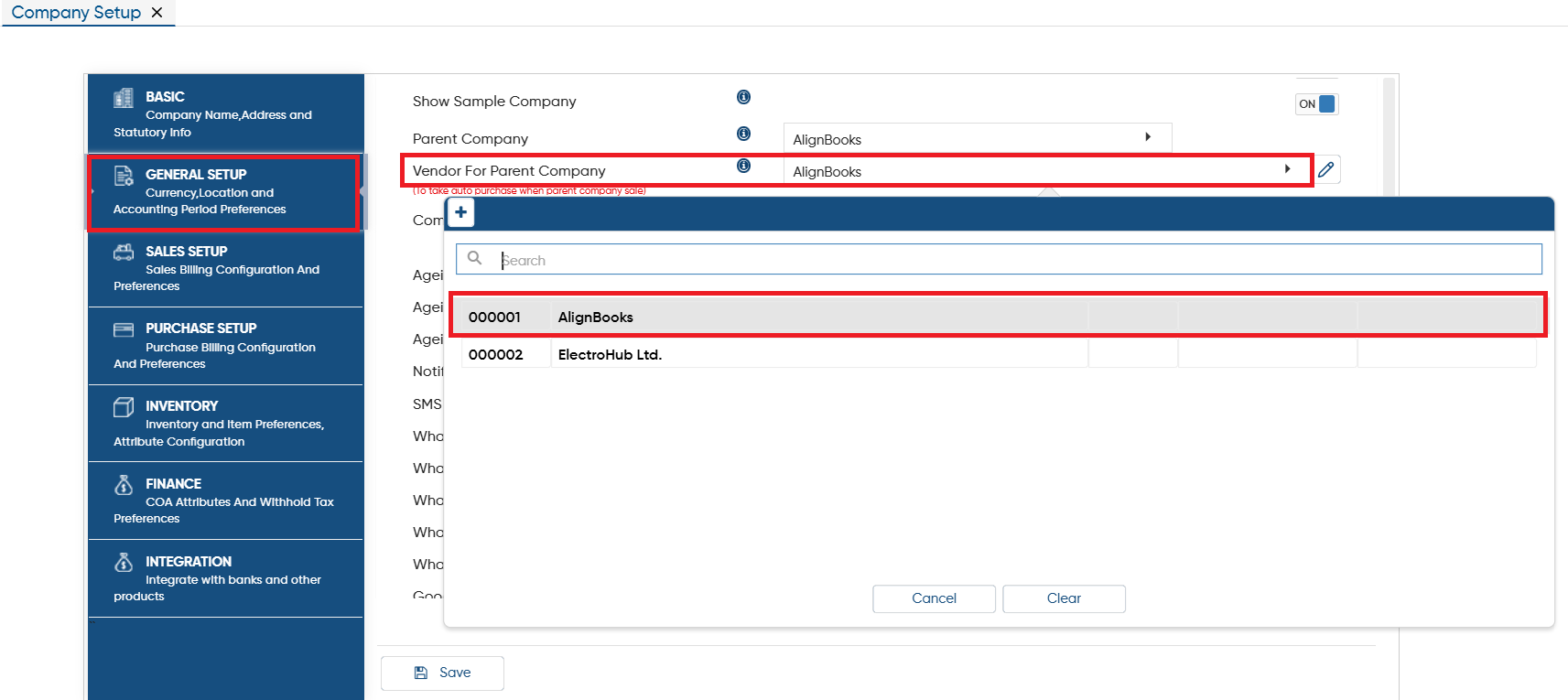
Open the 'General Setup' tab.
-
In 'Vendor For Parent Company' option, click on the dropdown and select the Parent company Ledger.
-
Click on 'Save' button to save the changes.
It’s mandatory to firstly create a Vendor’s Ledger with the actual name of the parent company. To know the process to create Vendor Master Click Here.
|
-
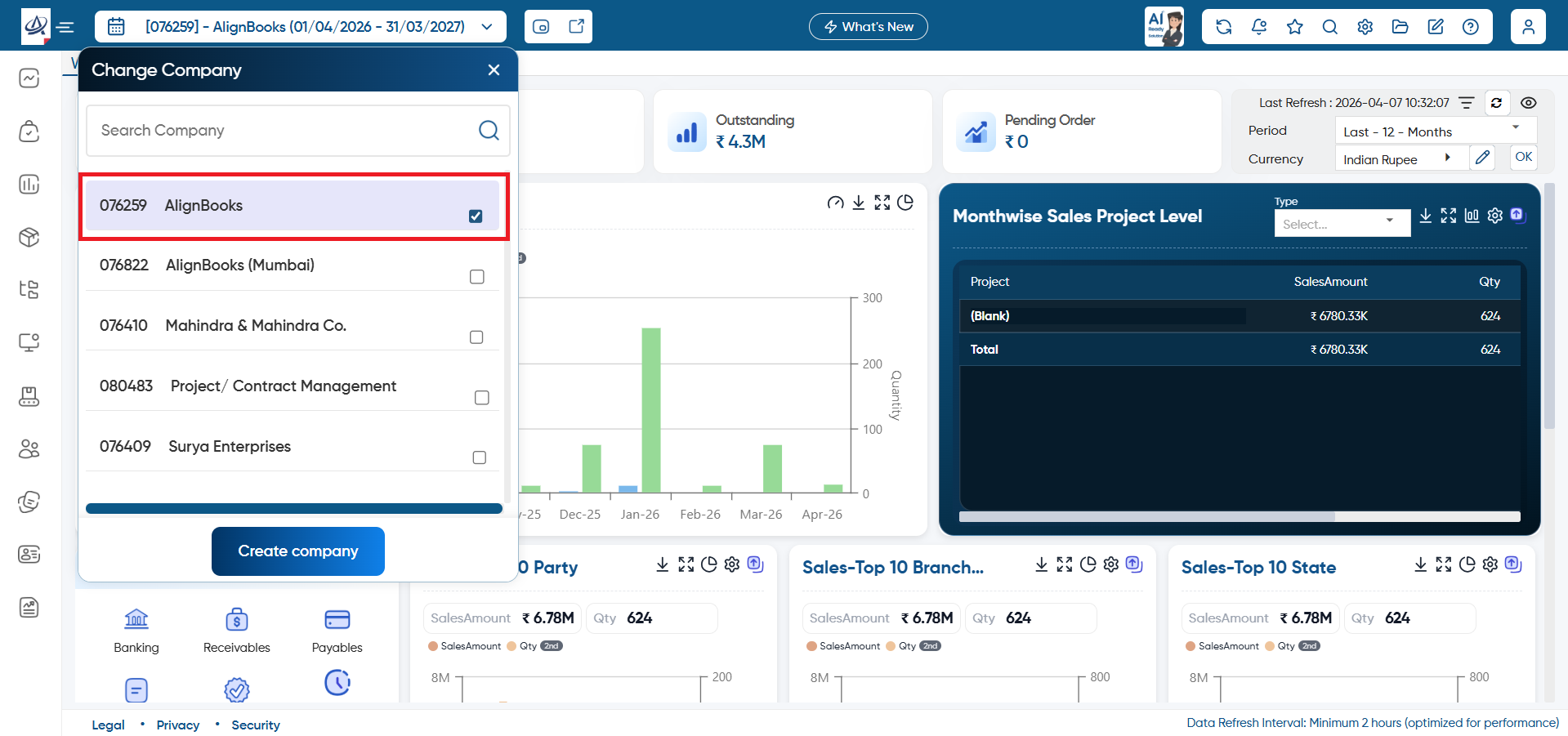
Now open the parent Company ‘Kajal Enterprises’.
-
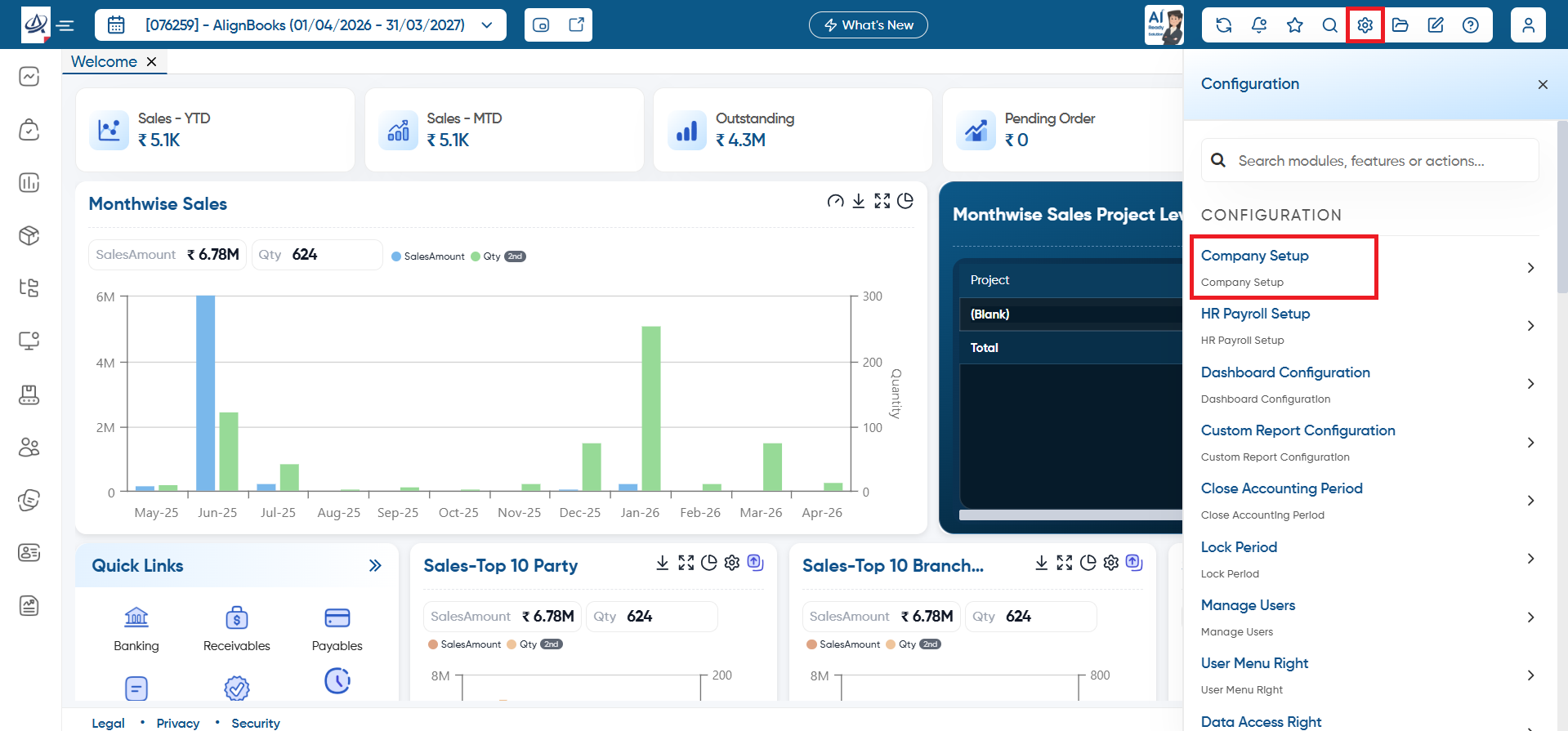
Click on 'Configuration' icon and select 'Company Setup' option.
-
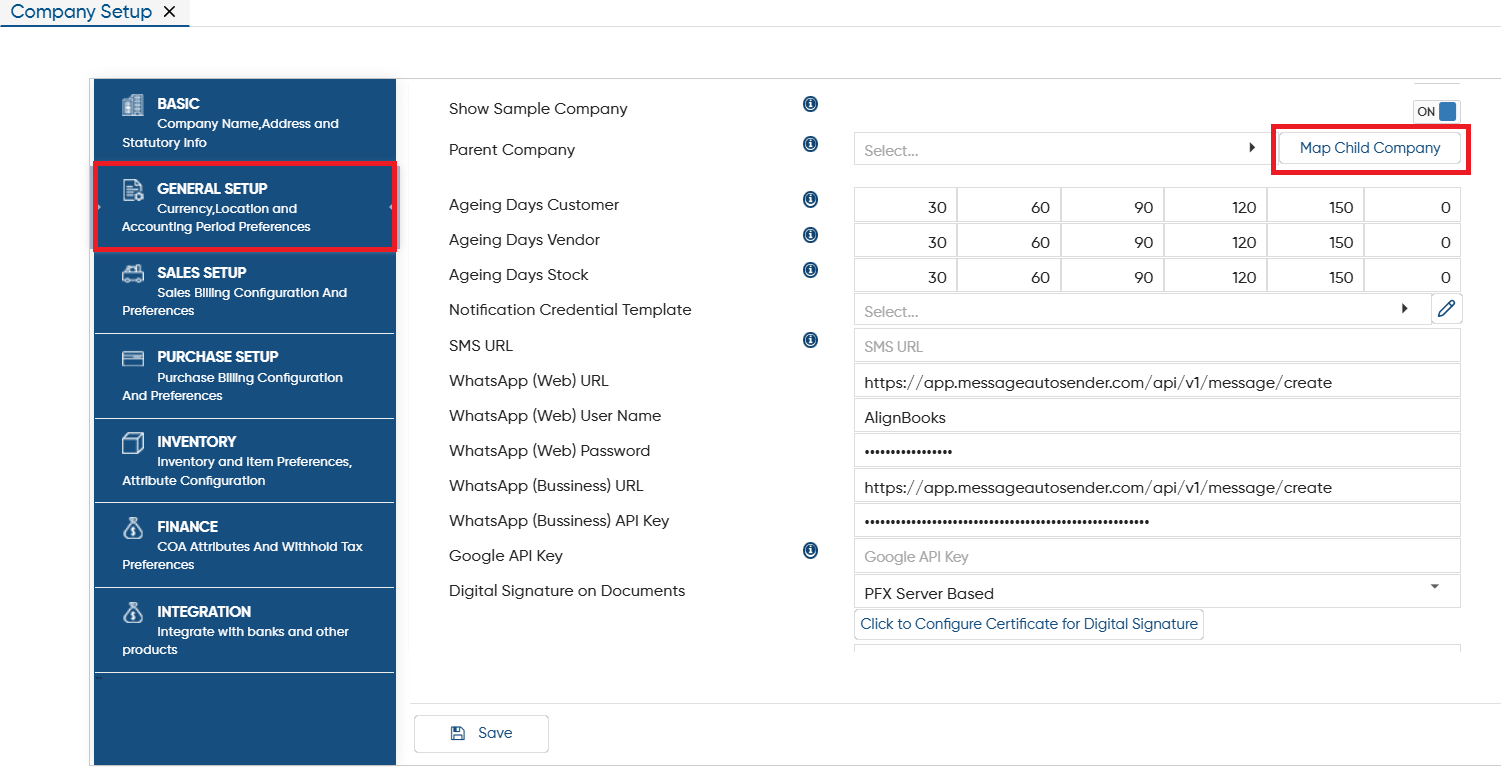
Click on 'General Setup' tab.
-
In 'Parent Company' option, click on 'Map Child Company' button.
-
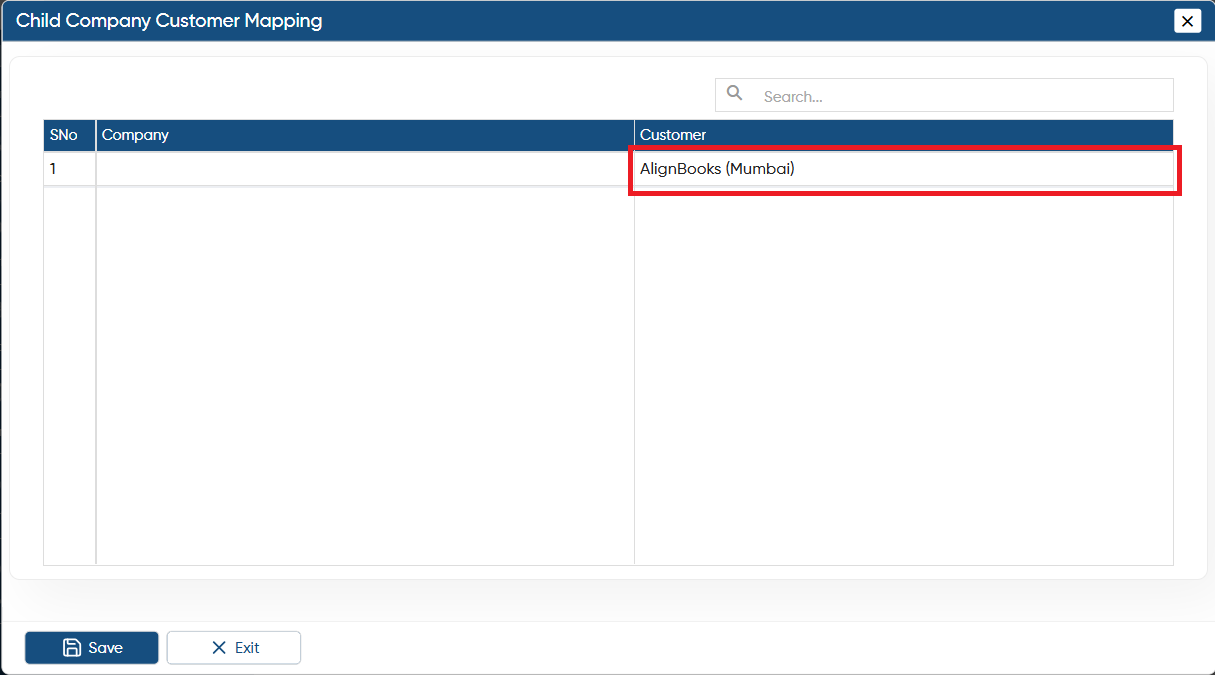
Now, in 'Customer' column, click on the dropdown and select the Child Company Ledger.
-
And click on 'Save' button.
It’s mandatory to firstly create a customer’s Ledger with the actual name of the parent company. To know the process to create Customer Master Click Here.
|
-
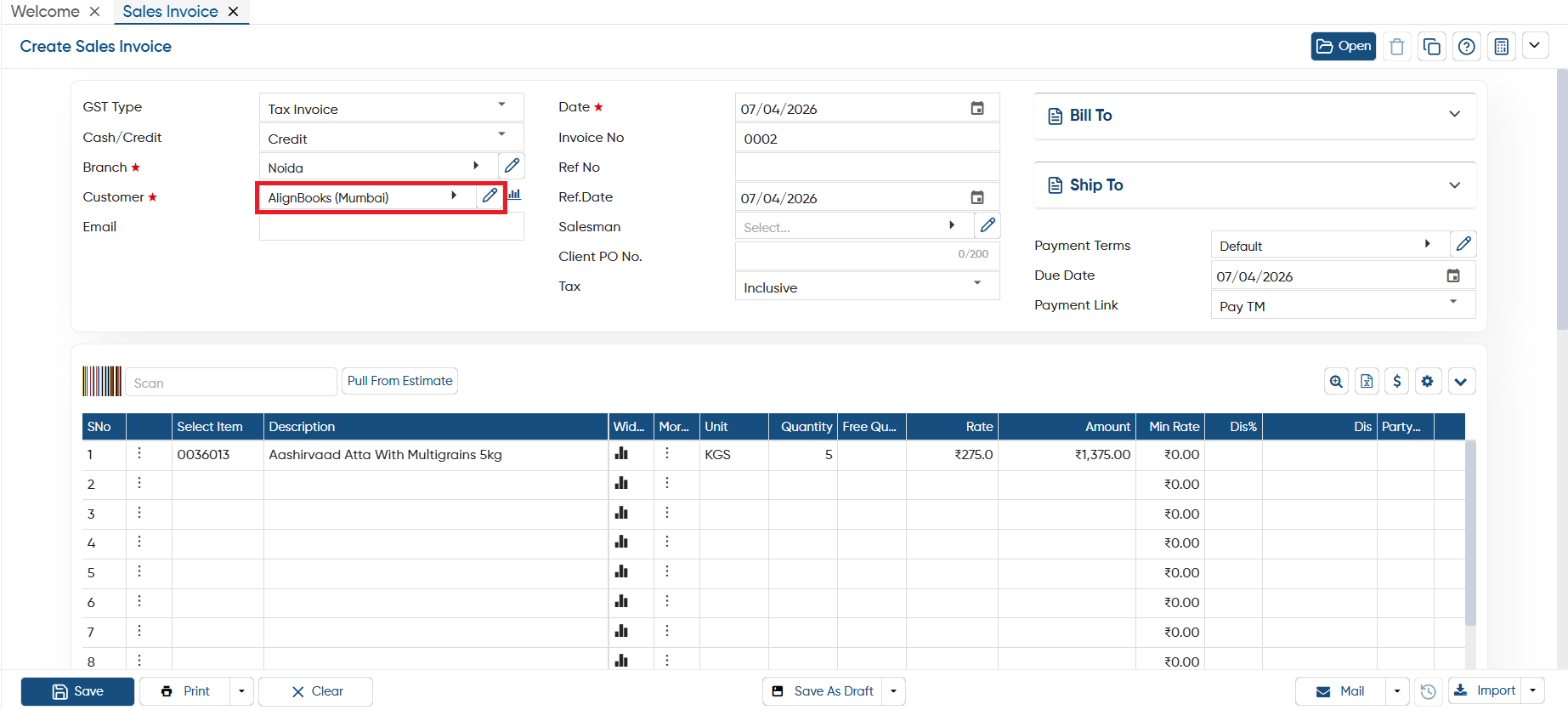
Now suppose the parent company create the Sale Invoice for the Child/ Sister Company and saves it.
-
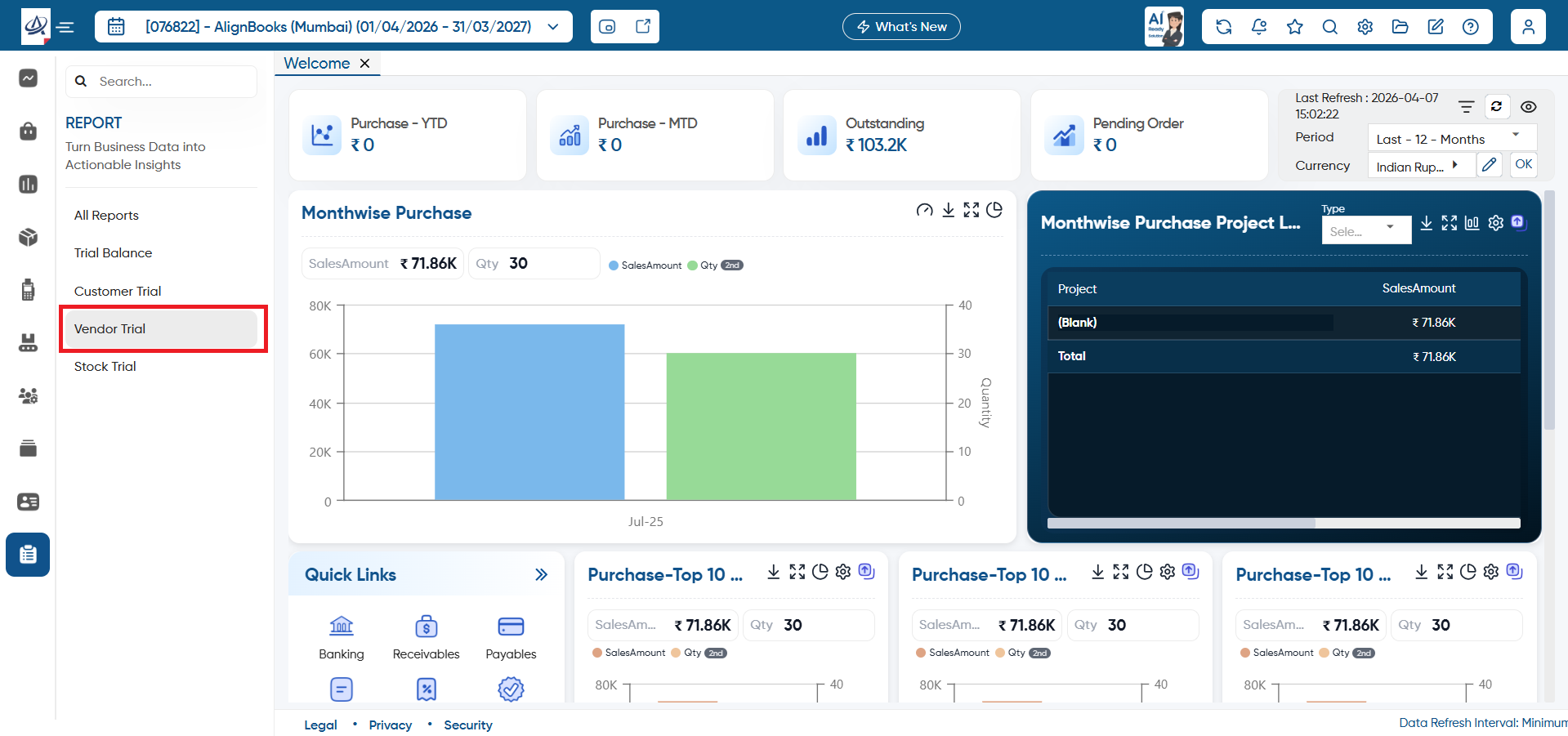
Go to Report > Vendor Trial.
-
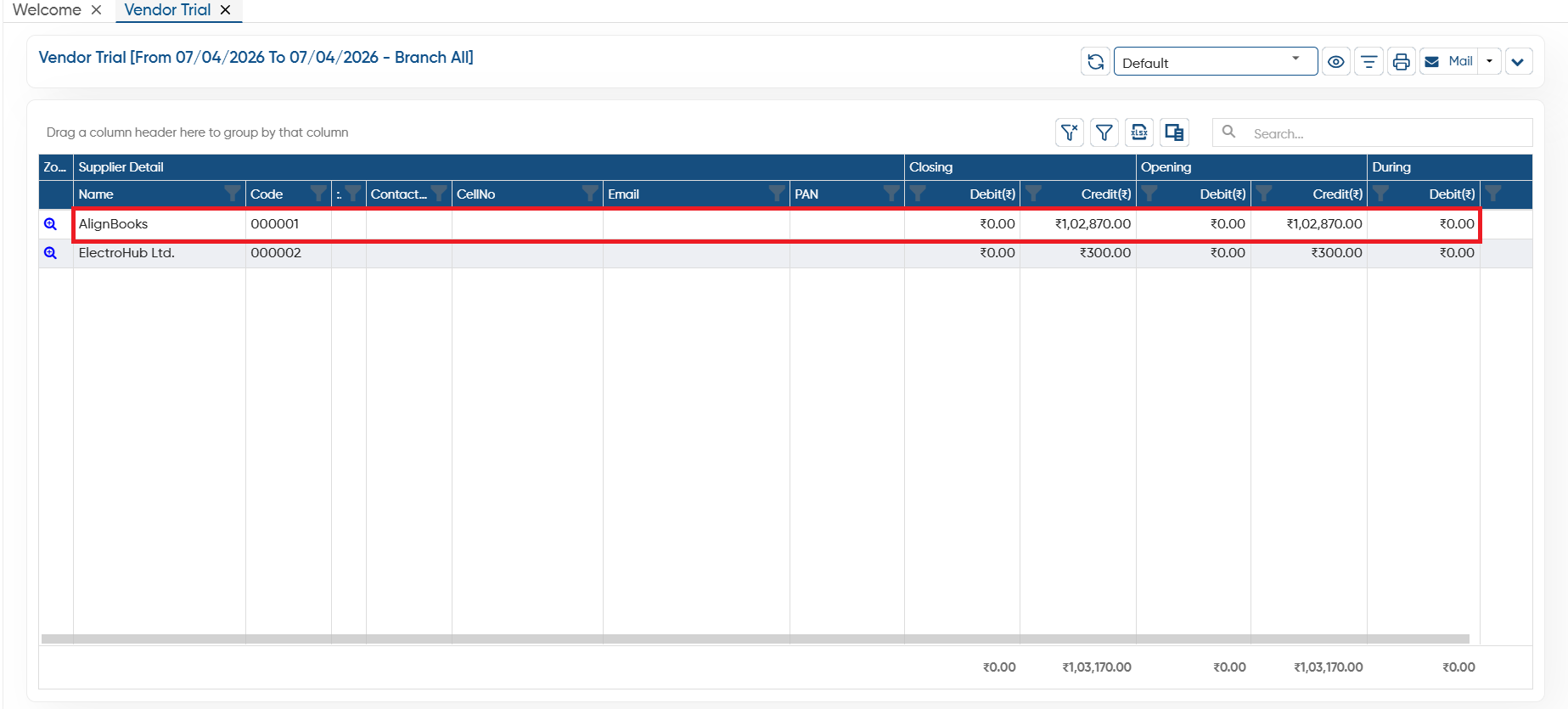
You can view Bill automatically booked in the Child or Sister company in 'Vendor Trial'.
In this way Parent - Child/ Sister company can Generate Invoices in AlignBooks.