
Payment Dunes
The Payment Dunes Entry feature helps you efficiently manage payments made to multiple vendors at once. Instead of handling each payment separately, this feature automatically creates individual payment vouchers for each vendor based on the selected bills or the FIFO method.
AlignBooks has enhanced this module to make it even more useful. If you track outstanding balances for vendors on a bill-wise basis, you can easily adjust and settle payments for multiple bills in a single step. This saves time and ensures accurate payment records.
Benefits of Payment Dunes:
-
Saves Time & Effort: Make payments to multiple vendors in one go, eliminating the need for separate entries.
-
Automated Payment Vouchers: The system automatically generates individual payment vouchers for each vendor, reducing manual work.
-
Flexible Bill Selection: You can adjust payments based on selected bills or use the FIFO (First In, First Out) method for automatic settlement.
-
Better Outstanding Management: Easily track and settle vendor payments against specific bills, ensuring accurate record-keeping.
-
Minimizes Errors: Reduces the chances of manual mistakes in payment processing and reconciliation.
-
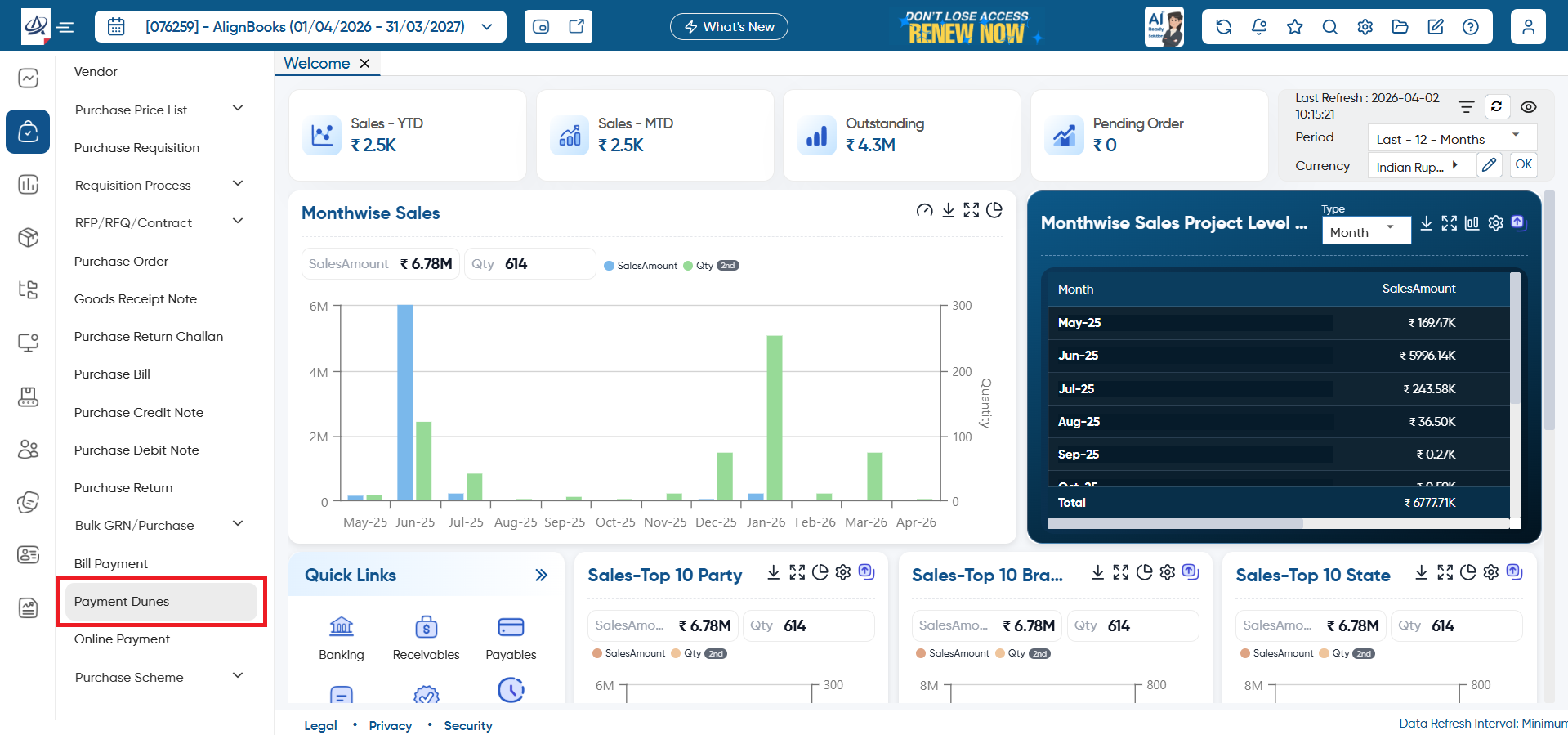
Go to Purchase > Payment Dunes.
-
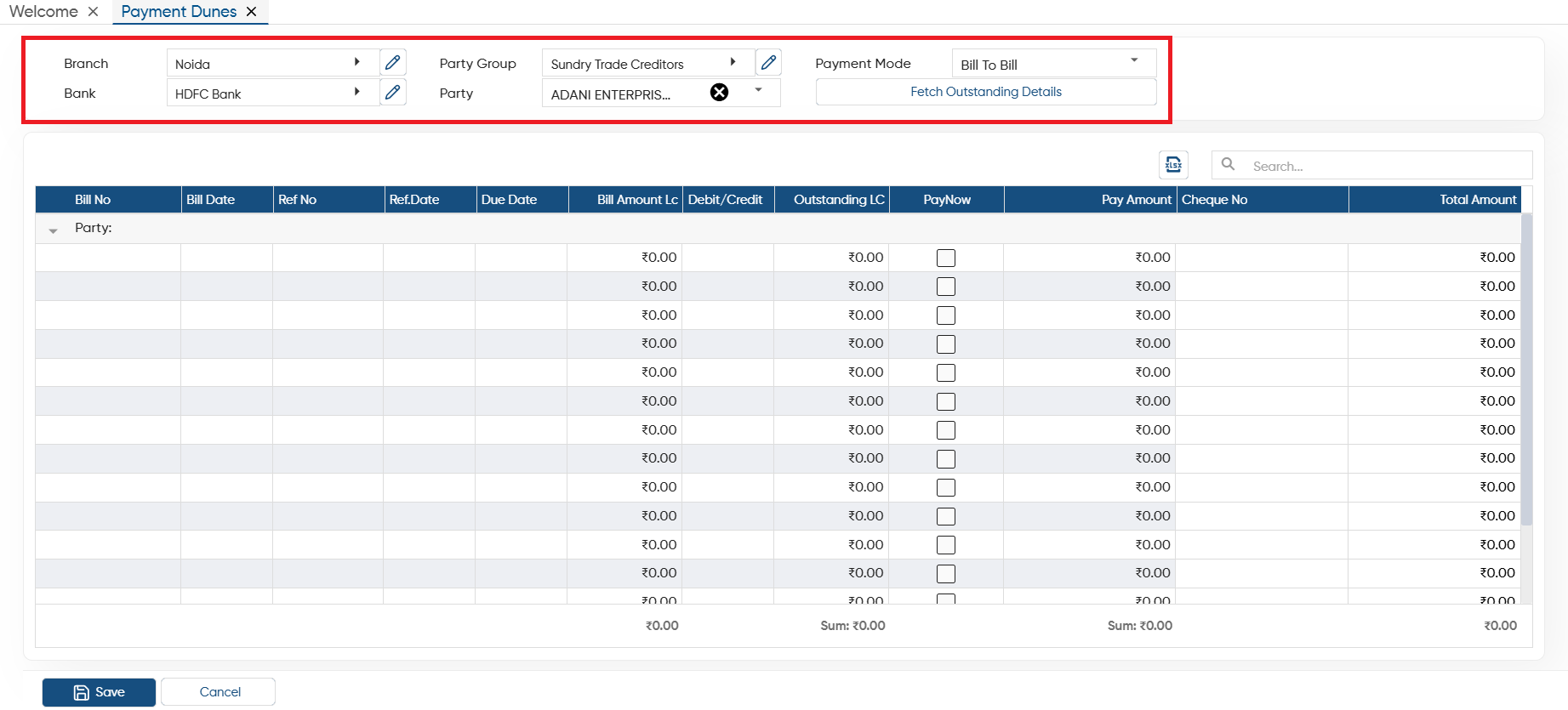
Branch: Select the Branch name through which you are making payments in Bulk.
-
Party Group: Here, you need to select the group of ledger master, based on the selected group ledger all
-
Bank: Select the Bank Name or Cash ledger through which you are making payments.
-
Party: To select the party tick the checkbox against the party to whom you want to make payments.
-
Payment Type: Select the type of payment as per your need.
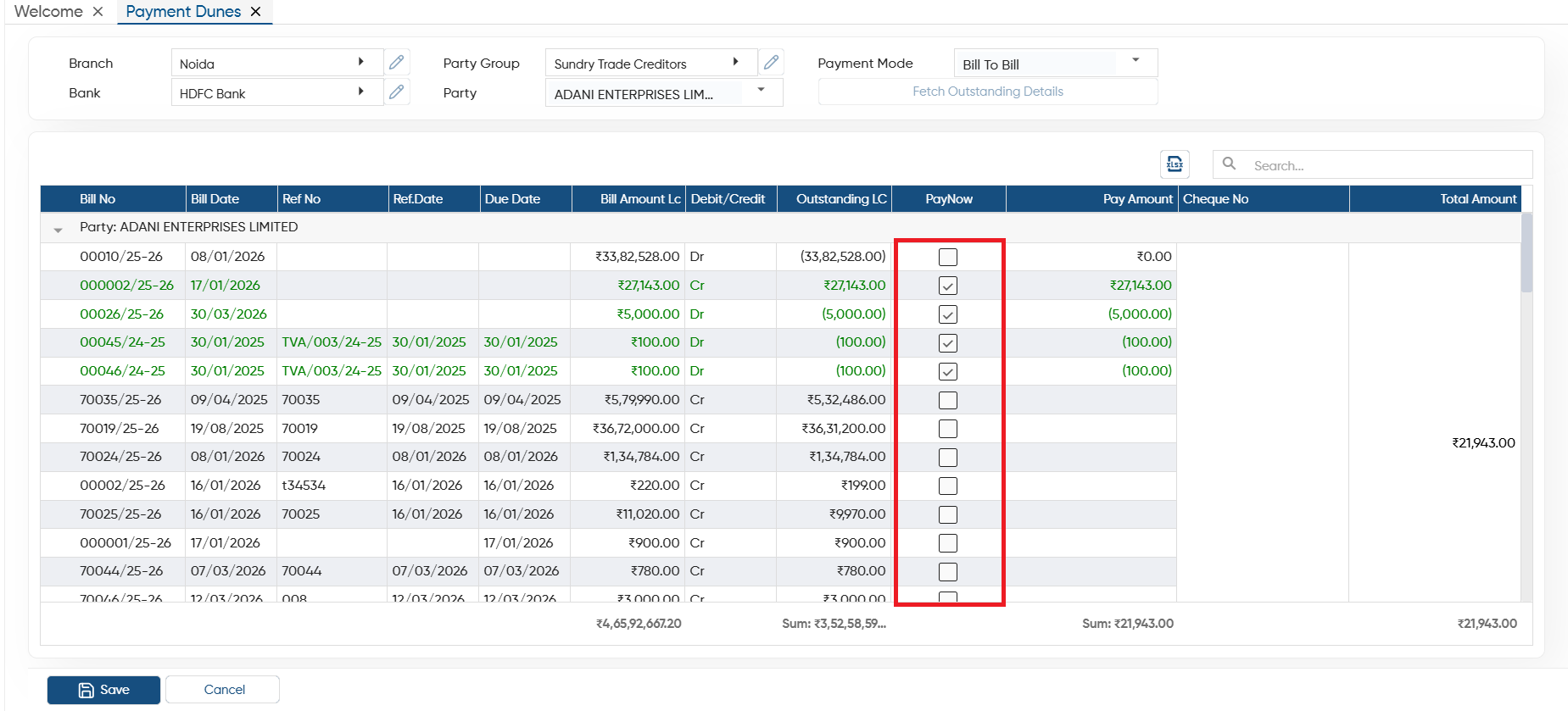
Bill To Bill Type: Select this option, to make the payment Bill wise. All the Bills of selected party will be displayed on the screen and you can simply select the bills for which you want to makes payment.
Adhoc: Through this option, you can make payment to your vendor 'On Account', that means selected party wise total amount will be displayed that needs to be pay.
Click on 'Fetch Outstanding Details' button.
-
Now, you need to tick the check box against the bill for which you want to make payment and click on 'Save' button.
In this way you manage Payment Dunes in AlignBooks.