
Requisition - Send To Vendor for Confirmation
Before generating the Purchase Order (PO), the team first sends a Purchase Requisition (PR) through AlignBooks to the vendor for confirmation. The requisition includes item details such as barcode, product name, required quantity, and expected delivery date.
The vendor can review the requested items directly on the portal (CVESS) and confirm availability, quantities, or suggest any necessary changes. They may also inform the team if any item is out of stock or partially available. Once the vendor provides confirmation, the details are automatically synchronized between AlignBooks and the vendor portal.
To send the requisition to vendor for confirmation kindly follow the below steps:
-
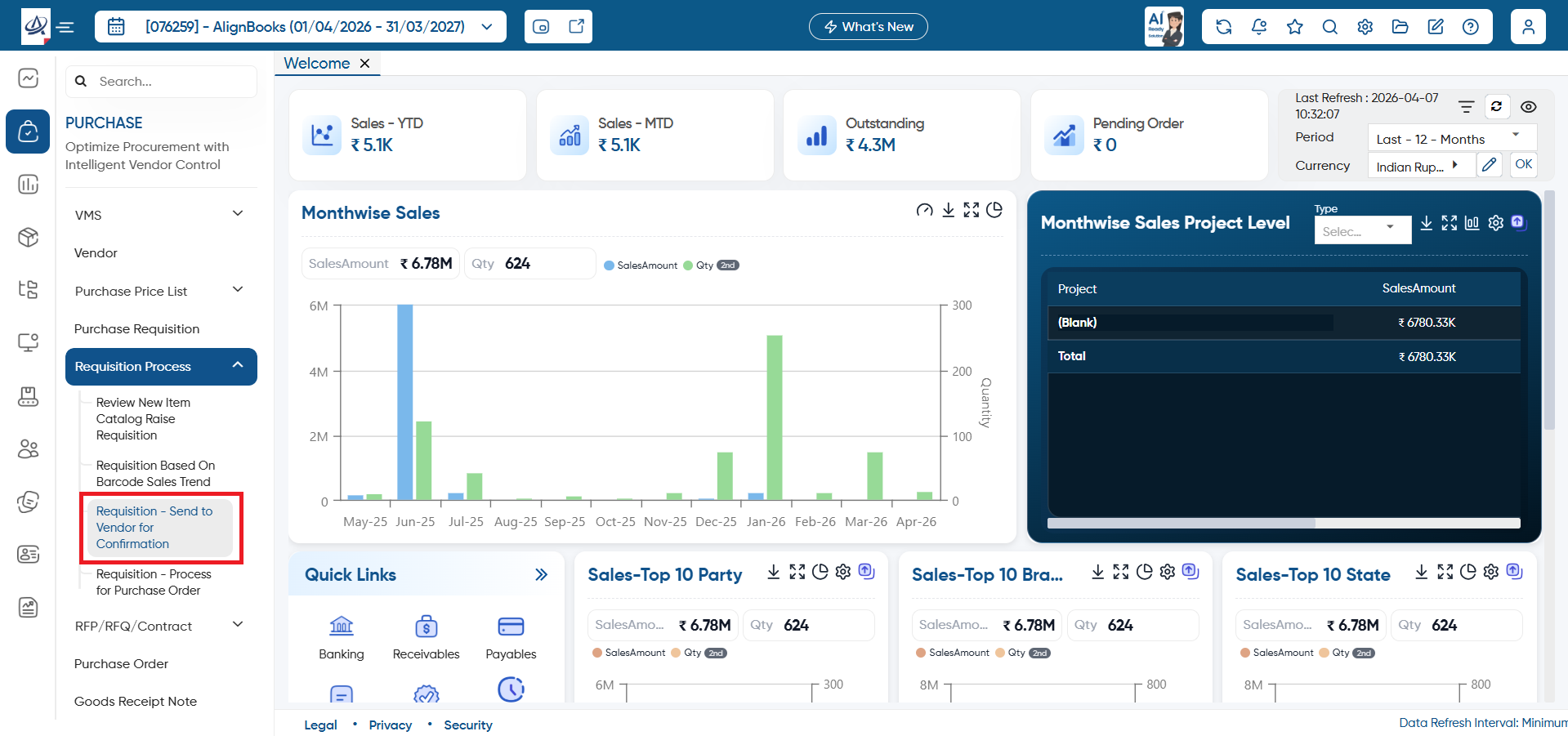
Open the 'Purchase' Module > Requisition Process > Requisition - Send To Vendor For Confirmation.
-
Tick the check box, which you want to send to vendor for confirmation whether the items are available or not.
-
Click on the 'Save' button.
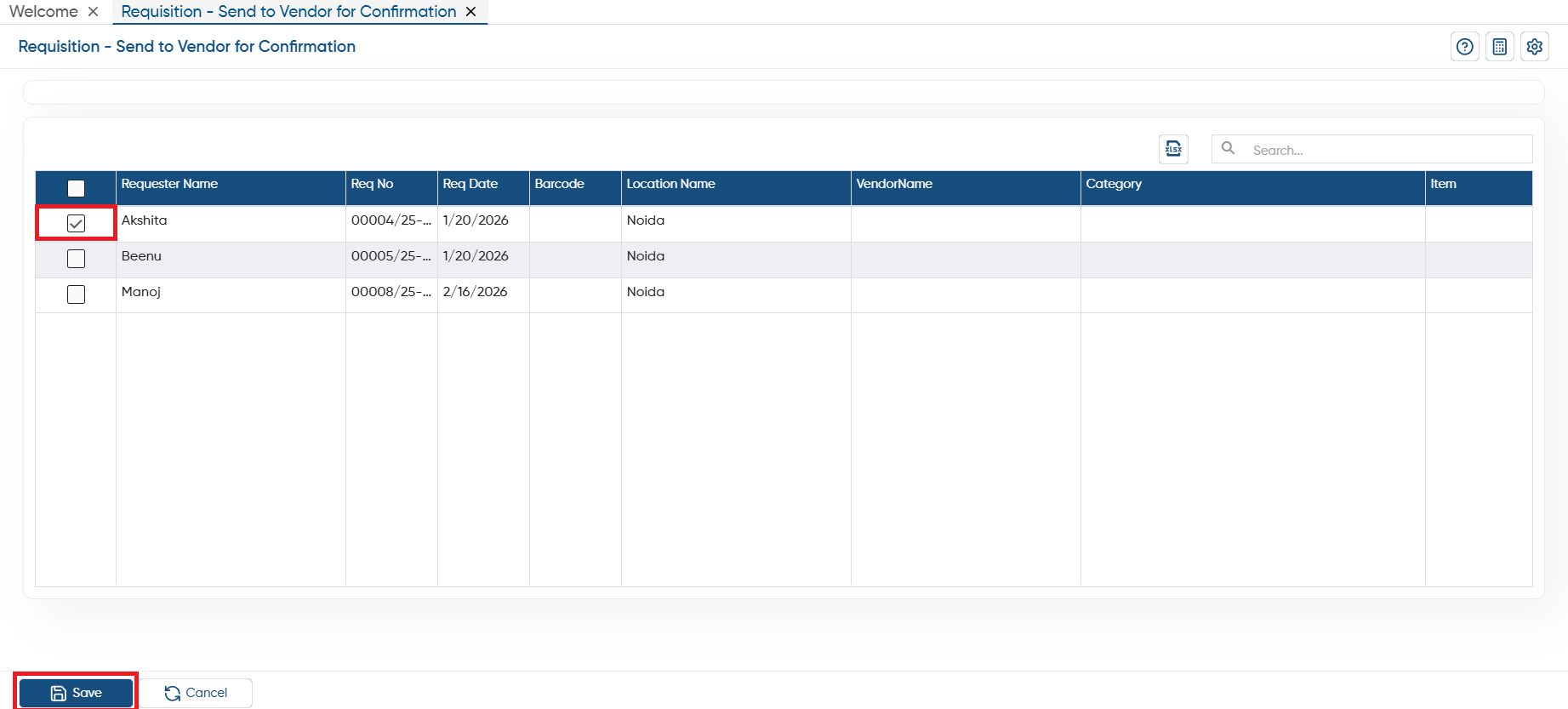
In this way, you can share the requisition to vendor directly for item availability confirmation before generating purchase order.