
Requisition Based on Barcode Sales Trend
Generating a requisition based on barcode sales trend means automatically creating a purchase request for products that are selling the most, based on their barcode-level sales data. Every time a product is sold, its barcode is scanned, and the system records the quantity sold, date, and frequency. Over time, this data shows a clear sales trend - highlighting which barcodes (products) are in high demand and selling quickly.
By analyzing this sales trend along with current inventory levels, the team can quickly determine which items are running low or likely to go out of stock soon. Based on this analysis, they can generate purchase orders (POs) for high-demand products to ensure timely replenishment. This approach helps maintain optimal stock levels, prevents stockouts, improves product availability, and supports better planning and decision-making.
-
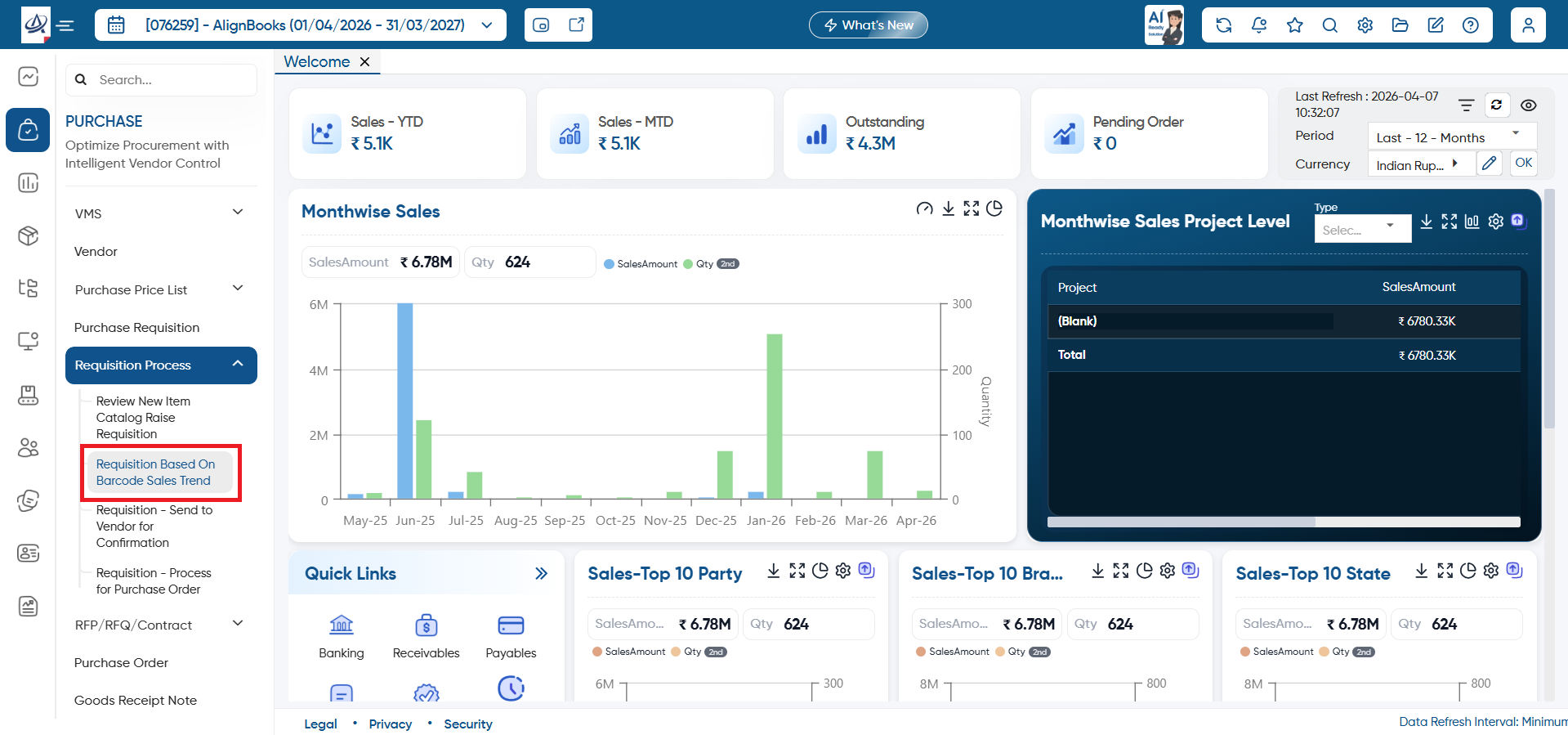
Open the 'Purchase' Module. Select 'Requisition Process' then click on the 'Requisition Based on Barcode Sales Trend'.
-
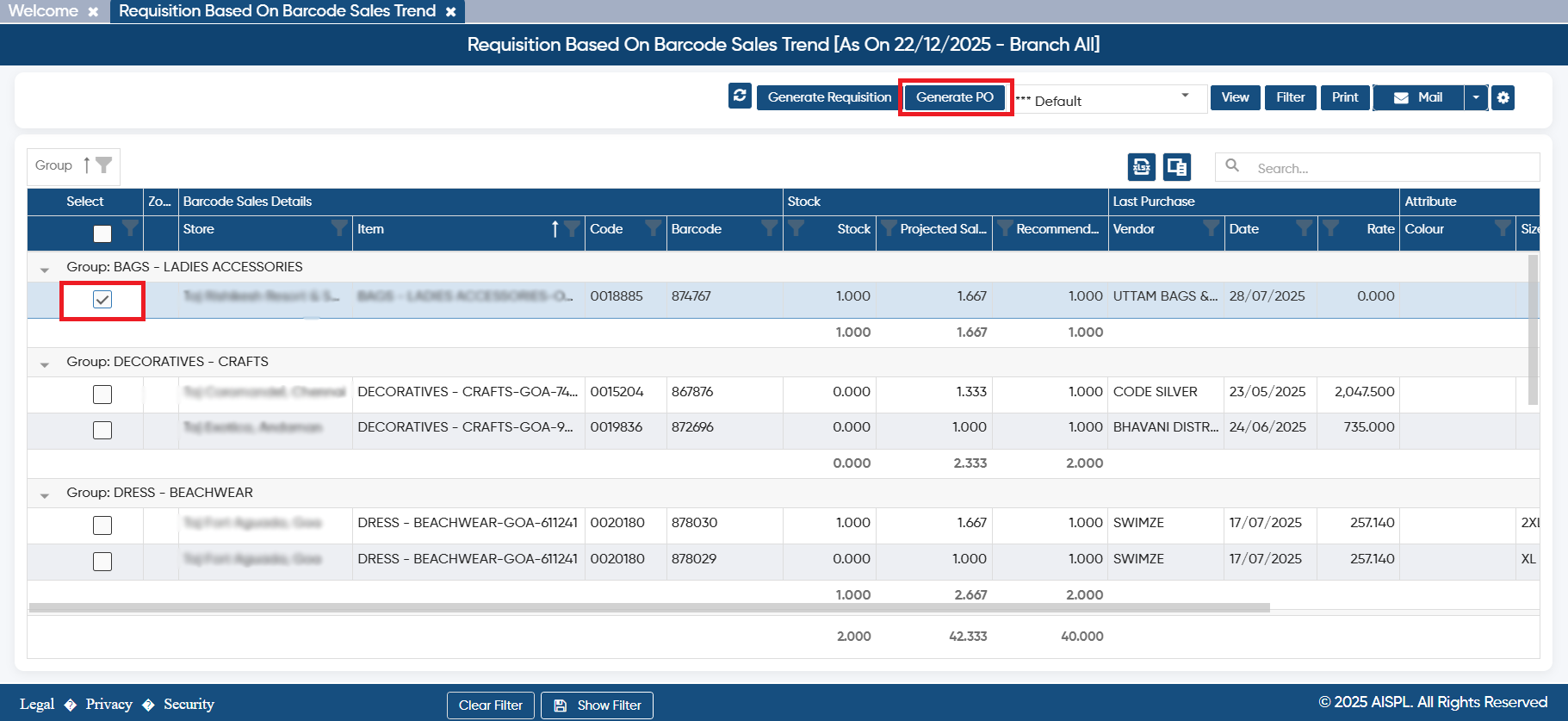
Here, you need to tick the checkbox against the requirement generated based on the sales trend and click on the 'Generate Requisition' or 'Generate PO' based on your company requirement.
-
Suppose select 'Generate PO'.
-
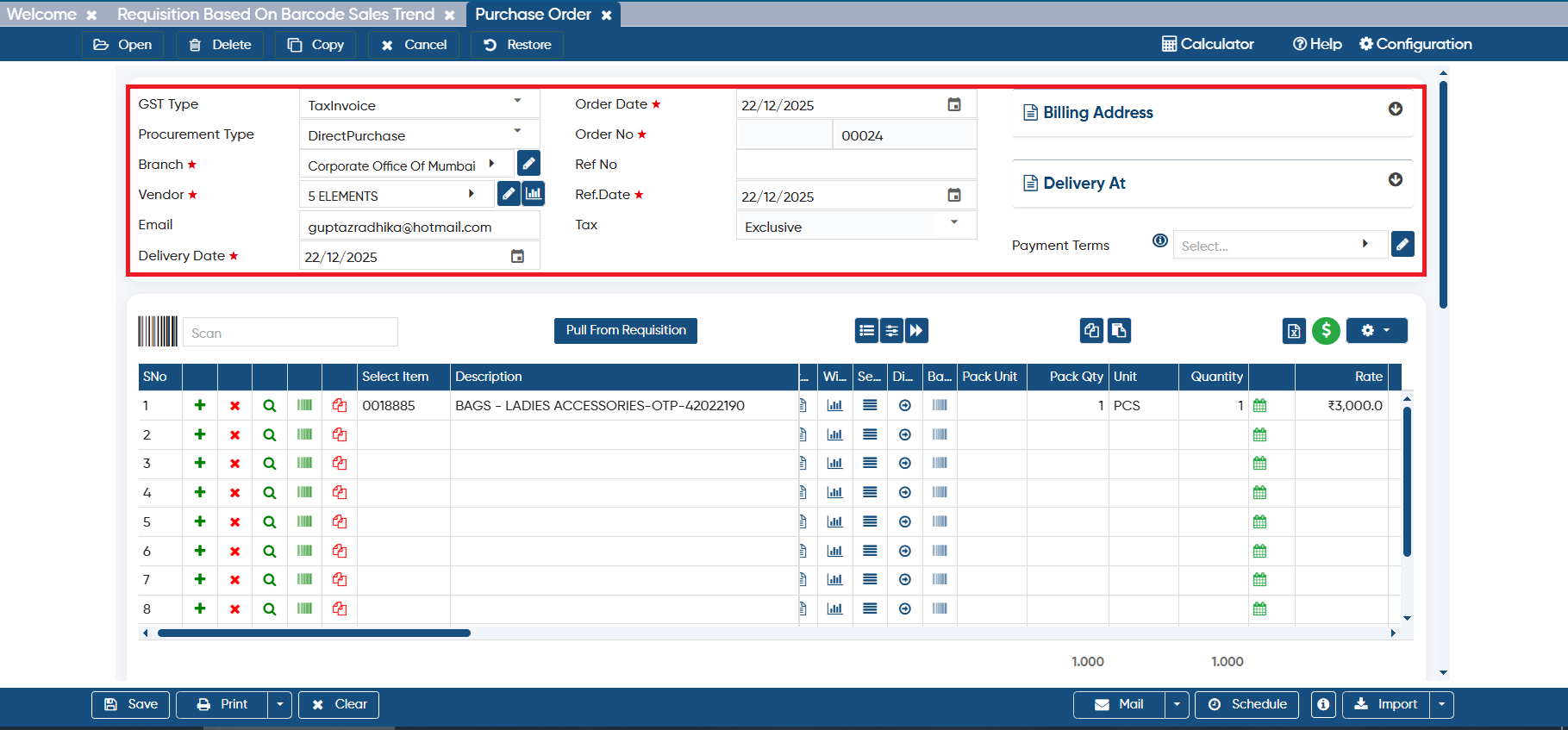
Thereafter, the purchase order window will open and items will automatically get loaded.
-
You can select the Branch, Vendor, other details as required, and click on the ‘Save’ button.
-
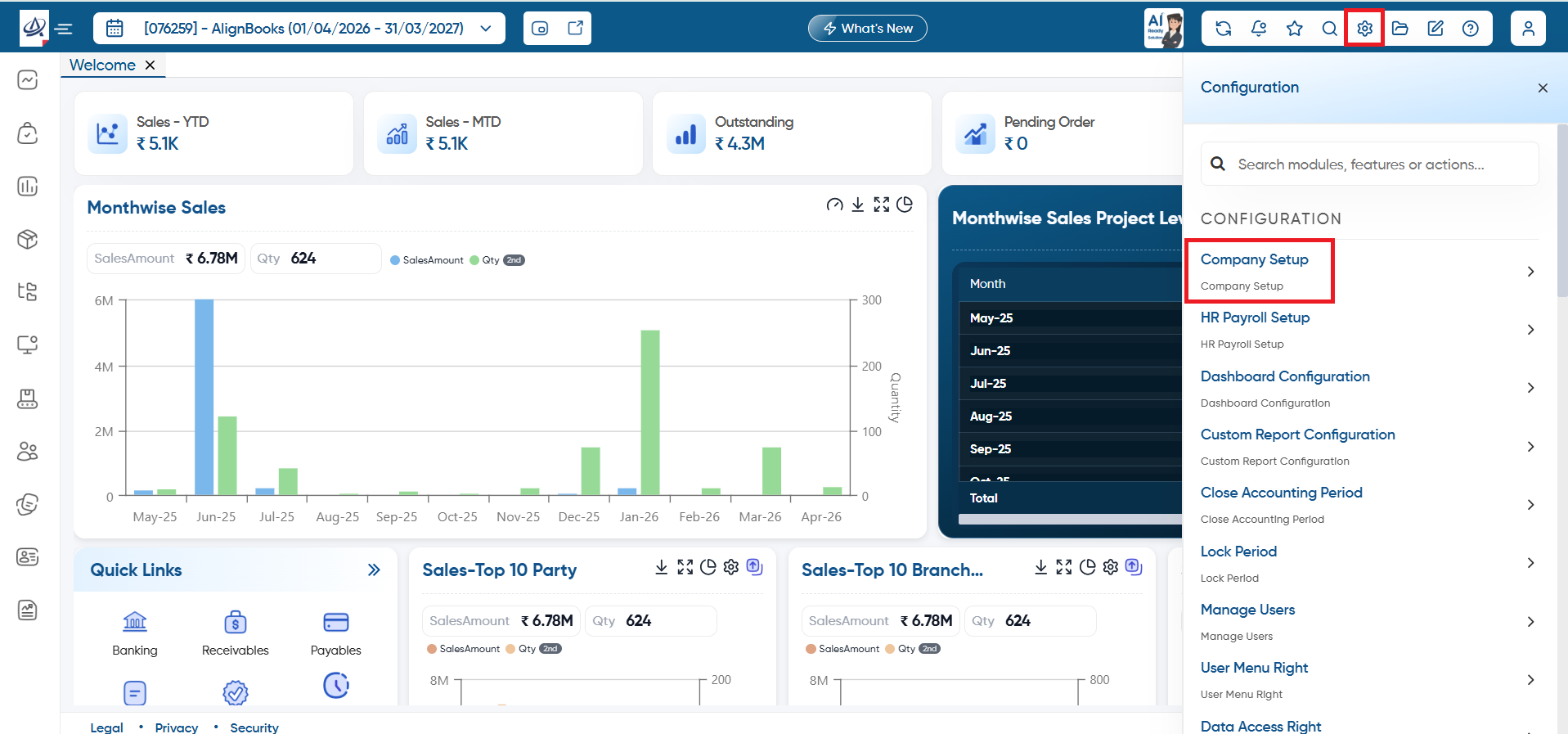
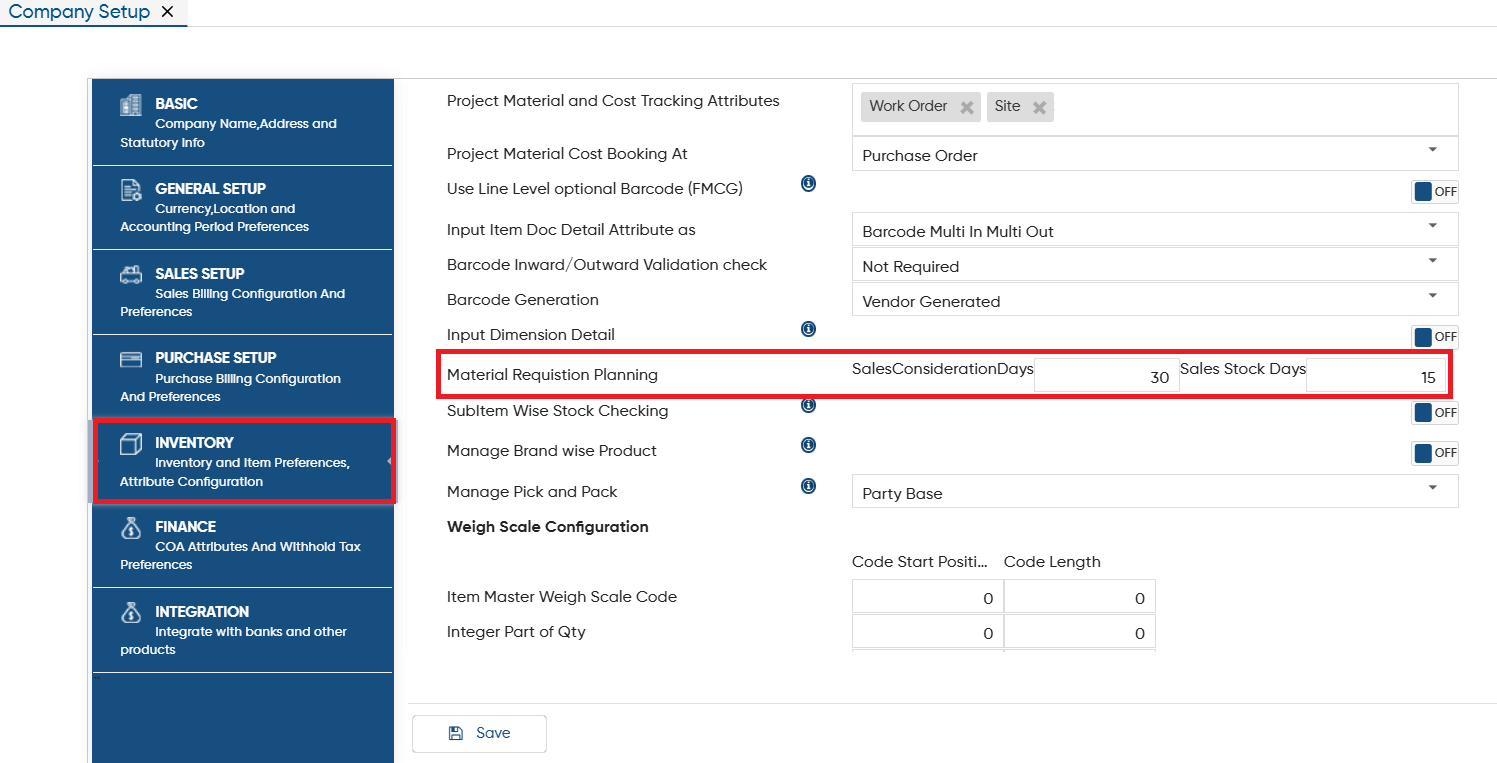
To set the formula for sales trend, you need to click on the ‘Configuration’ icon, and then select ‘Company Setup’ option.
-
Open the ‘Inventory’ setup, in ‘Material Requisition Planning’ option, you can fix the days for considering sales days & stock days.
-
Click on the ‘Save’ button.
In this way you can generate Requisition or PO based on barcode sales trend in AlignBooks.